
Facebook Twitter Instagram YouTube linkedin
info@BanuMusaGr.com
Login / Register
0 Wishlist
0 Compare
0 items / € 0.00
Facebook Twitter Instagram YouTube linkedin
BanuMusa R&D BanuMusa R&D
  • Consulting Services
  • Products
  • Resources
    • Blog
    • Projects
  • About Us
    • Contact Us
    • Our Team
    • Our Partners
    • Careers
Free Mentoring
Menu
BanuMusa R&D
0 items / € 0.00
Plastic Curve Generator plugin converting stress-strain data in Abaqus
HomeShopAbaqusAbaqus Plug-ins Plastic Curve Generator Plugin for Abaqus
Previous product
Autokeeler plugin generating Forming Limit Curves (FLC) and FLD in Abaqus
Autokeeler Plugin for Abaqus: FLC & FLD Generator € 0.00
Back to products
Next product
Pelamis Fatigue Damage Calculator plugin for marine Abaqus simulations abaqus fatigue analysis offshore structure design fe safe fatigue failure analysis
Pelamis Fatigue Damage Calculator Plugin for Abaqus € 0.00

Plastic Curve Generator Plugin for Abaqus

€ 163.05

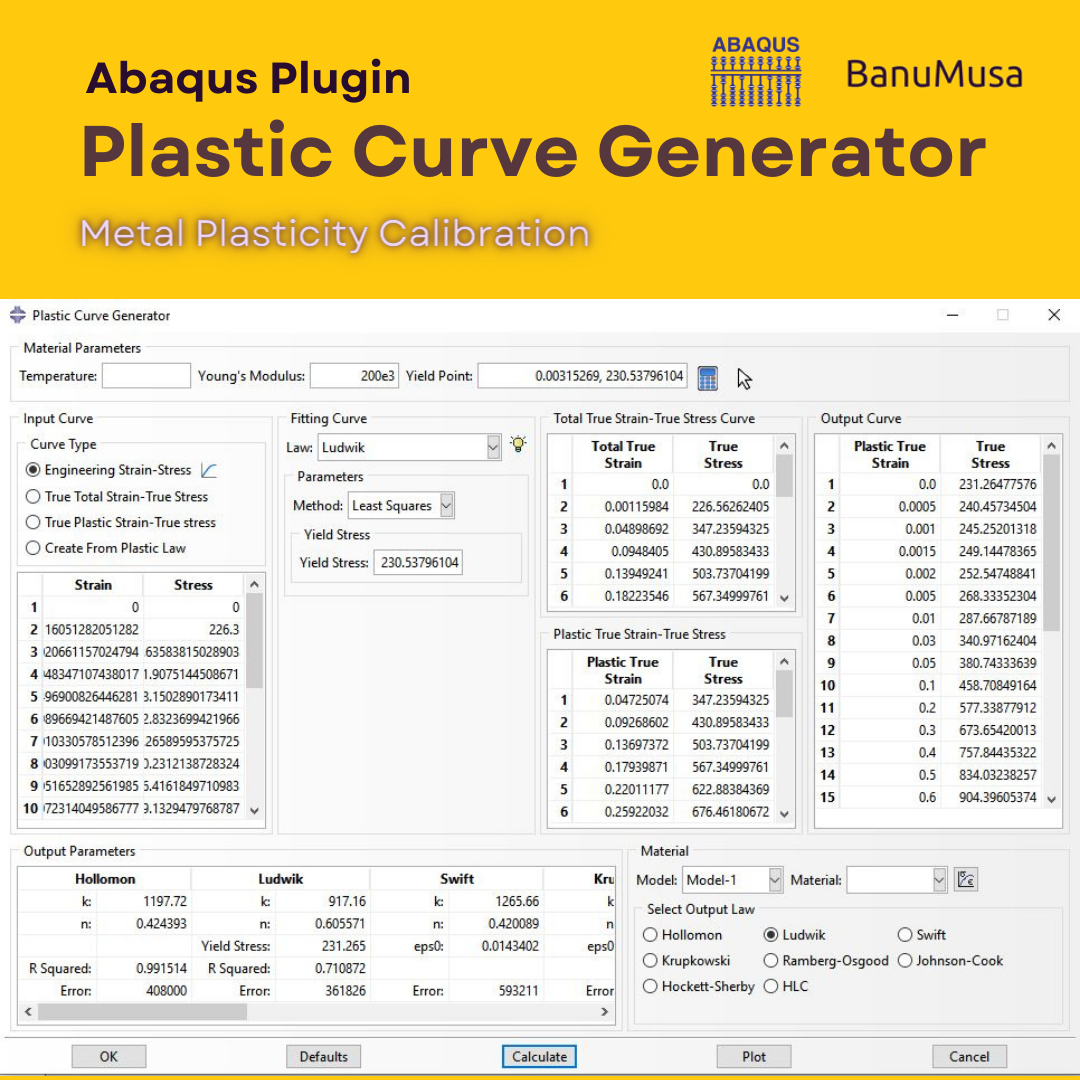
The Plastic Curve Generator plugin helps the Abaqus user to create stress-strain curves easily. The input data can be either: engineering stress-strain curves, true total stress-strain curves, or true plastic strain-stress curves. It makes automatically all the conversions needed from the input data, giving the user the total true curve, plastic curve, and output curve, which is obtained according to the plastic flow laws.

Documentation (PDF + HTML)
Abaqus plugin files (*.RAR)
15-day money-back guarantee
  Free 24/7 online mentoring

somdn_product_page
Compare
Add to wishlist
SKU: 1000-3 Categories: Abaqus, Abaqus Plug-ins
Share
Facebook Twitter Email Pinterest linkedin Odnoklassniki WhatsApp WhatsApp VK Telegram
close
Products
  • USDFLD Subroutine 3D Hashin 3D Hashin USDFLD Subroutine Failure Criteria for Abaqus € 124.00 Original price was: € 124.00.€ 119.00Current price is: € 119.00.
  • Wound Composite Modeler Plugin for Abaqus Wound Composite Modeler Plugin for Abaqus
    Rated 5.00 out of 5
    € 210.00
  • Description
  • Additional information
  • Reviews (0)
  • Payment & Support
  • Content
Description

The Plastic Curve Generator Plugin

The significance of having a well-defined material model in finite element analysis lies in its impact on accurately representing the behavior of the material being analyzed. A well-defined material model is critical for accurately predicting the response of a structure or component, reducing development costs, and ensuring the safety and reliability of the design.

The Plastic Curve Generator plugin helps the Abaqus user with the metal material model calibration process. The input data can be either:

  • Engineering stress-strain curves,
  • True total stress-strain curves, or
  • True plastic strain-stress curves.

It makes automatically all the conversions needed from the input data, giving the user the total true stress-strain curve, stress-strain plastic curve, and output stress-strain curve, which is obtained according to the selected law. The plastic flow laws to generate plastic curves available are:
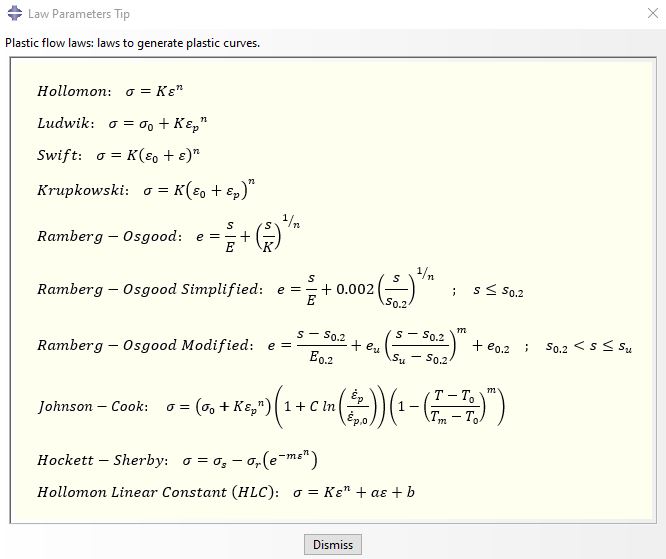
plastic flow laws to generate plastic curves - material calibration abaqus johnson cook hollomon

  • Hollomon
  • Ludwik
  • Johnson Cook
  • Swift
  • Krupkowski
  • Ramberg-Osgood
  • Ramberg-Osgood Simplified
  • Ramberg-Osgood Modified
  • Hockett-Sherby 1
  • Hollomon Linear Constant (HLC) 1

The Plastic Curve Generator plugin allows Abaqus users to plot the curves calculated against input data to visually compare and give information about the error, R-square, and Chi-Square (depending on the selected law). In addition, it calculates the law constants to use by the Abaqus application user.
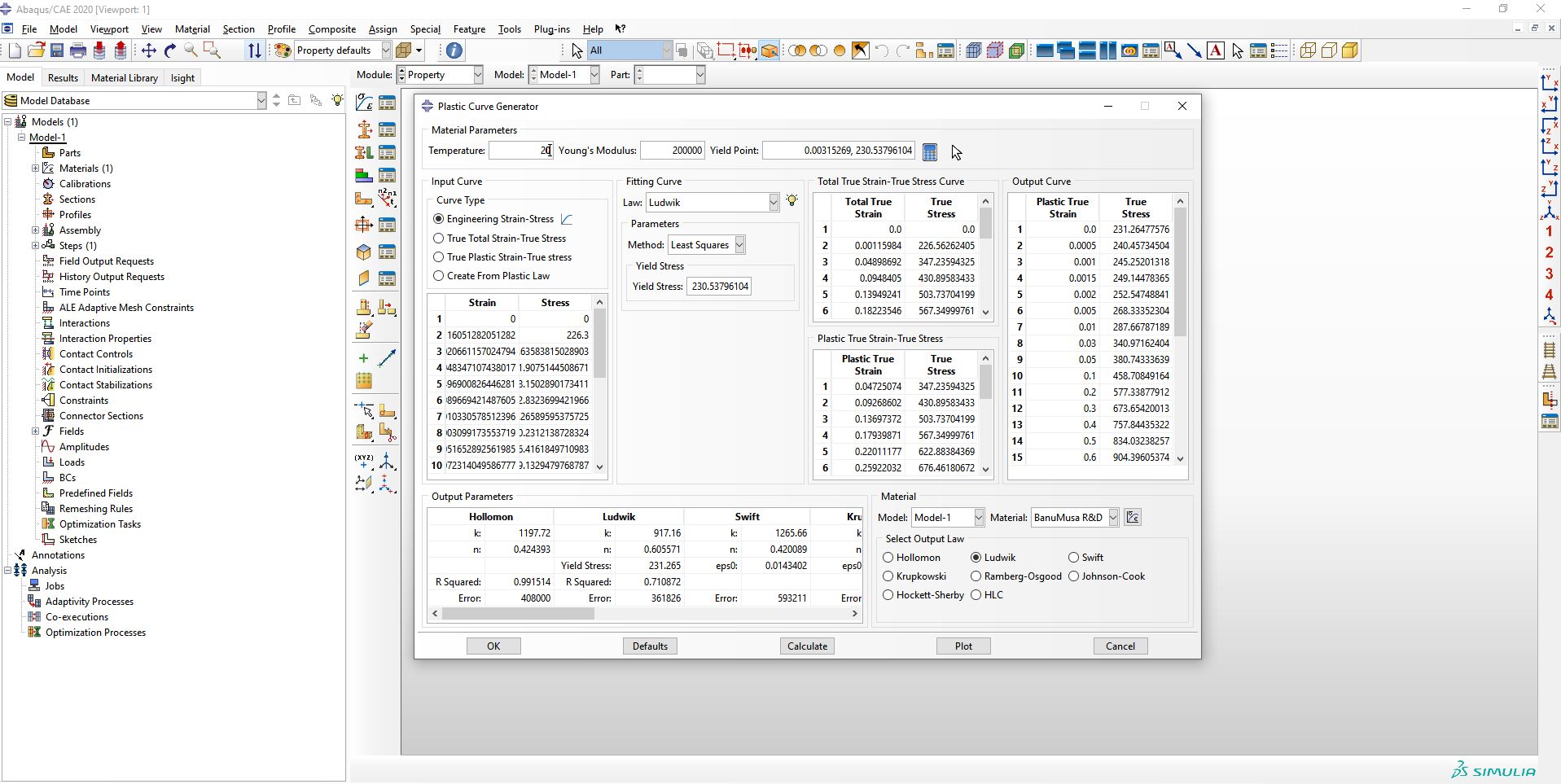
Plastic Curve Generator Plugin for Abaqus johnson cook abaqus

Different ways to obtain the constants are implemented in the Plastic Curve Generator plugin and for Hockett-Sherby and HLC laws, the plugin makes it easy for the Abaqus user tool to create the specimen to be simulated. it is based on an iterative process to fit FEM results to experimental data. That is, to determine the plastic constants, the material constants are determined by making a virtual laboratory specimen and using iteration with the FEM method.

Is a good complement to define material properties for metal forming simulations, like bending simulations from the Bending Pipe plugin.

There are different fitting methods in this plugin, which can be mentioned:

  • Least squares
  • From UTS points
  • from two points
  • SLSQP
  • Curve fit
  • Low yield stress
  • Iteration by FE method

For the iterative method, the plugin has a library of standards including the following:

  • ASTM A370
  • ASTM E8/E8M
  • ASTM D638
  • ISO 6892-1
  • JIS Z2241

In addition to these standard specimens, the Abaqus user can add other specimens. These standards are shown in the figure below.
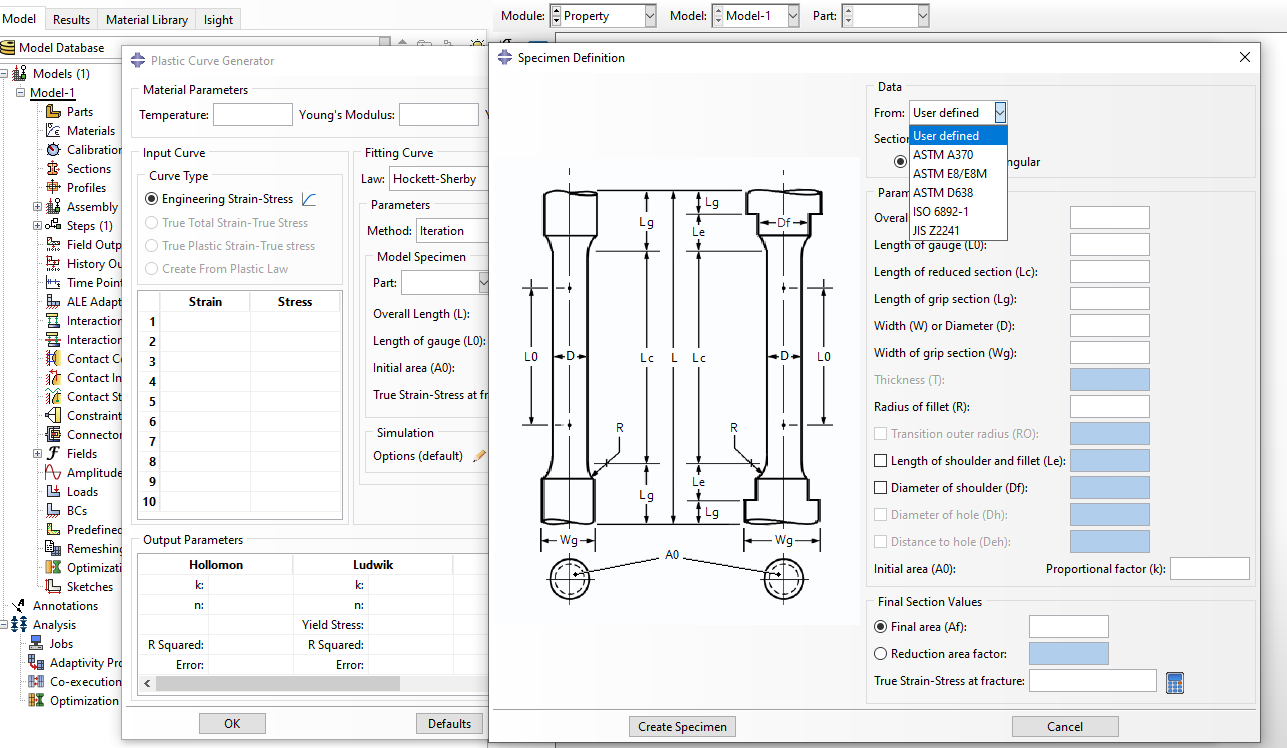
plastic curve generator for material model calibration - Hockett sherby - hollomon linear constant - abaqus plugin

For the iterative method, the user can choose custom settings according to the type of simulation, which are shown in the figure below.
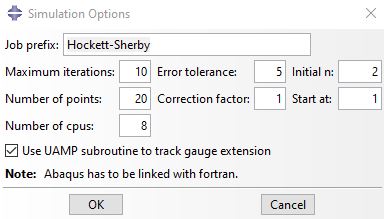
plastic curve generator abaqus plugin for itterative method hockett-sherby material calibration

Examples/Workshops

Workshop 1:  Ductile Damage Model Calibration for Quasi-static Analysis in Abaqus

The article discusses the calibration of a ductile damage model for quasi-static analysis in Abaqus. It highlights the importance of having a well-defined material model and the challenges in defining the material properties. The article presents two procedures for calibrating the damage model based on accessible data, such as engineering strain-stress curves. The procedures are evaluated using data from a tensile test on AISI304 SS, and the results are compared against the original engineering strain-stress curve and fracture point. Download

Workshop 2:  Strain Rate Effect Johnson-Cook Material Calibration

In this workshop, the strain rate-dependent constants of the Johnson-Cook law are determined using 25 experimental tests at different strain rates using the PDG plugin.

PCG Plugin is for:

  • Engineering or science students and professionals who need to calibrate metal test data for Abaqus simulations
  • Advanced students, Ph.D. students, or researchers for their Abaqus FEA projects
  • Any Abaqus Application Engineer who is involved with various simulation projects daily

What you’ll gain

  • You will be able to calibrate metal test data by nine methods to use in Abaqus projects

___________________________________

1 Iteration process, simulating a specimen, which allows the creation of a true stress-strain plastic curve in the complete strain range (uniform and non-uniform strains) until fracture.

Demo

Material Model Calibration

refers to the process of adjusting the parameters of a material model to accurately represent the behavior of a specific material under certain conditions. This is often done in the field of engineering, especially in the context of finite element analysis (FEA) and computational simulations. The goal is to ensure that the material model accurately predicts the mechanical behavior of the material in various situations, such as stress, strain, and deformation. Calibration involves comparing the model’s predictions with experimental data and making adjustments to the model parameters until a good match is achieved. This allows engineers to use the material model with confidence when simulating real-world scenarios.

Money-Back Guarantee

15-Day

Money back gold guarantee - BanuMusaWe’re fully confident in the value and reliability of the product. If for any reason you are not completely satisfied, email us at info@BanuMusaGr.com within 48 hours of your purchase for a full refund.

We are ready to help you do CFD & FEA simulations.

Need help? Get a consultation from our experts.

Abaqus E-learning technical FEA & CFD consulting by banumusa FEA & CFD Consultancy Services Abaqus Ansys LS-Dyna user subroutine plugin FEA and CFD consultancy Abaqus consultancy services Technical Abaqus mentoring fluent cfd services ls-dyna consultancy services ansys consultancy services comsol consultancy services
Email us: info@banumusagr.com
Telegram: +98-915-55-20-388
WhatsApp: +98-915-55-20-388

Find Us on WeChat

wechat banumusa company ویچت

Recent Posts

  • MatLib | Abaqus Material Database
  • Essential Abaqus Plugins (Add-ons) Every FEA Engineer Should Know – Part II
  • The Critical Role of Analytical Hand Calculations in Modern FEA Validation
  • Understanding Step Cycling in Abaqus 2025
  • Uncertainty Quantification in Finite Element Analysis (FEA)
  • Composite Progressive Failure Analysis
  • Ansys or Abaqus; A Personal Experience
  • Analyzing Nitinol Stents Using Abaqus: FEA Simulation Guide
  • Abaqus Tutorial: Abaqus/CAE Plug-in Utility to Calibrate Nitinol Material Behavior
  • Techniques for Material Model Calibration in Abaqus
Additional information
Software

Abaqus FEA

Type

Abaqus Plugin

Level

Elementary

Files

Abaqus files: *.rar

Documentation: HTML/PDF

Language

English

Category

Metal test data calibration

Solver

Explicit, Standard

Material

Metals

Reviews (0)

Reviews

There are no reviews yet.

Be the first to review “Plastic Curve Generator Plugin for Abaqus” Cancel reply

You must be logged in to post a review.

Payment & Support

Satisfaction Guarantee & Instant Access

All products available on the BanuMusa R&D website come with a guarantee of customer satisfaction. You will receive an automated download link immediately after your purchase is processed. We also provide online consulting and mentoring to ensure you get the absolute most out of our engineering products.

Before buying, you can consult with our technical experts to ensure the product perfectly aligns with your project requirements.

Secure Payment Methods

Cryptocurrency (Fastest)

The easiest way to pay is through the Tether portal in our shop using your wallet. The download link will be generated automatically.

  • Tether (USDT) - TRC20
  • Tron (TRX)
Video Tutorials:
  • How to pay using USDT TRC-20
  • Tron TRC20 Wallet Tutorial

International e-Wallets

We support major digital wallets. Once your manual payment is verified, we will email you the download links.

  • Payoneer: Contact us to receive the payment address.
  • PayPal: Contact us for our official account.
  • PAYEER: Contact us for instructions.
  • WebMoney: Contact us for our WMZ wallet address.

Bank Transfer (SWIFT)

For corporate clients or large engineering software orders, we accept direct wire transfers.

Please contact our support team to receive our official SWIFT/IBAN banking details and a Proforma Invoice.

Need Help with Payment? Contact Us

If you cannot use the direct Tether gateway or need our payment details (PayPal, Payoneer, SWIFT, etc.), simply send us the product link via email or our social networks.

  • +98-915-5520-388 (WhatsApp, Telegram, WeChat)
  • info@banumusagr.com
  • +98-51-35424520
Content

Contents

  • Abaqus files: *.rar
  • Documentation: HTML/PDF

You may also like…

Shot Peening Induced Residual Stresses - Abaqus Validation
Compare
Close

Shot Peening Induced Residual Stresses Simulation & Validation in Abaqus FEA Software

Rated 5.00 out of 5
€ 85.00
This package describes Shot Peening Induced Residual Stresses Simulation & Validation in Abaqus FEA Software, a three-dimensional dynamic finite element (FE) study of single-shot impacting on a metallic component using Abaqus/CAE software. The Finie element results are validated by comparison with results from the published paper by Meguid et al. (1999). The shot peening finite element modeling using Abaqus/CAE allows engineers to optimize shot peening parameters for maximum benefits like increased fatigue life and yield strength. It also helps determine the effective extent of stress relief heat treatment. Abaqus validation files (cae, jnl, inp, odb) Tutorial video (Mp4) 15-day money-back guarantee Free 24/7 online mentoring
Add to wishlist
Add to cart
Quick view
Hot
abaqus material library
Compare
Close

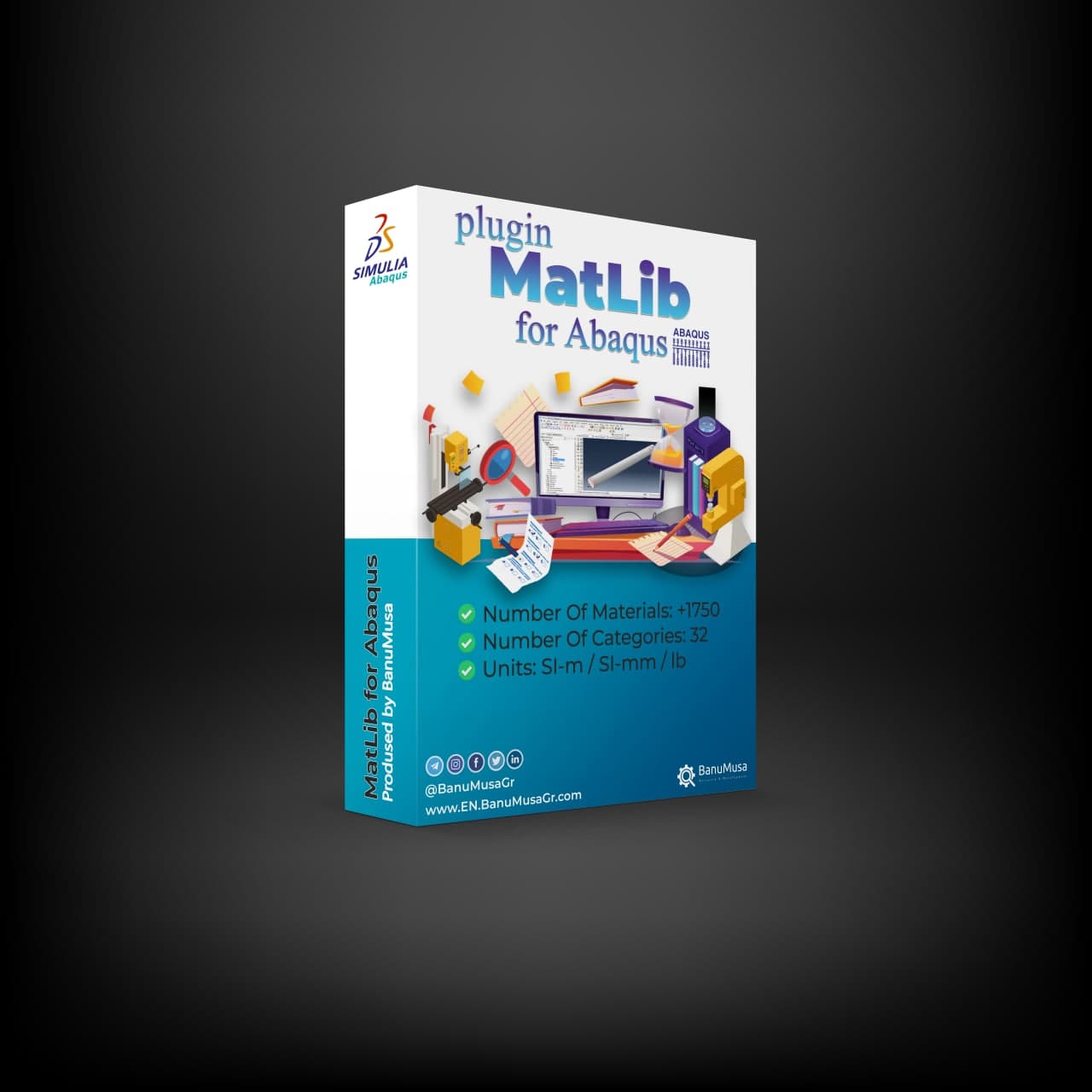
MatLib: The Ultimate Abaqus Material Library Plugin

Rated 4.75 out of 5
€ 315.00
Stop wasting hours on manual material calibration and unit conversions. MatLib is the ultimate Abaqus Material Library plugin, designed to accelerate your FEA simulations.

✅ 1,400+ Validated Materials (Metals, Polymers, Composites, etc.) ✅ 32 Engineering Categories ✅ 3 Consistent Unit Systems (SI-m, SI-mm, English/lb)

🎓 Student or Researcher? Apply for our 40% Academic Discount!

Add to wishlist
Add to cart
Quick view
-50%
Bending Pipe plugin interface acting as an advanced pipeline modeling software in Abaqus
Compare
Close

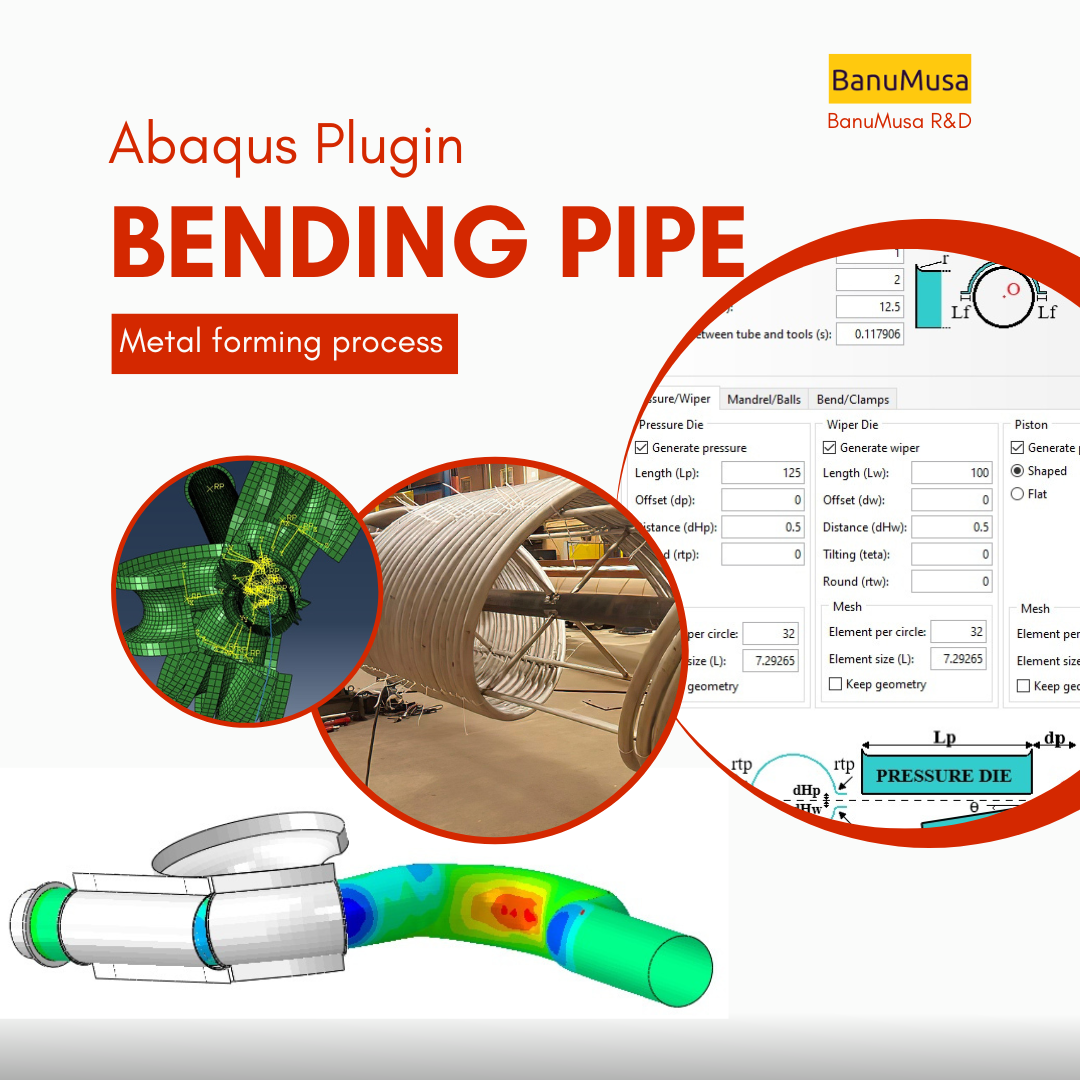
Bending Pipe Plugin for Abaqus

€ 1,365.79 Original price was: € 1,365.79.€ 685.00Current price is: € 685.00.
The Bending Pipe Plugin allows an Abaqus/CAE user to create and execute bending pipe analysis with little effort. Using a simple wizard approach, the plugin guides the user to define different bending methods. The methods included in the Abaqus plugin are: 1- Classical Bending, 2- Compression Bending, 3- Roll Bending, 4- Press Bending, 5- Stretch Bending, & 6- One Step (currently this option only creates both meshes undeformed and deformed) Documentation (PDF + HTML) Abaqus plugin files (*.RAR) 15-day money-back guarantee   Free 24/7 online mentoring
Add to wishlist
Add to cart
Quick view
rolling contact fatigue rail
Compare
Close

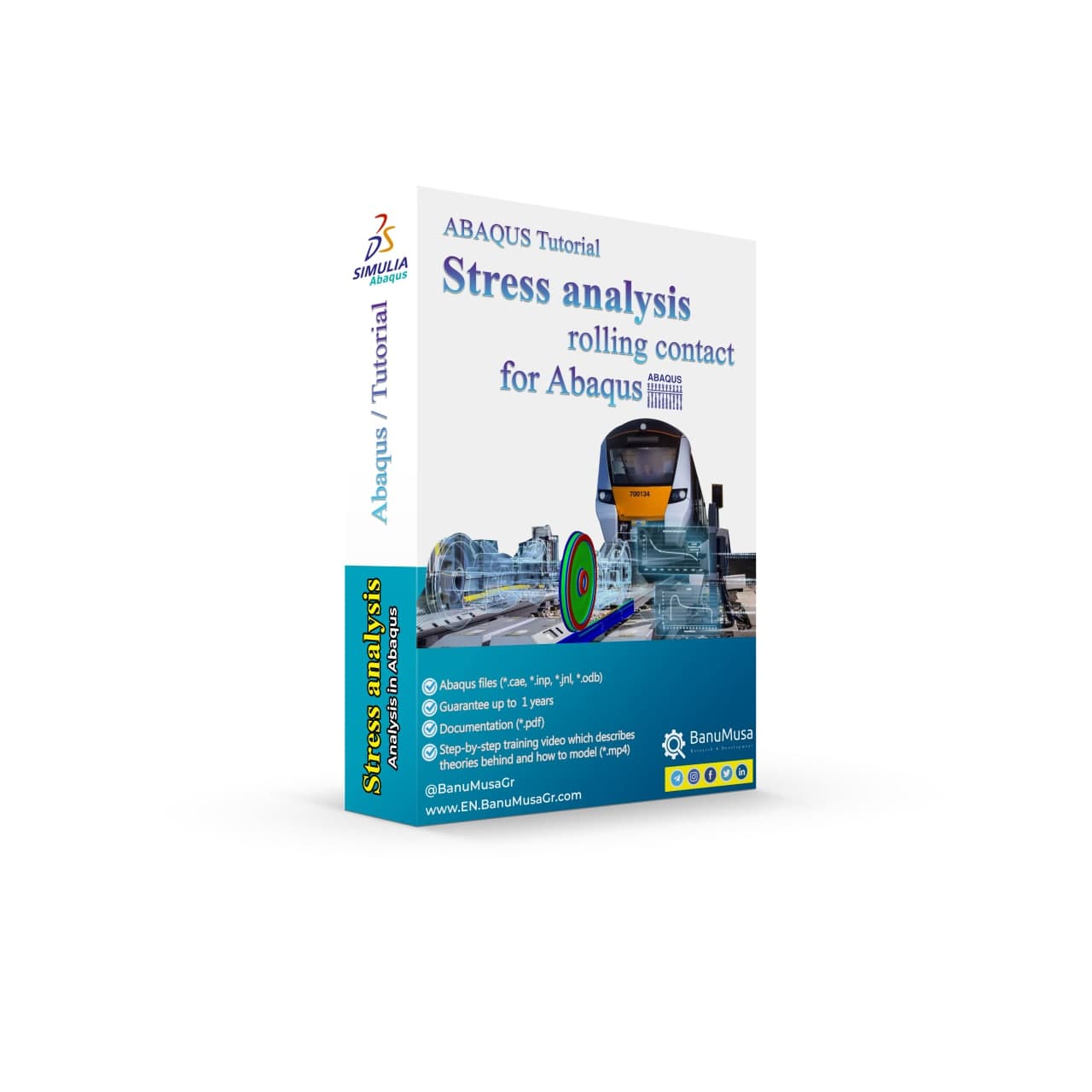
Rolling Contact Fatigue Analysis of UIC60 Rail Wheels

Rated 5.00 out of 5
€ 99.00
Advanced finite element analysis with proper contact modeling and considering parameters like residual stresses can provide detailed insights into the stress state and rolling contact fatigue failure mechanism. This Abaqus tutorial discusses the effect of axial force, velocity, and rail joint gap angle parameters on the distribution of contact and impact stresses. Modeling the rolling contact fatigue of a train wheel rail has tips trained in this tutorial video. In addition to the tutorial video, the Abaqus files and their results will be provided to you so that nothing will remain unclear. Also, all training includes free online 24/7 online tutoring after purchase. Abaqus tutorial video (*.mp4)  Abaqus files (*.cae, *.inp, *.jnl, *.odb) 15-day money-back guarantee   Free 24/7 online mentoring
Add to wishlist
Add to cart
Quick view

Related products

Wound Composite Modeler Plugin for Abaqus
Compare
Close

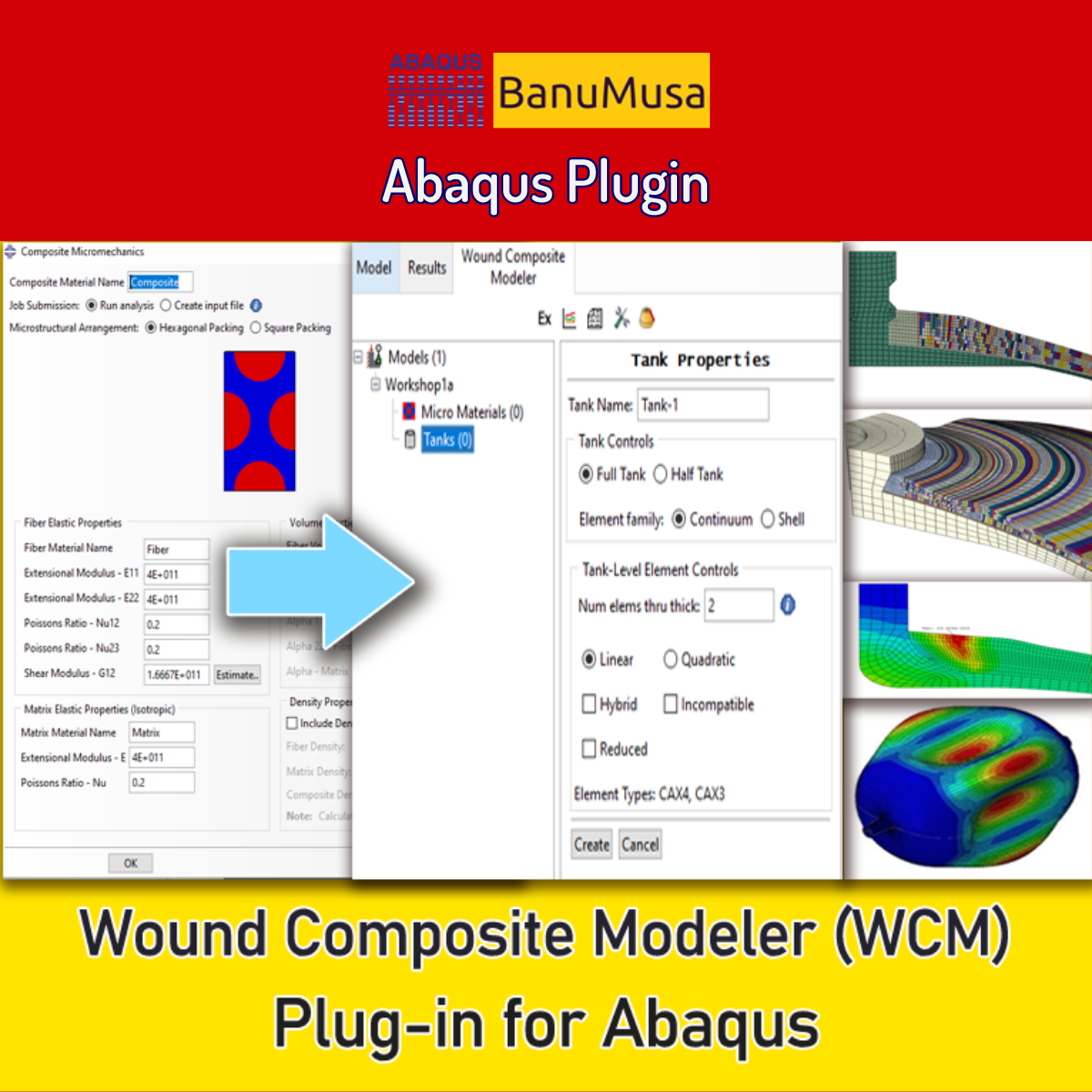
Wound Composite Modeler Plugin for Abaqus

Rated 5.00 out of 5
€ 210.00
Engineering experts at SIMULIA have developed the Wound Composite Modeler plugin for Abaqus FEA software that enables the modeling of spatial variation of fiber orientation in a practical way. Because of the development of the use of composite materials and its widespread use in the manufacturing of pressure vessels by the filament winding method, the complexity of the design and analysis of these vessels prompted engineers to develop a tool for this purpose to increase the speed and accuracy of the design. Now, the WCM plugin (Ver. 2016) with extensive features is available. Documentation (PDF + HTML) Abaqus plugin files (*.RAR) Abaqus workshop files 15-day money-back guarantee   Free 24/7 online mentoring
Add to wishlist
Add to cart
Quick view
awi plugin - abaqus welding interface plugin - welding fea simulation - cae - simulia -qustomapps
Compare
Close

Abaqus Welding Interface Plugin

€ 55.00
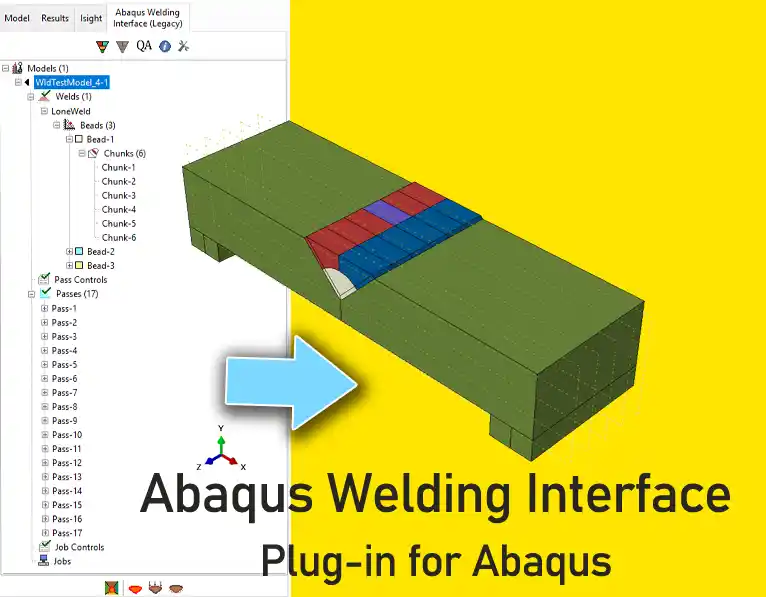
The Abaqus Welding Interface (AWI) plugin enhances two- and three-dimensional welding simulations by automating labor-intensive tasks in weld model creation, allowing analysts to input basic information, select weld beads, and configure weld pass sequences easily. It generates necessary analysis steps, establishes energy transport boundary conditions, and constructs both thermal and mechanical models for thermal stress analysis. Despite the complexity of welding simulations, which require precise geometric representations and multiple parameters, the AWI streamlines the workflow. However, it is only compatible with Abaqus 2017, as the original plugin does not support Abaqus 2023; users can instead opt for the QustomWeld plugin available from QustomApps. Documentation (PDF) Abaqus plugin files (*.RAR) Abaqus workshop files
Add to wishlist
Add to cart
Quick view
VUMAT JHB JH-2 ceramic model- Implementing Johnson-Holmquist model in Abaqus - JH-2 damage model VUMAT
Compare
Close

Abaqus VUMAT JHB and JH-2 Ceramic Model

€ 199.00
In Abaqus VUMAT JHB and JH-2 Ceramic Model tutorial course, you will learn how to use Built-in VUMAT subroutines in Abaqus to predict brittle materials (e.g. ceramic materials) damage using Johnson, Holmquist, and Beissel (JHB) and Johnson-Holmquist (JH-2) ceramic model. Also, 5 practical workshops show you how to define and use the subroutine, how to configure the model in Abaqus CAE, and how to visualize the results. There is also a JH-2 VUMAT subroutine Fortran file in this CAE package. In addition to the tutorial video, the Abaqus workshop files, & JH-2 VUMAT subroutine will be provided to you so that nothing will remain unclear. Also, all course includes free online 24/7 online tutoring after purchase. Abaqus tutorial video (*.mp4) Lecture notes (PDF) Abaqus workshop files (*.cae, *.inp, *.jnl, *.odb)  JH-2 Fortran VUMAT subroutine run on Windows or Linux 15-day money-back guarantee   Free 24/7 online mentoring
Add to wishlist
Add to cart
Quick view
Anisotropy Calculator Abaqus plugin for sheet metal forming material models
Compare
Close

Anisotropy Calculator Abaqus Plugin

€ 190.00
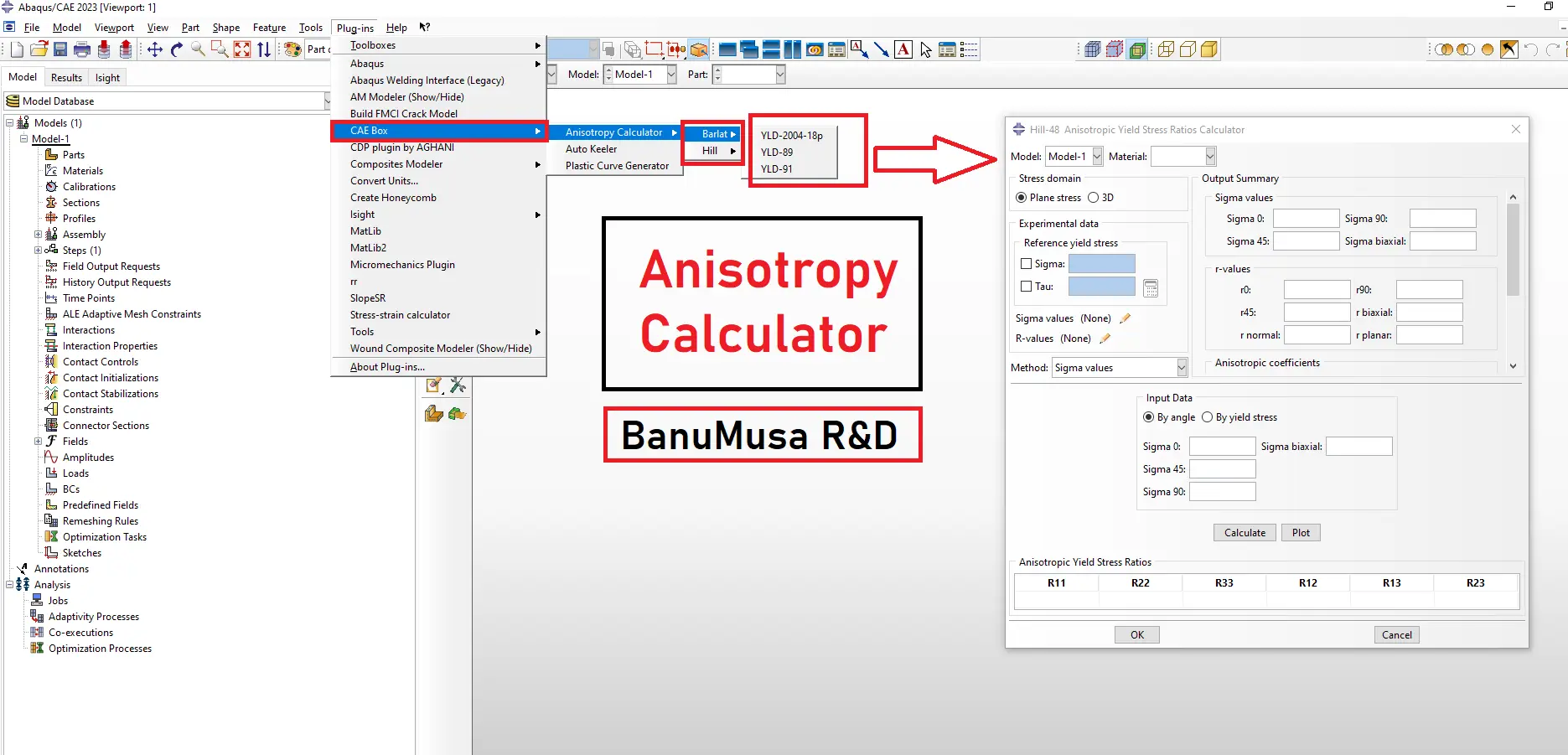
The Anisotropy Calculator Abaqus Plugin is a specialized tool designed to simplify the calculation of anisotropic parameters for materials used in Abaqus simulations, especially in sheet metal forming. This plugin assists users in defining accurate anisotropy parameters, enhancing simulation precision by accounting for material behaviors that vary with direction. Documentation (PDF/HTML) Abaqus plugin files (*.RAR) Abaqus workshop files
Add to wishlist
Add to cart
Quick view
Coupled thermal stress analysis
Hongqi-CA7220-AE_abaqus-Coupled Thermal Stress Analysis of Automotive Disc Brake Validation Tutorial
Compare
Close

Coupled Thermal Stress Analysis of Automotive Disc Brake: A Complete Validation Tutorial

€ 175.00
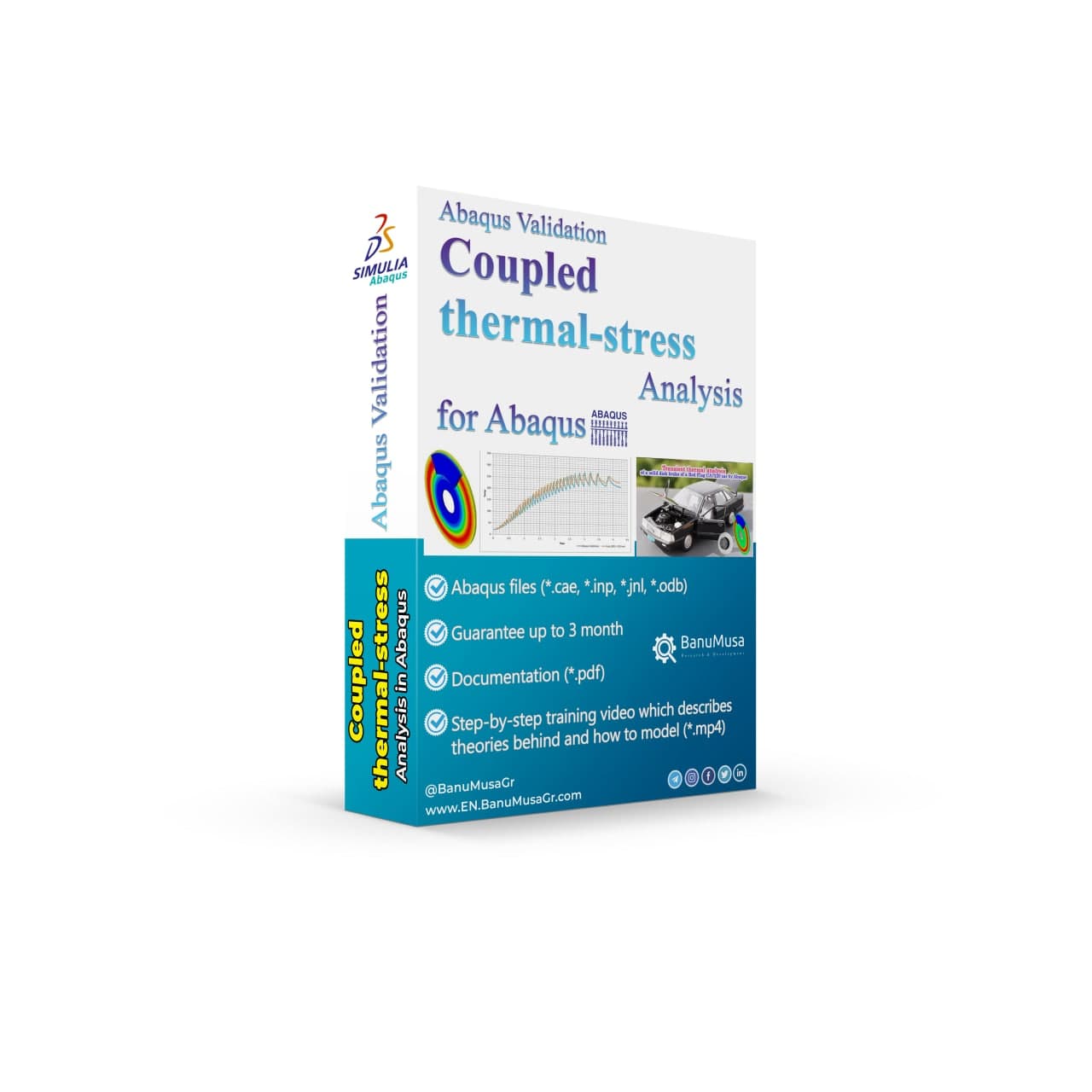
In Coupled Thermal Stress Analysis of Automotive Disc Brake: A Complete Validation Tutorial, a solid disk brake of a CA7220 car with initial rotational velocity will contact a disk pad. The effects of friction will be an increase in disk temperature due to heat generated by energy dissipation and the reduction of rotational velocity. The numerical results were validated by the Gao & Lin, (2002) paper. Abaqus tutorial video (*.mp4)  Abaqus files (*.cae, *.inp, *.jnl, *.odb) 15-day money-back guarantee   Free 24/7 online mentoring
Add to wishlist
Add to cart
Quick view
Introduction to VUMAT Subroutine Abaqus Mentoring Abaqus tutorial video
Introduction to VUMAT Subroutine Abaqus Mentoring- tutorial
Compare
Close

Introduction to VUMAT Subroutine

€ 210.00
Introduction to VUMAT Subroutine course helps you to learn the process of writing VUMAT as quickly as possible with the help of practical examples. All the tips and details that you encounter to write the code are taught in this course and you can implement the material model in the subroutine. Because you may have questions while watching the course, an expert will answer your questions online. Abaqus tutorial video (*.mp4) Lecture notes (PDF) Abaqus workshop files (*.cae, *.inp, *.jnl, *.odb) Fortran subroutines 15-day money-back guarantee   Free 24/7 online mentoring
Add to wishlist
Add to cart
Quick view
Introduction to umat subroutine
Introduction to umat subroutie abaqus tutorial video writing umat subroutine
Compare
Close

Introduction to UMAT Subroutine

€ 210.00
Introduction to UMAT Subroutine course helps you to learn the process of writing UMAT as quickly as possible with the help of practical examples. All the tips and details that you encounter to write the code are taught in this course and you can implement the material model in the subroutine. Because you may have questions while watching the course, an expert will answer your questions online. Abaqus tutorial video (*.mp4) Lecture notes (PDF) Abaqus workshop files (*.cae, *.inp, *.jnl, *.odb) Fortran subroutines 15-day money-back guarantee   Free 24/7 online mentoring
Add to wishlist
Add to cart
Quick view
Introduction to Abaqus course
Introduction to Abaqus Training Course - abaqus for students. abaqus for beginners
Compare
Close

Introduction to Abaqus Training Course

€ 410.00
The Introduction to Abaqus Training Course provides a thorough and cohesive overview of Abaqus' modeling and analysis capabilities. Participants will learn how to address linear and nonlinear problems, manage analysis tasks, and examine simulation outcomes within Abaqus' interactive interface. The course will encompass instruction on the following products: Abaqus/CAE, Abaqus Standard, and Abaqus Explicit. Abaqus tutorial video (*.mp4) Lecture notes (PDF) Abaqus workshop files (*.cae, *.inp, *.jnl, *.odb) 15-day money-back guarantee   Free 24/7 online mentoring
Add to wishlist
Add to cart
Quick view

Tag your photos with #PlasticCurveGeneratorPlugin on Instagram.

BanuMusa R&D Simulation Consultancy

Bridging the gap between theoretical engineering and manufacturing reality. We provide high-fidelity FEA, CFD, and specialized Abaqus plugins to eliminate trial-and-error in critical industrial sectors.

Capabilities

  • FEA Consultancy
  • CFD Simulation
  • API 579 FFS Assessment
  • ASME Design by Analysis
  • Composite & COPV

Flagship Utilities

  • MatLib Material Database
  • WCM Plugin (COPV)
  • 3D Hashin VUMAT
  • Autokeeler (Metal Forming)
  • Johnson-Cook Plugin

Support & Resources

  • 40% Academic Discount
  • 1-on-1 Abaqus Mentoring
  • Advanced CAE Courses
info@banumusagr.com
06-02 Park View condo, Changkat perak, off Lorong Perak, 50250, Kuala Lumpur, Selangor, Malaysia
Accepted Payments
© 2026 BanuMusa R&D. Engineering Simulation & Automation. All rights reserved.
Support & FAQ Payment Methods Privacy Policy Terms of Service

Shopping cart

close

Powered by WhatsApp Chat

  • Menu
  • Categories
  • Consulting Services
  • Products
  • Resources
    • Blog
    • Projects
  • About Us
    • Contact Us
    • Our Team
    • Our Partners
    • Careers
  • Consulting Services
  • Products
  • Resources
    • Blog
    • Projects
  • About Us
    • Contact Us
    • Our Team
    • Our Partners
    • Careers

Sign in

close


Lost your password?
No account yet? Create an Account
Sidebar Scroll To Top