
Facebook Twitter Email Instagram YouTube linkedin WhatsApp WhatsApp VK Telegram
info@BanuMusaGr.com
Login / Register
0 Wishlist
0 Compare
0 items / € 0.00
Facebook Twitter Email Instagram YouTube linkedin WhatsApp WhatsApp VK Telegram
FEA & CFD Consultancy | BanuMusa R&D FEA & CFD Consultancy | BanuMusa R&D
  • Consulting Services
  • Products
  • Resources
    • Blog
    • Projects
  • About Us
    • Contact Us
    • Our Team
    • Our Partners
    • Careers
    • Payment Methods
    • Support & FAQ
Free Mentoring
Menu
FEA & CFD Consultancy | BanuMusa R&D
0 items / € 0.00
HomeShopAbaqusAbaqus Plug-ins Plastic Curve Generator Plugin for Abaqus
Previous product
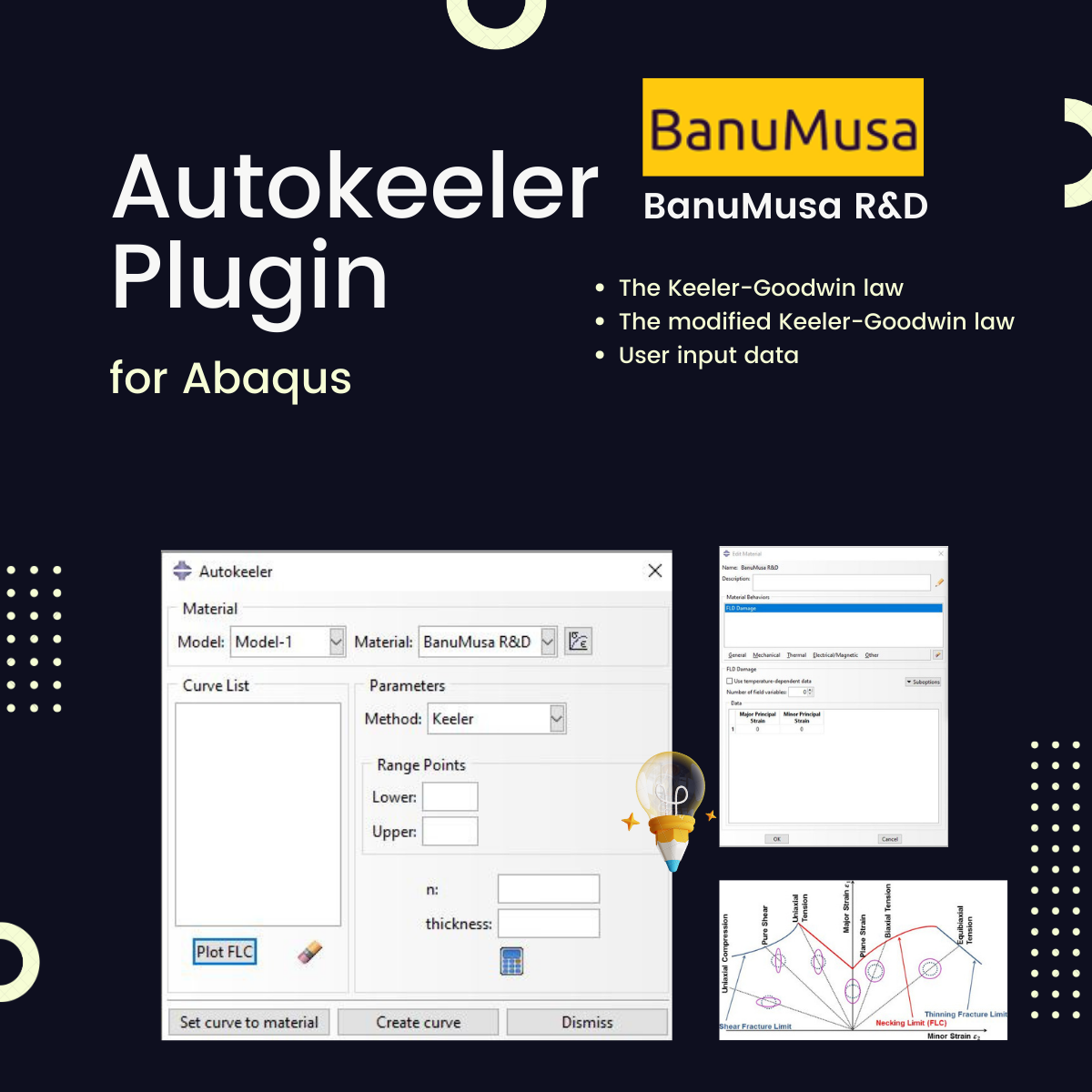
Autokeeler plugin generating Forming Limit Curves (FLC) and FLD in Abaqus
Autokeeler Plugin for Abaqus: FLC & FLD Generator € 0.00
Back to products
Next product
Pelamis Fatigue Damage Calculator plugin for marine Abaqus simulations abaqus fatigue analysis offshore structure design fe safe fatigue failure analysis
Pelamis Fatigue Damage Calculator Plugin for Abaqus € 0.00
Plastic Curve Generator plugin converting stress-strain data in Abaqus
Click to enlarge

Plastic Curve Generator Plugin for Abaqus

€ 163.05

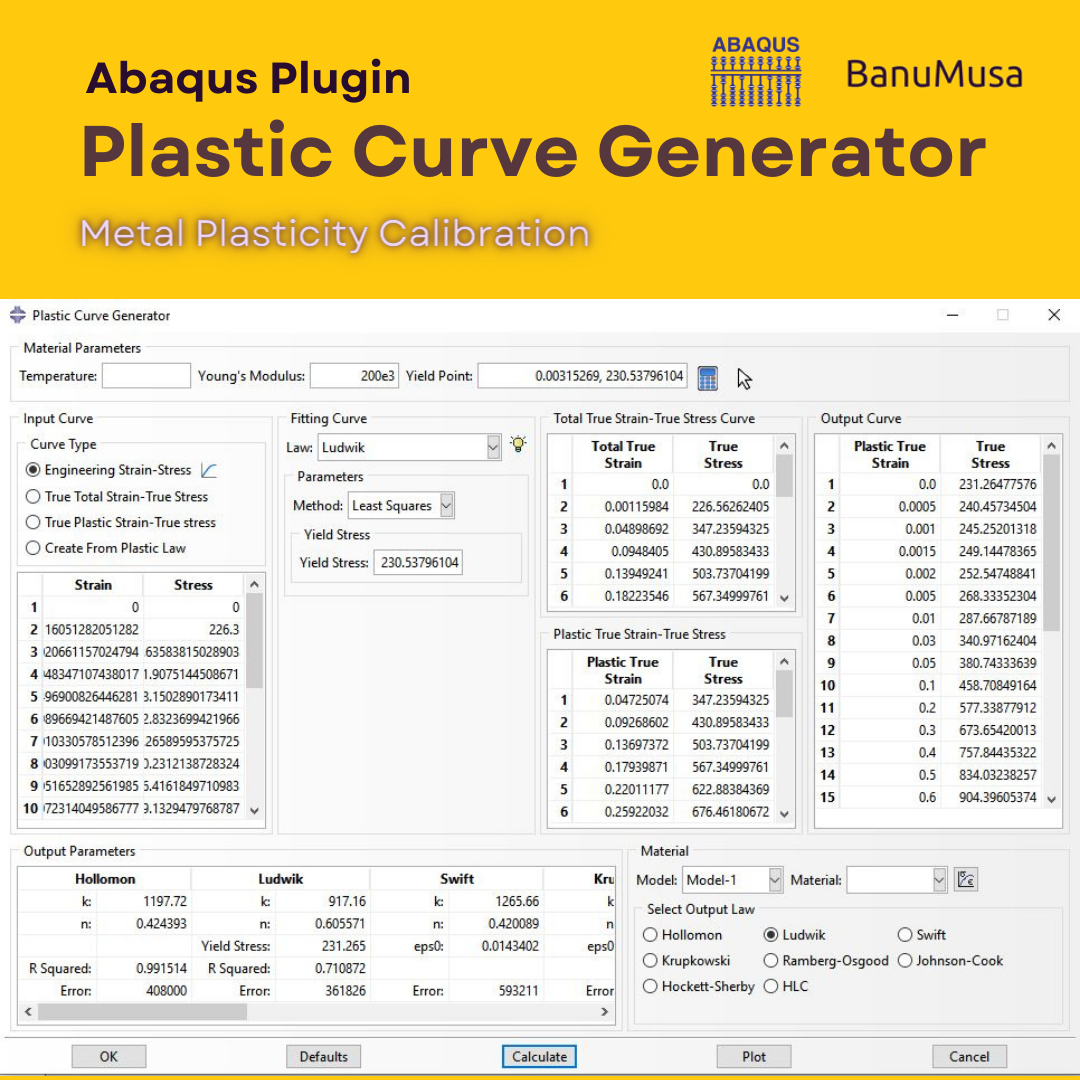
The Plastic Curve Generator plugin helps the Abaqus user to create stress-strain curves easily. The input data can be either: engineering stress-strain curves, true total stress-strain curves, or true plastic strain-stress curves. It makes automatically all the conversions needed from the input data, giving the user the total true curve, plastic curve, and output curve, which is obtained according to the plastic flow laws.

Documentation (PDF + HTML)
Abaqus plugin files (*.RAR)
15-day money-back guarantee
  Free 24/7 online mentoring

If you want to pay in a way other than Tether/Tron, contact us.
somdn_product_page
Compare
Add to wishlist
SKU: 1000-3 Categories: Abaqus, Abaqus Plug-ins
Share
Facebook Twitter Email Pinterest linkedin Odnoklassniki WhatsApp WhatsApp VK Telegram
close
You may also like…
  • rolling contact fatigue rail
    Rolling Contact Fatigue Analysis of UIC60 Rail Wheels € 99.00
  • Shot Peening Induced Residual Stresses - Abaqus Validation
    Shot Peening Induced Residual Stresses Simulation & Validation in Abaqus FEA Software € 85.00
  • Bending Pipe plugin interface acting as an advanced pipeline modeling software in Abaqus
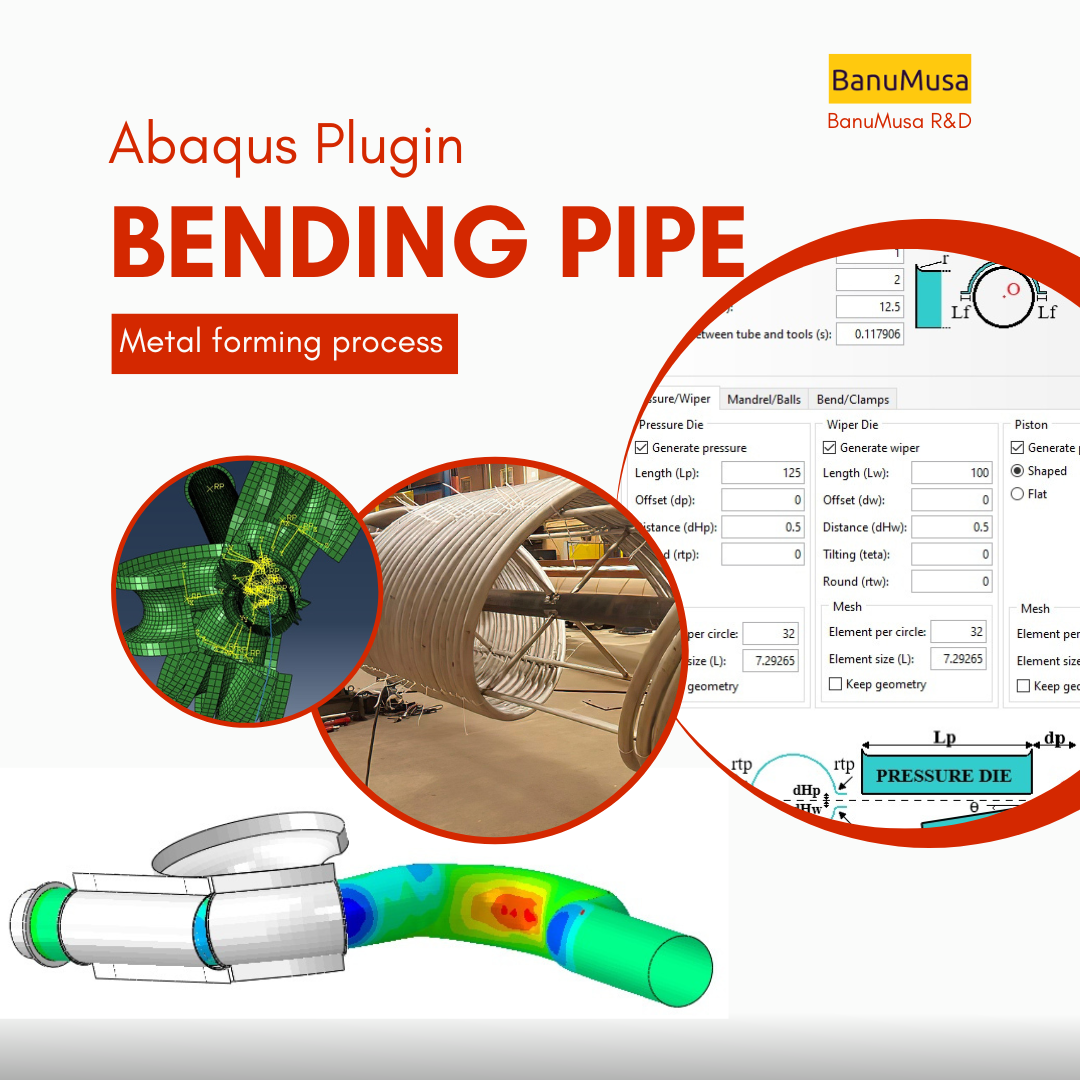
    Bending Pipe Plugin for Abaqus € 1,365.79 Original price was: € 1,365.79.€ 685.00Current price is: € 685.00.
  • abaqus material library
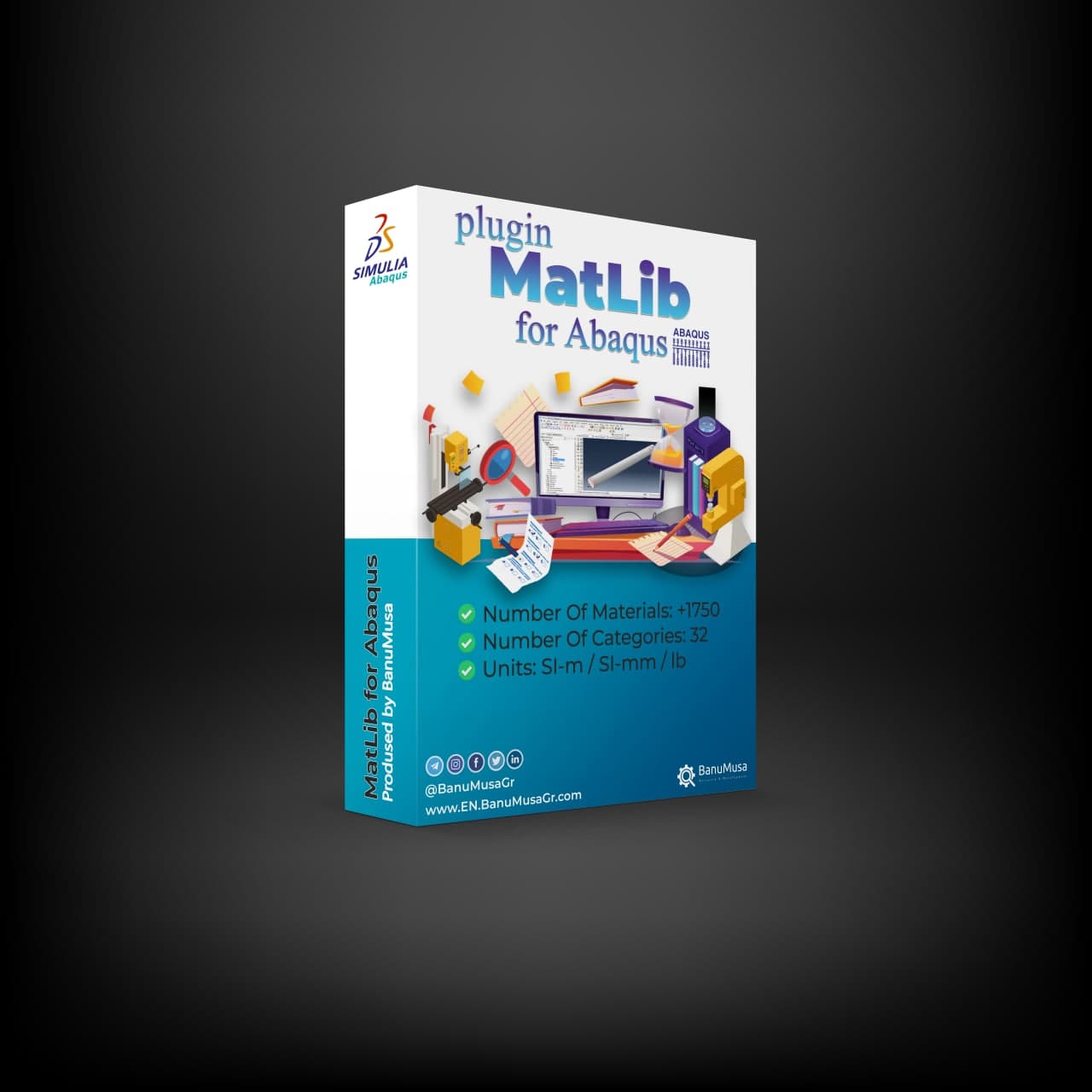
    MatLib: The Ultimate Abaqus Material Library Plugin € 315.00
Products
  • SlopeSR plugin for geotechnical Shear Strength Reduction and slope stability in Abaqus SlopeSR Plugin for Abaqus € 55.00
  • metal forming with abaqus cae fea workshop course nafems Metal Forming with Abaqus € 380.00
  • Description
  • Additional information
  • Payment & Delivery
  • Content
Description

The Plastic Curve Generator Plugin

The significance of having a well-defined material model in finite element analysis lies in its impact on accurately representing the behavior of the material being analyzed. A well-defined material model is critical for accurately predicting the response of a structure or component, reducing development costs, and ensuring the safety and reliability of the design.

The Plastic Curve Generator plugin helps the Abaqus user with the metal material model calibration process. The input data can be either:

  • Engineering stress-strain curves,
  • True total stress-strain curves, or
  • True plastic strain-stress curves.

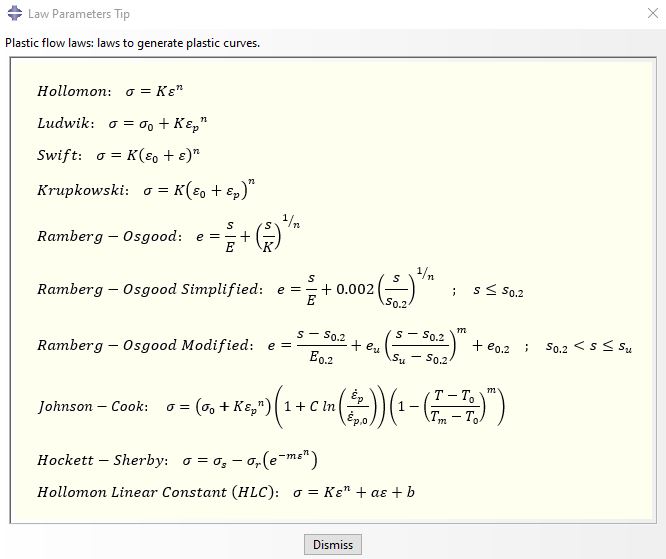
It makes automatically all the conversions needed from the input data, giving the user the total true stress-strain curve, stress-strain plastic curve, and output stress-strain curve, which is obtained according to the selected law. The plastic flow laws to generate plastic curves available are:
plastic flow laws to generate plastic curves - material calibration abaqus johnson cook hollomon

  • Hollomon
  • Ludwik
  • Johnson Cook
  • Swift
  • Krupkowski
  • Ramberg-Osgood
  • Ramberg-Osgood Simplified
  • Ramberg-Osgood Modified
  • Hockett-Sherby 1
  • Hollomon Linear Constant (HLC) 1

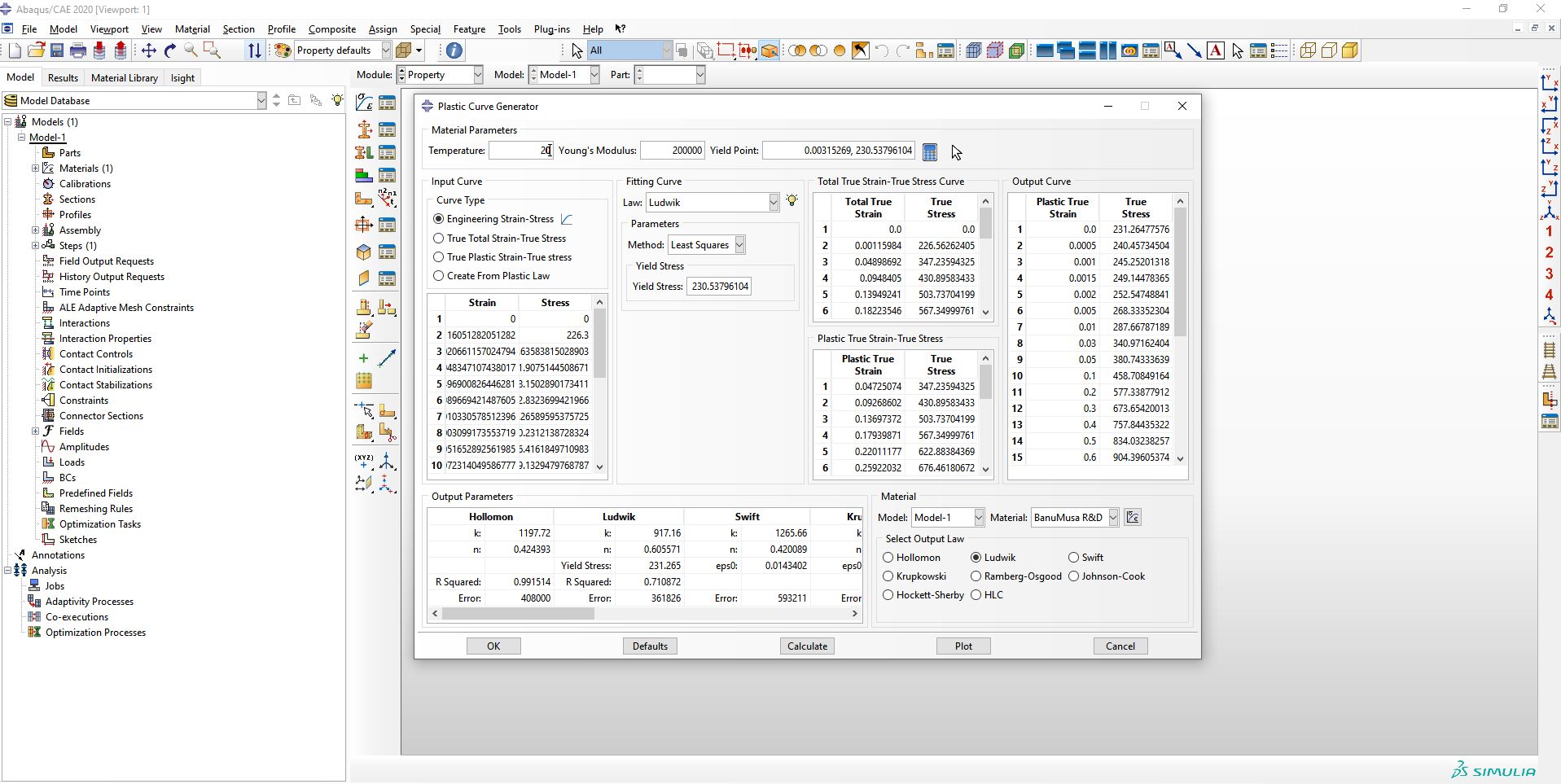
The Plastic Curve Generator plugin allows Abaqus users to plot the curves calculated against input data to visually compare and give information about the error, R-square, and Chi-Square (depending on the selected law). In addition, it calculates the law constants to use by the Abaqus application user.
Plastic Curve Generator Plugin for Abaqus johnson cook abaqus

Different ways to obtain the constants are implemented in the Plastic Curve Generator plugin and for Hockett-Sherby and HLC laws, the plugin makes it easy for the Abaqus user tool to create the specimen to be simulated. it is based on an iterative process to fit FEM results to experimental data. That is, to determine the plastic constants, the material constants are determined by making a virtual laboratory specimen and using iteration with the FEM method.

Is a good complement to define material properties for metal forming simulations, like bending simulations from the Bending Pipe plugin.

There are different fitting methods in this plugin, which can be mentioned:

  • Least squares
  • From UTS points
  • from two points
  • SLSQP
  • Curve fit
  • Low yield stress
  • Iteration by FE method

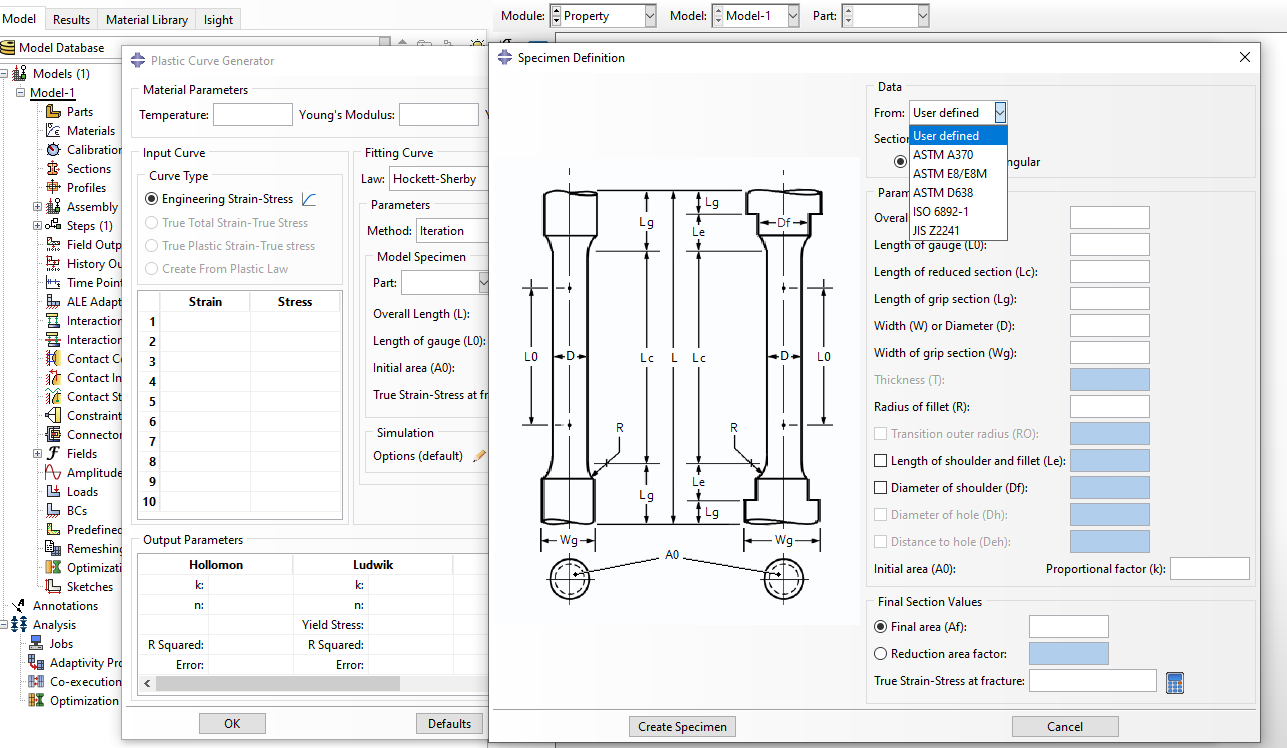
For the iterative method, the plugin has a library of standards including the following:

  • ASTM A370
  • ASTM E8/E8M
  • ASTM D638
  • ISO 6892-1
  • JIS Z2241

In addition to these standard specimens, the Abaqus user can add other specimens. These standards are shown in the figure below.
plastic curve generator for material model calibration - Hockett sherby - hollomon linear constant - abaqus plugin

For the iterative method, the user can choose custom settings according to the type of simulation, which are shown in the figure below.
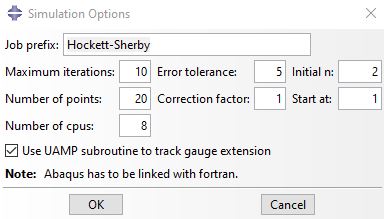
plastic curve generator abaqus plugin for itterative method hockett-sherby material calibration

Examples/Workshops

Workshop 1:  Ductile Damage Model Calibration for Quasi-static Analysis in Abaqus

The article discusses the calibration of a ductile damage model for quasi-static analysis in Abaqus. It highlights the importance of having a well-defined material model and the challenges in defining the material properties. The article presents two procedures for calibrating the damage model based on accessible data, such as engineering strain-stress curves. The procedures are evaluated using data from a tensile test on AISI304 SS, and the results are compared against the original engineering strain-stress curve and fracture point. Download

Workshop 2:  Strain Rate Effect Johnson-Cook Material Calibration

In this workshop, the strain rate-dependent constants of the Johnson-Cook law are determined using 25 experimental tests at different strain rates using the PDG plugin.

PCG Plugin is for:

  • Engineering or science students and professionals who need to calibrate metal test data for Abaqus simulations
  • Advanced students, Ph.D. students, or researchers for their Abaqus FEA projects
  • Any Abaqus Application Engineer who is involved with various simulation projects daily

What you’ll gain

  • You will be able to calibrate metal test data by nine methods to use in Abaqus projects

___________________________________

1 Iteration process, simulating a specimen, which allows the creation of a true stress-strain plastic curve in the complete strain range (uniform and non-uniform strains) until fracture.

Demo

Material Model Calibration

refers to the process of adjusting the parameters of a material model to accurately represent the behavior of a specific material under certain conditions. This is often done in the field of engineering, especially in the context of finite element analysis (FEA) and computational simulations. The goal is to ensure that the material model accurately predicts the mechanical behavior of the material in various situations, such as stress, strain, and deformation. Calibration involves comparing the model’s predictions with experimental data and making adjustments to the model parameters until a good match is achieved. This allows engineers to use the material model with confidence when simulating real-world scenarios.

Money-Back Guarantee

15-Day

Money back gold guarantee - BanuMusaWe’re fully confident in the value and reliability of the product. If for any reason you are not completely satisfied, email us at info@BanuMusaGr.com within 48 hours of your purchase for a full refund.

We are ready to help you do CFD & FEA simulations.

Need help? Get a consultation from our experts.

Abaqus E-learning technical FEA & CFD consulting by banumusa FEA & CFD Consultancy Services Abaqus Ansys LS-Dyna user subroutine plugin FEA and CFD consultancy Abaqus consultancy services Technical Abaqus mentoring fluent cfd services ls-dyna consultancy services ansys consultancy services comsol consultancy services
Email us: info@banumusagr.com
Telegram: +98-915-55-20-388
WhatsApp: +98-915-55-20-388

Find Us on WeChat

wechat banumusa company ویچت

Recent Posts

  • Essential Abaqus Plugins (Add-ons) Every FEA Engineer Should Know – Part II
  • The Critical Role of Analytical Hand Calculations in Modern FEA Validation
  • Understanding Step Cycling in Abaqus 2025
  • Uncertainty Quantification in Finite Element Analysis (FEA)
  • Composite Progressive Failure Analysis
  • Ansys or Abaqus; A Personal Experience
  • Analyzing Nitinol Stents Using Abaqus: FEA Simulation Guide
  • Abaqus Tutorial: Abaqus/CAE Plug-in Utility to Calibrate Nitinol Material Behavior
  • Techniques for Material Model Calibration in Abaqus
  • Introducing the New Features of Abaqus 2024
Additional information
Software

Abaqus FEA

Type

Abaqus Plugin

Level

Elementary

Files

Abaqus files: *.rar

Documentation: HTML/PDF

Language

English

Category

Metal test data calibration

Solver

Explicit, Standard

Material

Metals

Payment & Delivery
All products available on the website come with a guarantee of customer satisfaction. The products can be used immediately after purchase through the download link. There is also online consulting/mentoring for all customer reassurance products.
Before buying, you can also talk to our experts in BanuMusa R&D and buy from the Shop according to your needs.

Note:

Please pay attention to the following points when you pay.

1. Tether / Tron The easiest way to pay is through the Tether portal in the BanuMusa shop. You can easily pay with your wallet.

• How to pay for a product using USDT TRC-20 with ADVCash https://www.youtube.com/watch?v=DYyHsdcLxhk

• Tron TRC20 Wallet for USDT Tutorial (Send USDT for Lowest Fees!!) https://www.youtube.com/watch?v=lBQMkEBf7W4

For other wallets just search on YouTube!

The download link automatically will be sent to you.

2. Payoneer:

If you have Payoneer, you can pay simply through the following ID.

fro458nk@gmail.com

After your payment is processed, you will receive the download links.

Let me know if you need any further adjustments!

3. PAYEER

Send us a message/ email to help you how to pay for this method, please. (info@banumusagr.com)

4. WebMoney

We will send you the wallet if you request this method. Email us.

5. PayPal Payment Instructions:

Please email us to send your PayPal Account.

After your payment is processed, you will receive the download links.

Let me know if you need any further adjustments!

6. SWIFT/IBAN

Another way is to pay via SWIFT or IBAN, contact us to learn more.

We will do our best to make sure you have a good shopping experience.


If it is not possible for you to buy through the Tether gateway, send us the link to the product using email (info@banumusagr.com) or social networks (WhatsApp, WeChat, Telegram). After that, the PayPal account will be sent to you.

Another way is to pay via SWIFT, contact us to learn more.


Ways to Contact Us:

WhatsApp / Telegram / WeChat: +98-915-5520-388
E-mail: info[at]banumusagr.com
Phone: +98-51-35424520

Payment Methods:

You can buy the product through Tether, Tron, Payoneer, PAYEER, WebMoney, PayPal, and SWIFT.

Content

Contents

  • Abaqus files: *.rar
  • Documentation: HTML/PDF

Reviews

There are no reviews yet.

Be the first to review “Plastic Curve Generator Plugin for Abaqus” Cancel reply

You must be logged in to post a review.

Related products

Johnson-Cook plugin for Abaqus
Compare
Close

Abaqus Johnson Cook Plugin: Free Material Calibration Tool

€ 0.00
Download the free Abaqus Johnson Cook plugin. Automate material calibration, calculate hardening parameters, and plot stress-strain responses instantly.
Add to wishlist
View
Quick view
SlopeSR plugin for geotechnical Shear Strength Reduction and slope stability in Abaqus
Compare
Close

SlopeSR Plugin for Abaqus

€ 55.00
The SlopeSR Plugin for Abaqus is a GUI plug-in that uses the strength reduction method (SRM) to calculate the factor of safety (FoS) and critical slip surfaces for 2D and 3D slopes. It is designed for slope stability analysis in geomechanics and geotechnical engineering. The plugin allows users to solve a series of elastic-perfectly plastic problems with the strength parameters and the Mohr-Coulomb criterion in ABAQUS/CAE. Documentation (PDF ) Abaqus plugin files (*.RAR) Abaqus workshop files 15-day money-back guarantee   Free 24/7 online mentoring
Add to wishlist
Add to cart
Quick view
-10%
larc05-abaqus-failure-criteria-composite-analysis
damage-larc05-abaqus4
Compare
Close

Abaqus Tutorial: LaRC05 Failure Criterion For Fiber-Reinforced Composites

Rated 5.00 out of 5
€ 110.00 Original price was: € 110.00.€ 99.00Current price is: € 99.00.
This comprehensive course provides a thorough understanding of the LaRC05 failure criterion for fiber-reinforced composites. Participants will delve into the theory behind the LaRC05 criterion and its significance in predicting failure behavior in these materials. Through practical implementation using the Abaqus software, students will learn how to characterize material properties, validate and verify simulations, and apply the LaRC05 criterion to solve real-world engineering problems. By the end of the course, participants will have gained the knowledge and skills necessary to confidently utilize the LaRC05 failure criterion for accurate analysis and design of fiber-reinforced composites. Abaqus tutorial video (*.mp4) Lecture notes (PDF) Abaqus workshop files (*.cae, *.inp, *.jnl, *.odb) 15-day money-back guarantee   Free 24/7 online mentoring
Add to wishlist
Add to cart
Quick view
Anisotropy Calculator Abaqus plugin for sheet metal forming material models
Compare
Close

Anisotropy Calculator Abaqus Plugin

€ 190.00
The Anisotropy Calculator Abaqus Plugin is a specialized tool designed to simplify the calculation of anisotropic parameters for materials used in Abaqus simulations, especially in sheet metal forming. This plugin assists users in defining accurate anisotropy parameters, enhancing simulation precision by accounting for material behaviors that vary with direction. Documentation (PDF/HTML) Abaqus plugin files (*.RAR) Abaqus workshop files
Add to wishlist
Add to cart
Quick view
Autokeeler plugin generating Forming Limit Curves (FLC) and FLD in Abaqus
Compare
Close

Autokeeler Plugin for Abaqus: FLC & FLD Generator

€ 0.00

Easily generate Forming Limit Curves (FLC) and define Forming Limit Diagram (FLD) damage criteria in Abaqus. Includes comprehensive HTML & PDF documentation.

Add to wishlist
View
Quick view
Micromechanics Plugin for Abaqus
Compare
Close

Micromechanics Plugin for Abaqus

€ 0.00
Download the Abaqus Micromechanics plugin for advanced composite failure analysis. Automate FE-RVE modeling from micro to macro scales in Abaqus/CAE.
Add to wishlist
View
Quick view
Fortran for Abaqus Subroutine - writing user subroutines udhard umat film uload
Compare
Close

Fortran for Abaqus Subroutine

€ 255.00
If you are familiar with user subroutines in Abaqus, you must know that Fortran, C, and C# are languages that can be used to write subroutines in Abaqus. What is common among Abaqus users now is using Fortran in writing user subroutines. In the "Fortran for Abaqus Subroutine" training package, zero-to-one writing user subroutine tips are taught using Fortran in Abaqus. Abaqus tutorial video (*.mp4) Lecture notes (PDF) Abaqus workshop files (*.cae, *.inp, *.jnl, *.odb) Fortran Abaqus subroutines run on Windows or Linux 15-day money-back guarantee   Free 24/7 online mentoring
Add to wishlist
Add to cart
Quick view
Save Multiple Animations Plugin for Abaqus
Compare
Close

Save Multiple Animations Plugin for Abaqus

€ 0.00
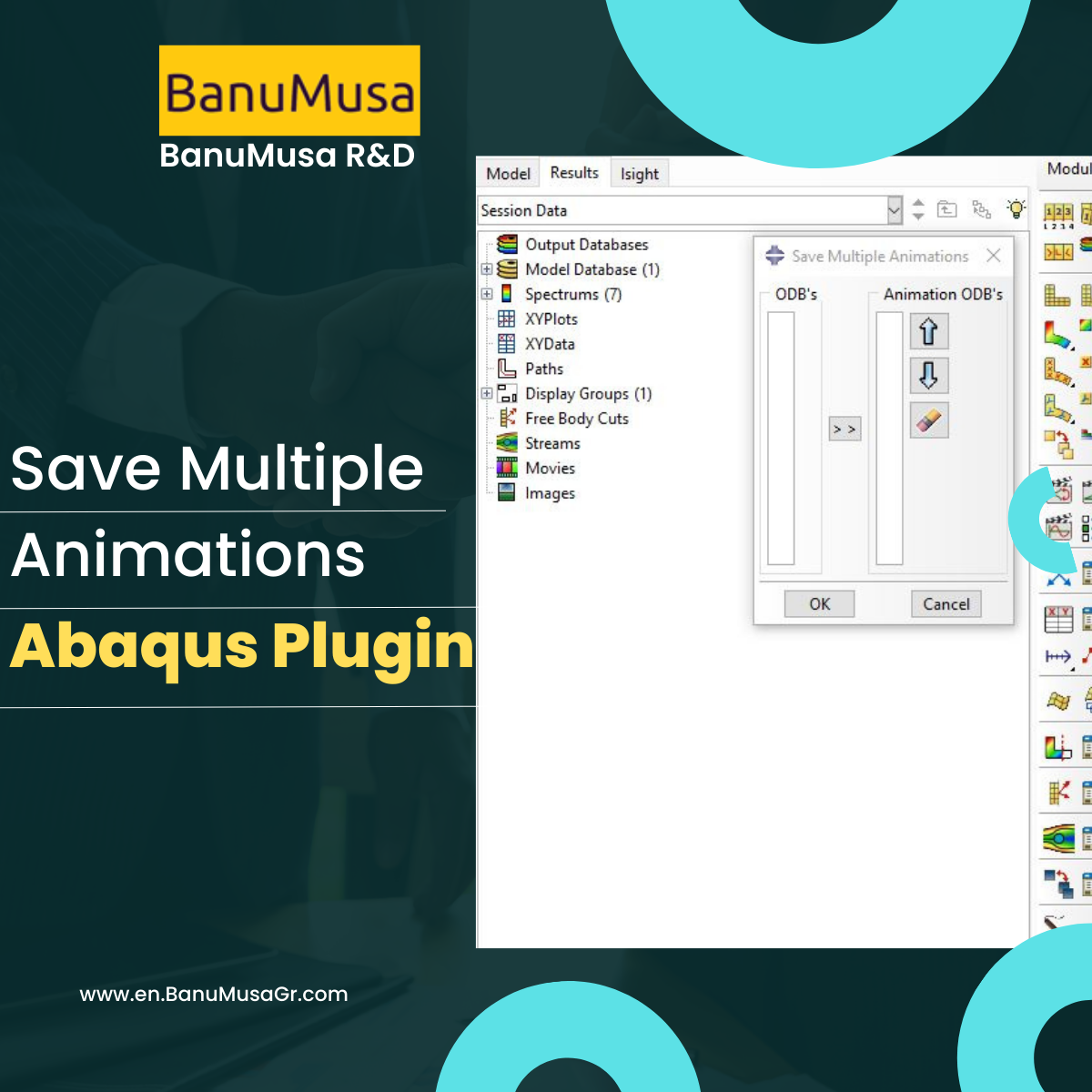
Save Multiple Animations plugin allows the Abaqus user to create a unique animation file by joining different ODB files. Sometimes, due to the simulation workflow being needed, different models simulate a unique process, i.e. metal forming process. The results are, therefore, different *.odb files, and with this plug-in, the user can put them together in a unique file. The plug-in takes the current display on the viewport and applies it to all ODBs selected.  
Add to wishlist
View
Quick view

Tag your photos with #PlasticCurveGeneratorPlugin on Instagram.

University of Warwick
NBJX
MultiFat
kitech
kims
EnginSoft
Techinco
NIGC
Mobarakeh Steel Co.
Lincoln University
ISOICO Shipbuilding Company
IRISL Company
Ferdows Marine Tech
AQR Company

Founded in 2016, BanuMusa R&D is an established engineering consultancy specializing in advanced Finite Element Analysis (FEA), Computational Fluid Dynamics (CFD), and simulation-driven product development.

Facebook Youtube Linkedin Instagram

Products

  • 3D Hashin VUMAT Subroutine for Abaqus with Exponential Damage Evolution
  • VUMAT Subroutine: Shear Anisotropic Modified GTN Damage Model
  • MatLib Abaqus Material Library

Company

  • Contact us
  • Our team
  • Our partners
  • Careers
Start Project

Our WeChat 

abaqus ansys lsdyna banumusa wechat

Copyright BanuMusa 2026
payments

Shopping cart

close

Powered by WhatsApp Chat

  • Menu
  • Categories
  • Consulting Services
  • Products
  • Resources
    • Blog
    • Projects
  • About Us
    • Contact Us
    • Our Team
    • Our Partners
    • Careers
    • Payment Methods
    • Support & FAQ
  • Consulting Services
  • Products
  • Resources
    • Blog
    • Projects
  • About Us
    • Contact Us
    • Our Team
    • Our Partners
    • Careers
    • Payment Methods
    • Support & FAQ

Sign in

close


Lost your password?
No account yet? Create an Account
Sidebar