
Facebook Twitter Instagram YouTube linkedin
info@BanuMusaGr.com
Login / Register
0 Wishlist
0 Compare
0 items / € 0.00
Facebook Twitter Instagram YouTube linkedin
BanuMusa R&D BanuMusa R&D
  • Consulting Services
  • Products
  • Resources
    • Blog
    • Projects
  • About Us
    • Contact Us
    • Our Team
    • Our Partners
    • Careers
Free Mentoring
Menu
BanuMusa R&D
0 items / € 0.00
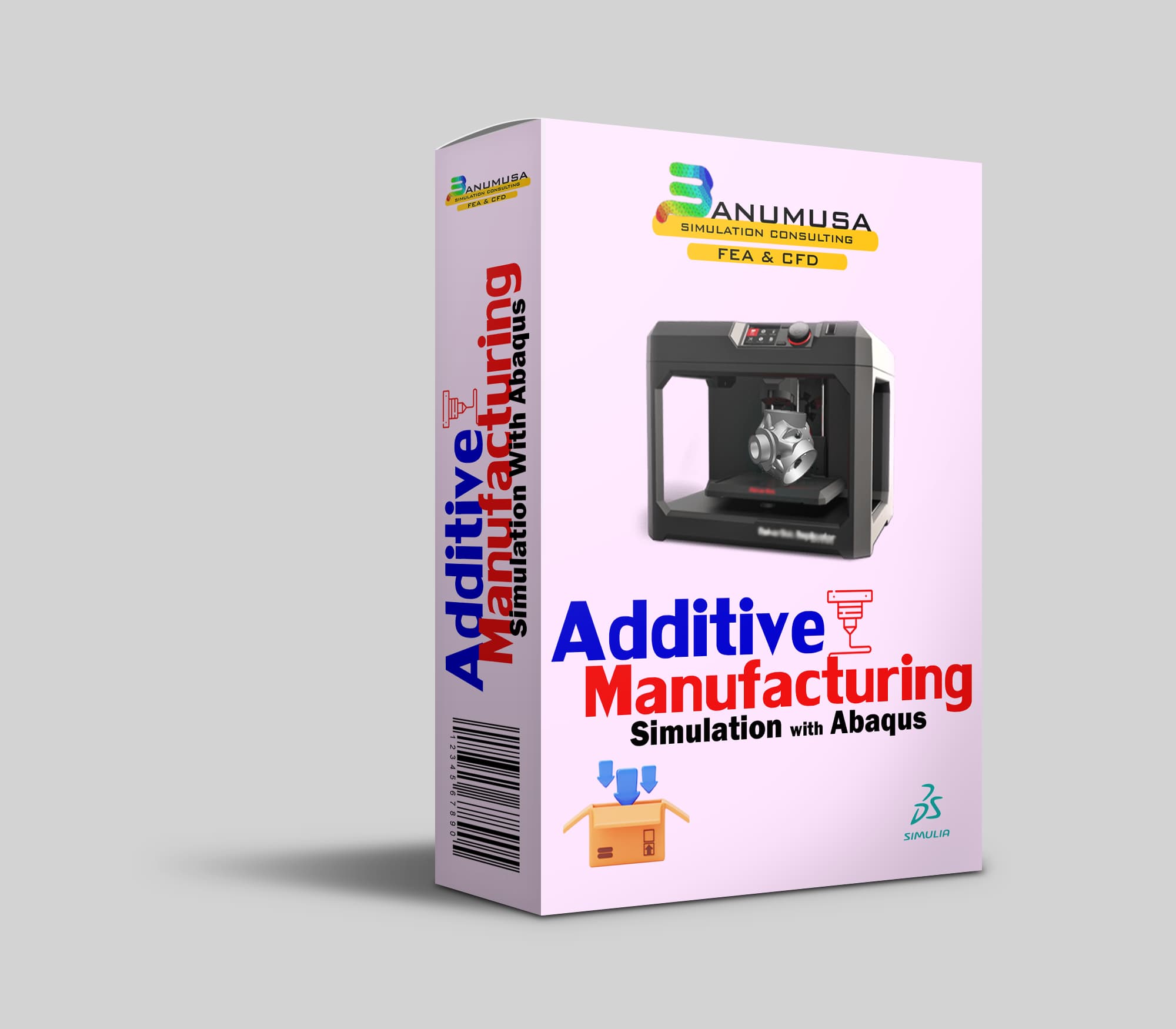
Additive Manufacturing Simulation with Abaqus
HomeShopTraining courses Additive Manufacturing Simulation with Abaqus
Previous product
Introduction to umat subroutine
Introduction to UMAT Subroutine € 210.00
Back to products
Next product
Introduction to Abaqus course
Introduction to Abaqus Training Course € 410.00

Additive Manufacturing Simulation with Abaqus

€ 410.00

Throughout Additive Manufacturing Simulation with Abaqus course, you will gain a deep understanding of the principles and techniques involved in additive manufacturing simulation using Abaqus software. You will learn how to simulate the complex processes involved in additive manufacturing, such as material deposition, thermal management, and residual stress analysis. By the end of the course, you will be equipped with the knowledge and skills to effectively utilize Abaqus for additive manufacturing simulation, making you a valuable asset in the field of advanced manufacturing.

Abaqus tutorial video (*.mp4)
Lecture notes (PDF)
Abaqus workshop files (*.cae, *.inp, *.jnl, *.odb)
15-day money-back guarantee
  Free 24/7 online mentoring

somdn_product_page
Compare
Add to wishlist
SKU: 2024-4 Categories: Abaqus, Training courses, Tutorial
Share
Facebook Twitter Email Pinterest linkedin Odnoklassniki WhatsApp WhatsApp VK Telegram
close
Products
  • Modeling Rubber and Viscoelasticity with Abaqus tutorial course Modeling Rubber and Viscoelasticity with Abaqus € 550.00
  • Wound Composite Modeler Plugin for Abaqus Wound Composite Modeler Plugin for Abaqus
    Rated 5.00 out of 5
    € 210.00
  • Description
  • Additional information
  • Reviews (0)
  • Payment & Support
  • Content
Description

Additive Manufacturing Simulation with Abaqus

Additive Manufacturing Simulation with Abaqus course introduces you to the latest modeling methods of additive manufacturing or 3D printing of metals and polymers. In addition, it introduces you to the plug-in for additive manufacturing modeling and subroutines that have been added specifically from Abaqus 2017 onwards, and almost everything you need to know. Also, a chapter is specially designed for welding modeling in Abaqus in this unique training package. During the training, you communicate with the expert online and ask any questions and doubts you may have.

Abaqus can be used to simulate the deposition of material layer by layer, as well as the resulting thermal and mechanical effects. This allows engineers to predict and optimize the properties of additively manufactured parts, such as their strength, durability, and dimensional accuracy.

Introduction to Additive Manufacturing

Additive Manufacturing (AM), commonly known as 3D Printing, is indeed the process of creating 3D objects by adding material layer by layer. It’s a technology that allows for the production of functional parts directly, rather than just prototypes, making it a versatile and innovative manufacturing method.

AM Modeler Plugin

The additive manufacturing plug-in provides an extensive and adaptable software solution that reduces the chances of errors while simulating the additive manufacturing process in Abaqus. This tool enhances efficiency and accuracy in modeling additive manufacturing processes. From Abaqus 2022 onwards, this plugin will be installed during software installation.

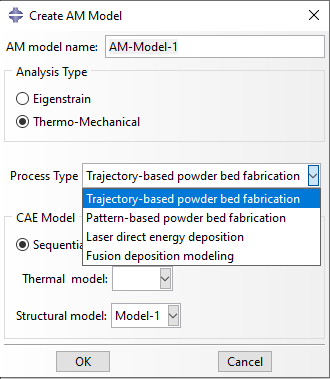
In AM Modeler You need to select the type of analysis and process based on the specific additive manufacturing process you wish to simulate. There are two analysis types to consider: eigenstrain and thermomechanical.

For eigenstrain analysis, you have the option to choose between trajectory-based or pattern-based process types.

In thermomechanical analysis, you can select from four process types:

  • Trajectory-based powder bed fabrication
  • Pattern-based powder bed fabrication
  • Laser direct energy deposition
  • Fusion deposition modeling

Abaqus AM Modeler Plugin - Additive Manufacturing Simulation with AbaqusWhat you’ll learn

In Additive Manufacturing Simulation with Abaqus, you will learn about 3D Printing Simulation in Abaqus, ways to model, and verification.

Upon completion of this course, you will be able to:

  • Use Abaqus/Standard to simulate the 4 different AM Processes:
    • Powder Bed
    • Polymer Extrusion
    • Direct Energy Deposition
    • Welding
  • Use Abaqus/CAE AM Modeler plugin to set up the modeling process
  • Understand the new data structures and user subroutines in Abaqus
  • Write user subroutines to customize the application for specific process
  • Postprocessing and visualization of the results

Overview of the course

Lecture 1 Introduction to AM Process Simulations

  • Introduction to Additive Manufacturing
  • Motivation for AM Process Simulation
  • Process Simulation Overview

Lecture 2 New Data Structures in Abaqus

  • Introduction
  • Data Structures
  • Table Collections

Lecture 3 Modeling Powder Bed Method

  • Introduction
  • Process specific details for AM
  • Powder Bed Method
  • Workshop 1: Sequential thermomechanical analysis of a laser powder bed fusion build

Lecture 4 Polymer Extrusion Simulations

  • Introduction
  • Process-Specific Details of Polymer Extrusion
  • Polymer Extrusion Process Simulation
  • Modeling Highlights
  • Event Series Input Type for Polymer Extrusion
  • Parameter Table Type for Polymer Extrusion
  • Element Activation for Polymer Extrusion
  • Cooling

Lecture 5 Process-Specific Details of Welding

  • Introduction
  • Abaqus Welding Interface (AWI) Plugin
  • Process-Specific Details of Welding
  • Modeling Highlights
  • Algorithm Details
  • Parameter and Property Tables
  • Table Collection for Welding
  • Element Activation Process for Welding
  • Activation Algorithm Details
  • Element Heating for Welding
  • Heating Algorithm Details
  • Cooling

Lecture 6 User Subroutines Overview

  • Overview of Some User Subroutines
  • Where User Subroutines Fit into Abaqus/Standard
  • Including User Subroutines in a Model
  • Writing Output from User Subroutines
  • Compiling and Linking User Subroutines
  • Debugging and Recommended Programming Techniques

Lecture 7 AM Process Subroutines

  • Overview of Some User Subroutines
  • UEPActivationSetup – for setting up data needed (from MInT) for Element Activation and Evolving free surface (using *Element Activation and Film/Rad FFS/RFS)
  • UMDFLUXSetup – for setting up data needed (from MInT) for moving flux in the UMDFLUX user subroutine 
  • UEPActivationVol() – to obtain volume fraction increase for element activation 
  • UMDFLUX() – Usub to prescribe multiple moving heat fluxes
  • UMATHT – heat transfer analysis
  • DFLUX – Model heat source
  • UEXPAN/UMAT – Handle thermal strains
  • UHARD, USDFLD

Lecture 8 AM Modeler Plug-in

  • Model Change vs. New AM Method
  • Workshop 2: Laser Direct Energy Deposition – Curlbar
  • Workshop 3: Sequential thermomechanical analysis of a directed energy deposition build

Knowledge Prerequisites

Additive Manufacturing Simulation with Abaqus is recommended for engineers with experience using Abaqus.

Targeted Audience

Simulation Analysts

Available Releases

Abaqus 2024, Abaqus 2023, Abaqus 2022, Abaqus 2021, Abaqus 2020, Abaqus 2019, Abaqus 2018, Abaqus 2017, Abaqus 2016, Abaqus V6.14, Abaqus V6.13, Abaqus V6.12

Duration

5 hours

Discipline

Advanced Abaqus

Additive Manufacturing Simulation with Abaqus is designed to cover the utilization of the Abaqus AM Modeler plugin, special user subroutines, and valuable techniques for modeling additive manufacturing in Abaqus. However, the course material can also be valuable for modeling various other types of analysis such as welding. It is aimed at engineers who are involved in additive manufacturing simulation and wish to enhance their comprehension of the intricate mechanical behavior associated with complex material models.

This course includes:

  10 hours of on-demand video
22 downloadable resources
Access on mobile and TV
Full lifetime access
Certificate of completion
15-Day Money-Back Guarantee

Having trouble with Abaqus?!

FEA Online Abaqus Mentoring consulting services for students and engineers

Register for a 30-minute free mentoring session with an expert.

Virtual Mentoring Platform:
Skype+AnyDesk is BanuMusa’s interactive online mentoring solution with the most reliable features to help you before, during, and after your sessions. it is a robust training platform that engages students/attendees virtually.

Cancellation Policy:
A full refund is available for cancellations more than 30 days before the course recording start date. Within 30 days of the course start date, course credit can be transferred to another attendee within the same company, or can be kept on file to be applied to a future BanuMusa training course.

We are ready to help you in CFD & FEA simulations.

Need help? Get a consultation from our experts.

Abaqus E-learning technical FEA & CFD consulting by banumusa FEA & CFD Consultancy Services Abaqus Ansys LS-Dyna user subroutine plugin FEA and CFD consultancy Abaqus consultancy services Technical Abaqus mentoring fluent cfd services ls-dyna consultancy services ansys consultancy services comsol consultancy services
Email us: info@banumusagr.com
Telegram: +98-915-55-20-388
WhatsApp: +98-915-55-20-388

Money-Back Guarantee

15-Day

Money back gold guarantee - BanuMusaWe’re fully confident in the value and reliability of the product. If for any reason you are not completely satisfied, email us at info@BanuMusaGr.com within 48 hours of your purchase for a full refund.

Find Us on WeChat

wechat banumusa company ویچت

Discounts:

BanuMusa R&D provides the following discounts on Public Training:

The highest applicable discount will be applied; discounts are not additive.

    1. Early Registration – A 10% discount is to be provided when you register 30 days before the start date of the recording of the training.
    2. Group Rate – A group discount is applicable when three or more individuals from your organization attend the same course and make a single payment.
No. of Registrants Discount/Person
3 10%
4 – 6 20%
7 and up 25%
  1. Yearly Commitment Discount – A 25% discount when you prepay for a minimum of 10 participants from your organization to any of the courses in the same year.
Additional information
Software

Abaqus FEA

Type

Abaqus Training Course

Level

Advanced Abaqus

Files

Abaqus files: *.cae, *.jnl, *.inp, *.odb
Video: *.mp4
Lecture notes: *.pdf

Language

English

Category

Fortran Programming
Plasticity
Failure & Damage Analysis
Material Modelling

Solver

Explicit/Implicit

Material

Metals, Polymers

Reviews (0)

Reviews

There are no reviews yet.

Be the first to review “Additive Manufacturing Simulation with Abaqus” Cancel reply

You must be logged in to post a review.

Payment & Support

Satisfaction Guarantee & Instant Access

All products available on the BanuMusa R&D website come with a guarantee of customer satisfaction. You will receive an automated download link immediately after your purchase is processed. We also provide online consulting and mentoring to ensure you get the absolute most out of our engineering products.

Before buying, you can consult with our technical experts to ensure the product perfectly aligns with your project requirements.

Secure Payment Methods

Cryptocurrency (Fastest)

The easiest way to pay is through the Tether portal in our shop using your wallet. The download link will be generated automatically.

  • Tether (USDT) - TRC20
  • Tron (TRX)
Video Tutorials:
  • How to pay using USDT TRC-20
  • Tron TRC20 Wallet Tutorial

International e-Wallets

We support major digital wallets. Once your manual payment is verified, we will email you the download links.

  • Payoneer: Contact us to receive the payment address.
  • PayPal: Contact us for our official account.
  • PAYEER: Contact us for instructions.
  • WebMoney: Contact us for our WMZ wallet address.

Bank Transfer (SWIFT)

For corporate clients or large engineering software orders, we accept direct wire transfers.

Please contact our support team to receive our official SWIFT/IBAN banking details and a Proforma Invoice.

Need Help with Payment? Contact Us

If you cannot use the direct Tether gateway or need our payment details (PayPal, Payoneer, SWIFT, etc.), simply send us the product link via email or our social networks.

  • +98-915-5520-388 (WhatsApp, Telegram, WeChat)
  • info@banumusagr.com
  • +98-51-35424520
Content

Contents

  • Abaqus tutorial video (*.mp4)
  • Lecture notes (PDF)
  • Abaqus workshop files (*.cae, *.inp, *.jnl, *.odb)
  • 15-day money-back guarantee
  •   Free 24/7 online mentoring

You may also like…

Hot
abaqus explicit - 3d hashin
Compare
Close

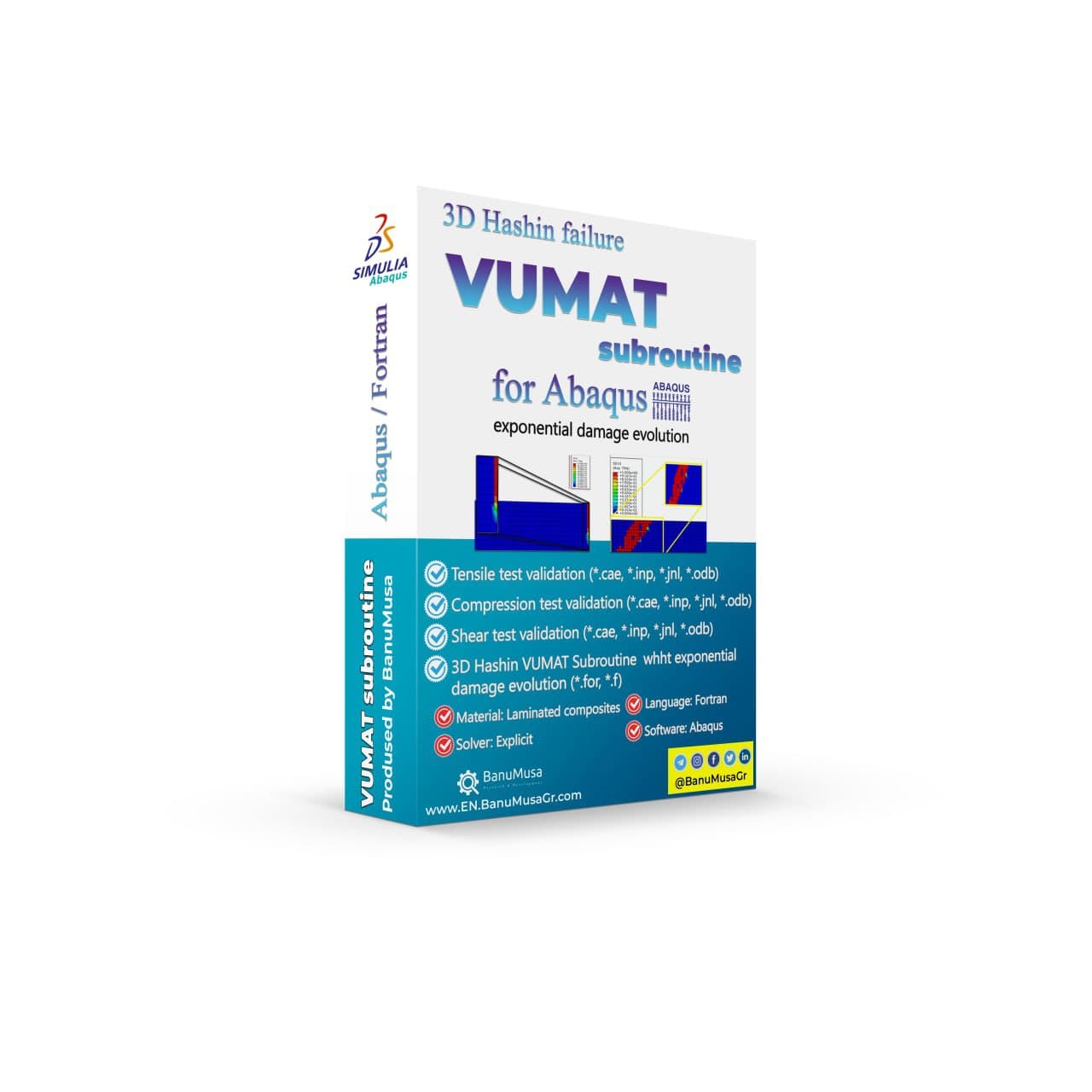
3D Hashin VUMAT Subroutine for Abaqus with Exponential Damage Evolution

Rated 5.00 out of 5
€ 455.00
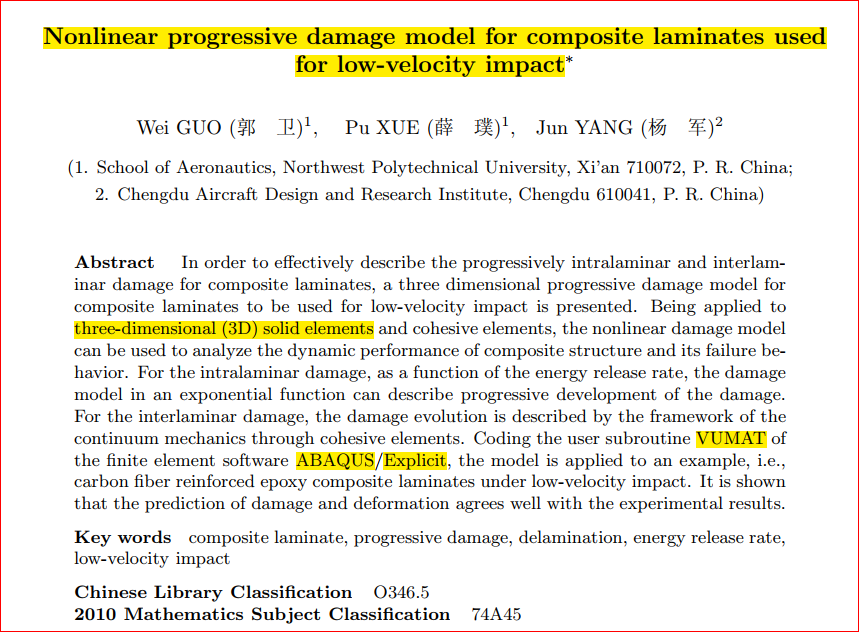
BanuMusa R&D presents a 3D Hashin VUMAT Subroutine for Abaqus with Exponential Damage Evolution. Effectively describe progressive intralaminar and interlaminar damage for FRP composite laminates using this three-dimensional progressive damage model based on continuum damage mechanics (CDM). Analyze dynamic performance and failure behavior of composite structures with this nonlinear damage model. Validated by well-known papers, this VUMAT subroutine can be used in any simulation. User manual (PDF) Abaqus workshop/validation files (*.cae, *.inp, *.jnl, *.odb) Fortran Abaqus subroutines run on Windows or Linux 15-day money-back guarantee   Free 24/7 online mentoring
Add to wishlist
Add to cart
Quick view
VUMAT JHB JH-2 ceramic model- Implementing Johnson-Holmquist model in Abaqus - JH-2 damage model VUMAT
Compare
Close

Abaqus VUMAT JHB and JH-2 Ceramic Model

€ 199.00
In Abaqus VUMAT JHB and JH-2 Ceramic Model tutorial course, you will learn how to use Built-in VUMAT subroutines in Abaqus to predict brittle materials (e.g. ceramic materials) damage using Johnson, Holmquist, and Beissel (JHB) and Johnson-Holmquist (JH-2) ceramic model. Also, 5 practical workshops show you how to define and use the subroutine, how to configure the model in Abaqus CAE, and how to visualize the results. There is also a JH-2 VUMAT subroutine Fortran file in this CAE package. In addition to the tutorial video, the Abaqus workshop files, & JH-2 VUMAT subroutine will be provided to you so that nothing will remain unclear. Also, all course includes free online 24/7 online tutoring after purchase. Abaqus tutorial video (*.mp4) Lecture notes (PDF) Abaqus workshop files (*.cae, *.inp, *.jnl, *.odb)  JH-2 Fortran VUMAT subroutine run on Windows or Linux 15-day money-back guarantee   Free 24/7 online mentoring
Add to wishlist
Add to cart
Quick view
-9%
Advanced Failure Analysis of Composite Materials Abaqus -helius
Compare
Close

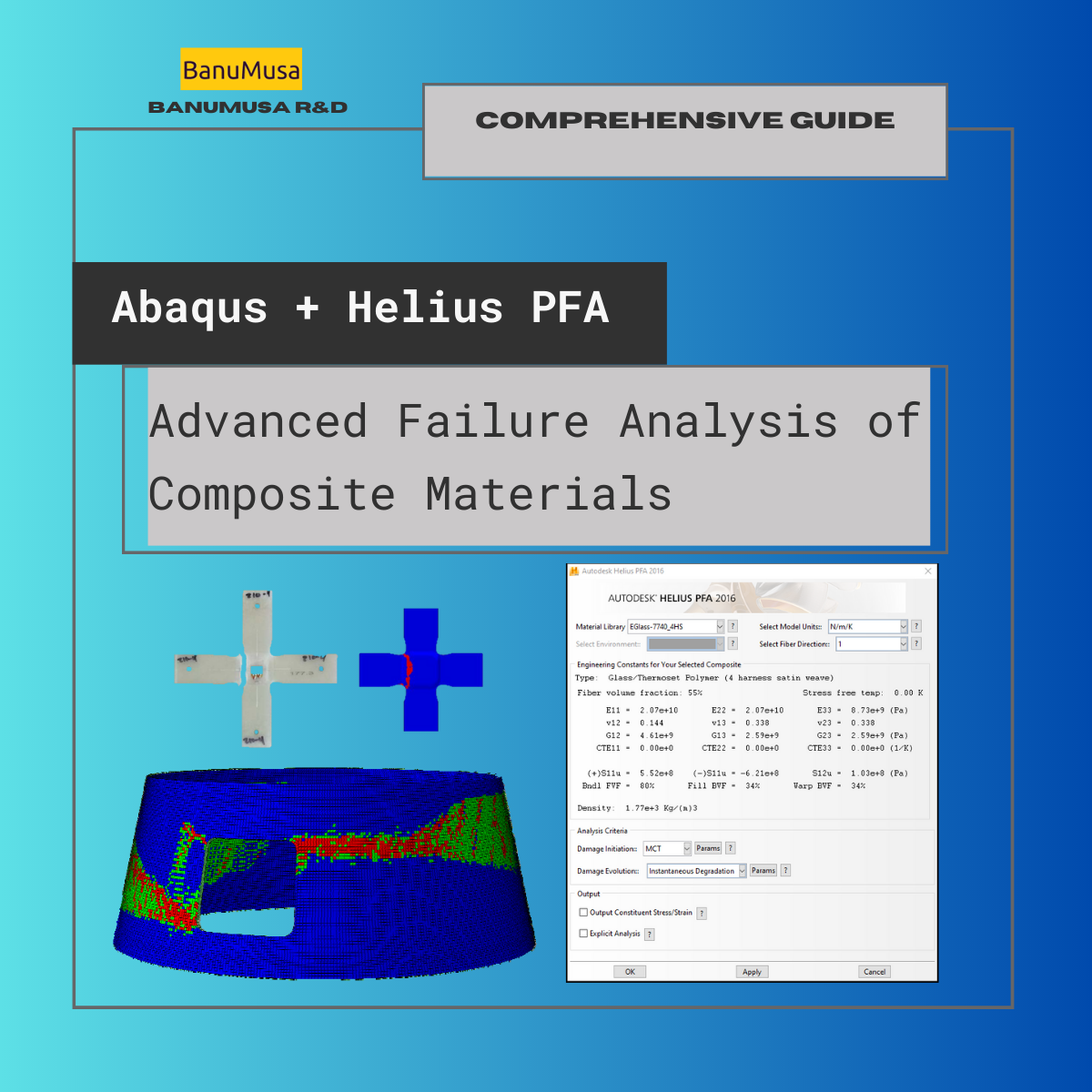
Advanced Failure Analysis of Composite Materials with Abaqus and Autodesk Helius PFA: A Comprehensive Guide

€ 550.00 Original price was: € 550.00.€ 499.00Current price is: € 499.00.
The "Advanced Failure Analysis of Composite Materials with Abaqus and Autodesk Helius PFA: A Comprehensive Guide" online course is designed to teach engineers, technicians, and researchers advanced analysis techniques for composite materials. The course covers a range of topics, including material modeling, failure criteria, damage mechanics, progressive failure analysis of composites, and fatigue. Participants will learn how to use Abaqus and Autodesk Helius PFA software to model, simulate, and analyze composite materials under different loading conditions. The course is divided into several modules, each covering a different aspect of composite material analysis. The course provides an excellent opportunity for engineers and researchers to expand their knowledge of advanced analysis techniques for composite materials and gain hands-on experience with industry-standard software tools. Abaqus tutorial video (*.mp4) Lecture notes (PDF) Abaqus workshop files (*.k, d3plot) 15-day money-back guarantee   Free 24/7 online mentoring
Add to wishlist
Add to cart
Quick view
-8%Hot
umat-vumat-subroutine-gtn-damage-model-abaqus GTN damage model Abaqus Shear-Modified GTN VUMAT Gurson-Tvergaard-Needleman plasticity ductile failure simulation void coalescence Abaqus
Compare
Close

VUMAT Subroutine: Shear Anisotropic Modified GTN Damage Model

€ 535.00 Original price was: € 535.00.€ 490.00Current price is: € 490.00.
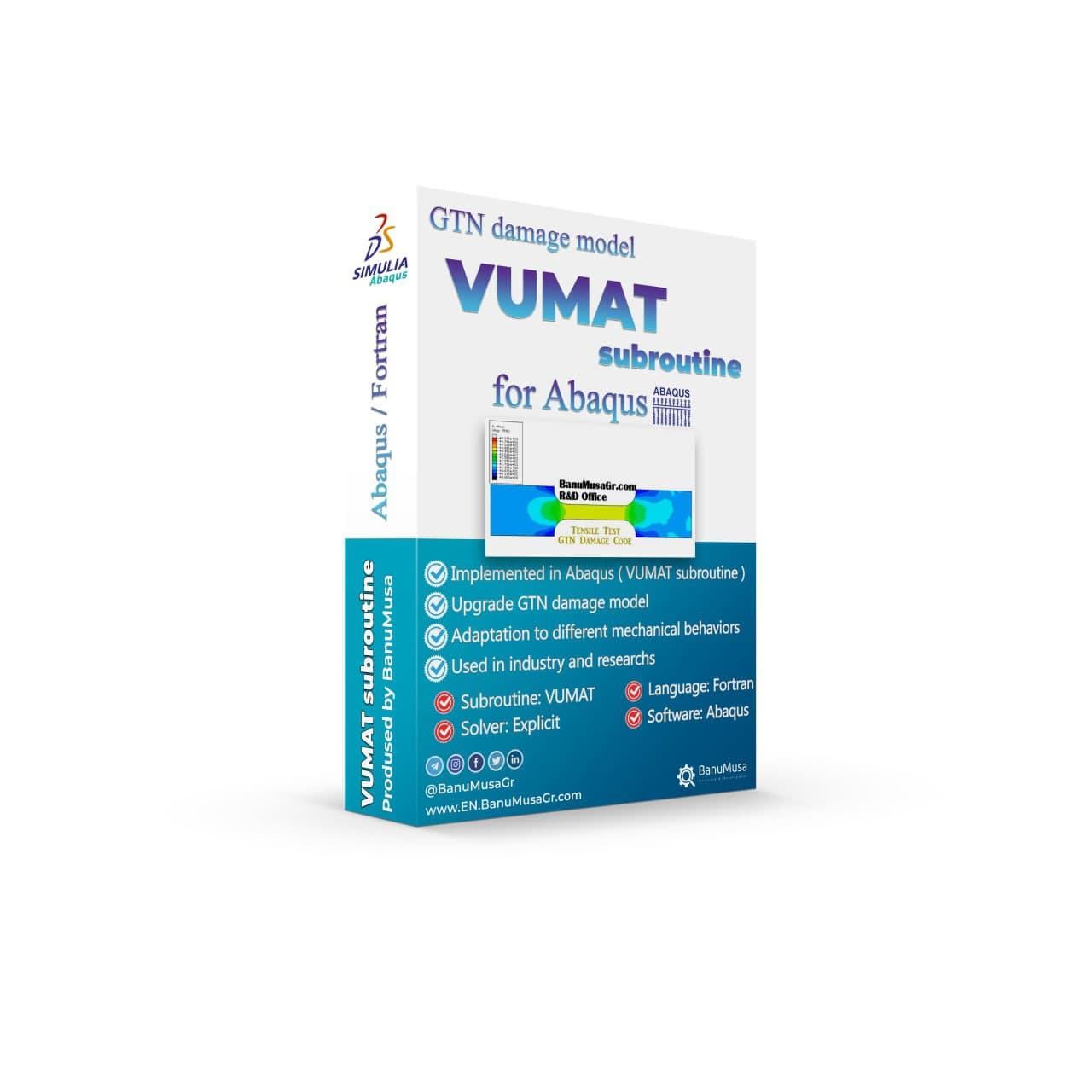
In this product, the modified GTN damage Abaqus VUMAT subroutine material model proposed by Gatea et al. (2017) was developed. In this material model, in addition to the original GTN model, the effects of plastic anisotropy and shear loading conditions have been added to increase the accuracy of solving the original GTN damage model. Also, the results have been verified and validated (V&V) with valid papers, and at the end, the extended damage model is compared with the Abaqus built-in GTN model known as the porous metal plasticity model. Lecture notes (PDF) Abaqus workshop files (*.cae, *.inp, *.jnl, *.odb) Fortran Abaqus subroutines run on Windows or Linux GTN material data (*.xls) 15-day money-back guarantee   Free 24/7 online mentoring
Add to wishlist
Add to cart
Quick view
Fortran for Abaqus Subroutine - writing user subroutines udhard umat film uload
Compare
Close

Fortran for Abaqus Subroutine

€ 255.00
If you are familiar with user subroutines in Abaqus, you must know that Fortran, C, and C# are languages that can be used to write subroutines in Abaqus. What is common among Abaqus users now is using Fortran in writing user subroutines. In the "Fortran for Abaqus Subroutine" training package, zero-to-one writing user subroutine tips are taught using Fortran in Abaqus. Abaqus tutorial video (*.mp4) Lecture notes (PDF) Abaqus workshop files (*.cae, *.inp, *.jnl, *.odb) Fortran Abaqus subroutines run on Windows or Linux 15-day money-back guarantee   Free 24/7 online mentoring
Add to wishlist
Add to cart
Quick view
Porous Elastomers Abaqus UHYPER Subroutine
Compare
Close

Porous Elastomers Abaqus UHYPER Subroutine

€ 55.00
The " Porous Elastomers Abaqus UHYPER Subroutine " product implements the hyperelastic energy density derived for the macroscopic elastic response of non-Gaussian elastomers weakened by an isotropic and non-percolative distribution of equiaxed pores. This result is valid for any choice of I1-based incompressible energy density characterizing the non-Gaussian isotropic elastic response of the underlying elastomer. Lecture notes (PDF)   5 Abaqus example files (cae, inp, jnl, odb) FORTRAN UHYPER subroutine run on Windows or Linux 15-day money-back guarantee Free 24/7 online mentoring
Add to wishlist
Add to cart
Quick view

Related products

Shot Peening Induced Residual Stresses - Abaqus Validation
Compare
Close

Shot Peening Induced Residual Stresses Simulation & Validation in Abaqus FEA Software

Rated 5.00 out of 5
€ 85.00
This package describes Shot Peening Induced Residual Stresses Simulation & Validation in Abaqus FEA Software, a three-dimensional dynamic finite element (FE) study of single-shot impacting on a metallic component using Abaqus/CAE software. The Finie element results are validated by comparison with results from the published paper by Meguid et al. (1999). The shot peening finite element modeling using Abaqus/CAE allows engineers to optimize shot peening parameters for maximum benefits like increased fatigue life and yield strength. It also helps determine the effective extent of stress relief heat treatment. Abaqus validation files (cae, jnl, inp, odb) Tutorial video (Mp4) 15-day money-back guarantee Free 24/7 online mentoring
Add to wishlist
Add to cart
Quick view
Coupled thermal stress analysis
Hongqi-CA7220-AE_abaqus-Coupled Thermal Stress Analysis of Automotive Disc Brake Validation Tutorial
Compare
Close

Coupled Thermal Stress Analysis of Automotive Disc Brake: A Complete Validation Tutorial

€ 175.00
In Coupled Thermal Stress Analysis of Automotive Disc Brake: A Complete Validation Tutorial, a solid disk brake of a CA7220 car with initial rotational velocity will contact a disk pad. The effects of friction will be an increase in disk temperature due to heat generated by energy dissipation and the reduction of rotational velocity. The numerical results were validated by the Gao & Lin, (2002) paper. Abaqus tutorial video (*.mp4)  Abaqus files (*.cae, *.inp, *.jnl, *.odb) 15-day money-back guarantee   Free 24/7 online mentoring
Add to wishlist
Add to cart
Quick view
rolling contact fatigue rail
Compare
Close

Rolling Contact Fatigue Analysis of UIC60 Rail Wheels

Rated 5.00 out of 5
€ 99.00
Advanced finite element analysis with proper contact modeling and considering parameters like residual stresses can provide detailed insights into the stress state and rolling contact fatigue failure mechanism. This Abaqus tutorial discusses the effect of axial force, velocity, and rail joint gap angle parameters on the distribution of contact and impact stresses. Modeling the rolling contact fatigue of a train wheel rail has tips trained in this tutorial video. In addition to the tutorial video, the Abaqus files and their results will be provided to you so that nothing will remain unclear. Also, all training includes free online 24/7 online tutoring after purchase. Abaqus tutorial video (*.mp4)  Abaqus files (*.cae, *.inp, *.jnl, *.odb) 15-day money-back guarantee   Free 24/7 online mentoring
Add to wishlist
Add to cart
Quick view
Modeling Rubber and Viscoelasticity with Abaqus tutorial course
Modeling Rubber and Viscoelasticity with Abaqus course - abaqus tutorial
Compare
Close

Modeling Rubber and Viscoelasticity with Abaqus

€ 550.00
The Modeling Rubber and Viscoelasticity with Abaqus course delves into the intricacies of simulating rubber, foam, and viscoelastic materials using the Abaqus software. Throughout this training, participants will explore techniques for accurately modeling the behavior of rubber and viscoelastic substances, gaining valuable insights into material model, material data calibration, element selection, meshing, and simulation methodologies. This course equips learners with the knowledge and skills necessary to effectively model these complex materials in engineering simulations by focusing on practical applications and theoretical foundations. Course video (mp4) Lecture notes (PDF) Abaqus workshop files (CAE, INP, ODB) 15-day money-back guarantee   Free 24/7 online mentoring
Add to wishlist
Add to cart
Quick view
Fitness-for-Service Analysis with Signal FFS Course - ffs analysis with signalffs
Fitness-for-Service Analysis with Signal FFS Course - ffs assessment with signalffs
Compare
Close

Fitness-for-Service Analysis with Signal FFS Course

€ 1,250.00
Signal FFS course offers both theoretical knowledge and practical skills in utilizing API-579/ASME FFS-1 and BS 7910 techniques to evaluate the suitability of equipment containing different types of defects. The Fitness-for-Service training course gives guidance on conducting FFS assessments using methods tailored for pressurized equipment. During the training, sample problems will be solved using manual calculations along with the assistance of Signal FFS software. Signal FFS tutorial video (*.mp4) Lecture notes (PDF) Signal FFS workshop files (*.ffs) API 579 / ASME FFS-1 and BS 7910 Standards 15-day money-back guarantee   Free 24/7 online mentoring
Add to wishlist
Add to cart
Quick view
Modeling Stents Using Abaqus video Tutorial - sma nitimol material
Compare
Close

Modeling Stents Using Abaqus

€ 440.00
Modeling stents using Abaqus course is designed for engineers who are in charge of designing medical devices and want to enhance their comprehension of the intricate mechanical behavior related to the performance of these devices. Although the course primarily focuses on using Abaqus to simulate stents, the material is also valuable for simulating other kinds of medical devices. Abaqus tutorial video (*.mp4) Lecture notes (PDF) Abaqus workshop files (*.cae, *.inp, *.jnl, *.odb) Python scripts (*.py) Fortran subroutines 15-day money-back guarantee   Free 24/7 online mentoring
Add to wishlist
Add to cart
Quick view
Save Multiple Animations Plugin for Abaqus
Compare
Close

Save Multiple Animations Plugin for Abaqus

€ 0.00
Save Multiple Animations plugin allows the Abaqus user to create a unique animation file by joining different ODB files. Sometimes, due to the simulation workflow being needed, different models simulate a unique process, i.e. metal forming process. The results are, therefore, different *.odb files, and with this plug-in, the user can put them together in a unique file. The plug-in takes the current display on the viewport and applies it to all ODBs selected.  
Add to wishlist
View
Quick view
asme design by analysis course - banumusa - abaqus fea
PRESSURE VESSEL DESIGN asme design by analysis course - banumusa - abaqus
Compare
Close

ASME Design By Analysis Course

€ 1,100.00
The ASME Design By Analysis Course provides a comprehensive overview of advanced engineering design techniques and analysis methods as per the ASME Section VIII, Division 2, Part 5. This course equips participants with the knowledge and skills needed to effectively apply FEA method in designing and evaluating mechanical components and systems. Through practical examples and case studies, participants will gain a deeper understanding of the principles behind design analysis and how to implement them in real-world engineering projects. Course video (mp4) Lecture notes (PDF) API 579 / ASME Sec. VIII, Div. 2 code (PDF) 15-day money-back guarantee   Free 24/7 online mentoring
Add to wishlist
Add to cart
Quick view

BanuMusa R&D Simulation Consultancy

Bridging the gap between theoretical engineering and manufacturing reality. We provide high-fidelity FEA, CFD, and specialized Abaqus plugins to eliminate trial-and-error in critical industrial sectors.

Capabilities

  • FEA Consultancy
  • CFD Simulation
  • API 579 FFS Assessment
  • ASME Design by Analysis
  • Composite & COPV

Flagship Utilities

  • MatLib Material Database
  • WCM Plugin (COPV)
  • 3D Hashin VUMAT
  • Autokeeler (Metal Forming)
  • Johnson-Cook Plugin

Support & Resources

  • 40% Academic Discount
  • 1-on-1 Abaqus Mentoring
  • Advanced CAE Courses
info@banumusagr.com
06-02 Park View condo, Changkat perak, off Lorong Perak, 50250, Kuala Lumpur, Selangor, Malaysia
Accepted Payments
© 2026 BanuMusa R&D. Engineering Simulation & Automation. All rights reserved.
Support & FAQ Payment Methods Privacy Policy Terms of Service

Shopping cart

close

Powered by WhatsApp Chat

  • Menu
  • Categories
  • Consulting Services
  • Products
  • Resources
    • Blog
    • Projects
  • About Us
    • Contact Us
    • Our Team
    • Our Partners
    • Careers
  • Consulting Services
  • Products
  • Resources
    • Blog
    • Projects
  • About Us
    • Contact Us
    • Our Team
    • Our Partners
    • Careers

Sign in

close


Lost your password?
No account yet? Create an Account
Sidebar Scroll To Top