



Essential Abaqus Plugins (Add-ons) Every FEA Engineer Should Know
Welcome to the BanuMusa R&D blog. Whether you are an engineering student or just starting out with Abaqus, navigating material properties and complex setups can be daunting. To help you streamline your workflow, we have compiled a list of the most essential Abaqus plug-in utilities.
1. MatLib: The Ultimate Abaqus Material Library
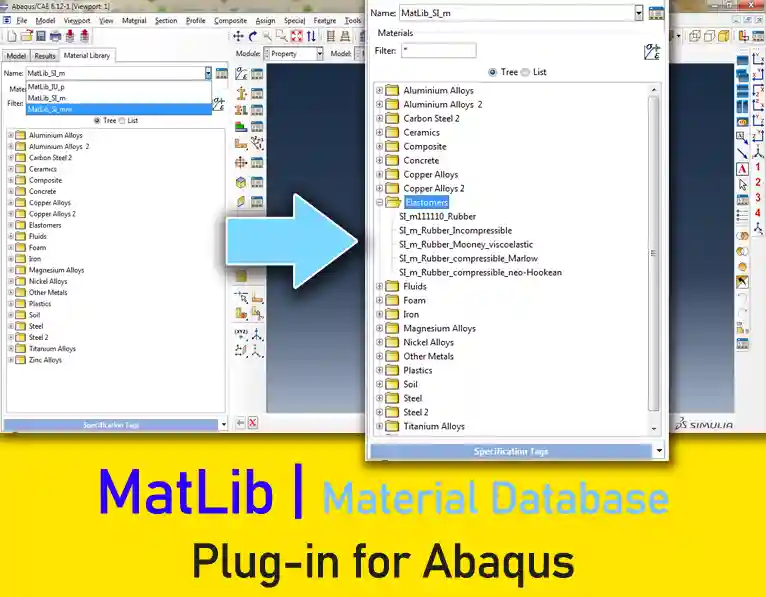
If there is one plugin that saves the most time for FEA engineers, it is MatLib. Instead of spending hours hunting for material properties and manually converting units, MatLib allows you to import over 1,400 validated engineering materials directly into Abaqus with just three clicks. It fully supports SI-m, SI-mm, and Imperial unit systems.
2. Calibrate Nitinol Material Behavior Abaqus Plugins
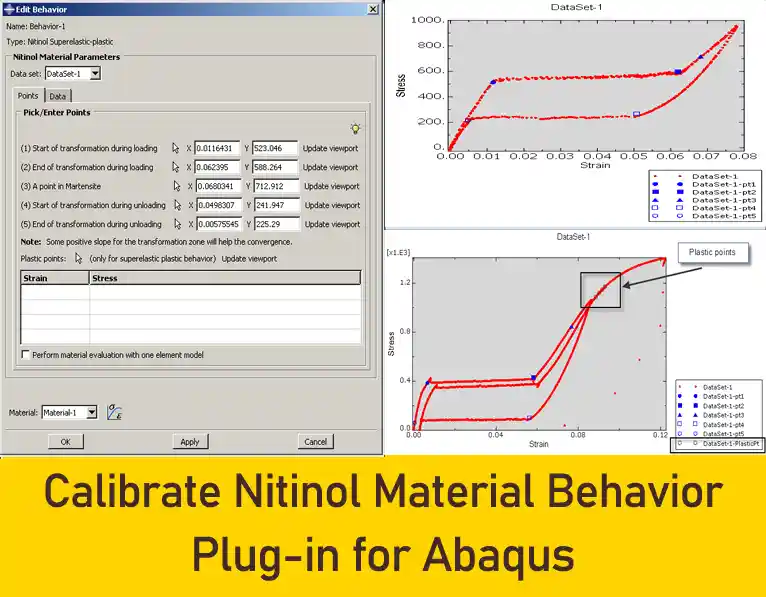
This plugin is designed to calibrate the superelastic and superelastic-plastic behaviors of Nitinol for Abaqus/Standard or Abaqus/Explicit analyses. It provides a user-friendly interface to generate Nitinol material parameters based on uniaxial tension test data. Necessary keywords and data lines are generated automatically based on a few characteristic points selected from your test data. The plugin also offers an option to evaluate the material definition using a uniaxial 3D one-element model, allowing you to iterate and refine the parameters until the desired material behavior is achieved.
3. Creep Evaluation Plug-in Utility
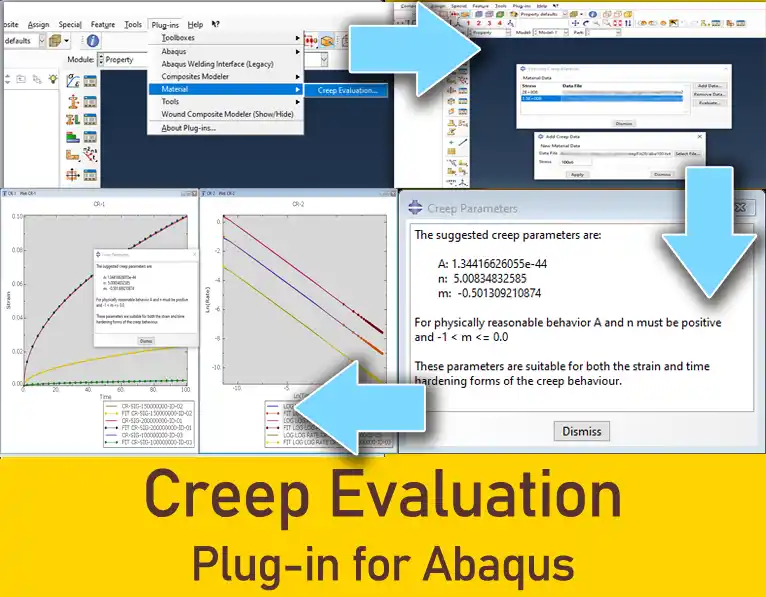
The Creep Evaluation plugin is a highly effective tool that eliminates the need for complex MATLAB or Excel scripts when calibrating creep constants. Similar to the Hyperelastic material evaluation tool within Abaqus/CAE, it uses a least-squares technique to evaluate constants appropriate for both time-hardening and strain-hardening creep models based on experimental uniaxial creep test data.
4. Stress-Strain Curve Calculator plug-in
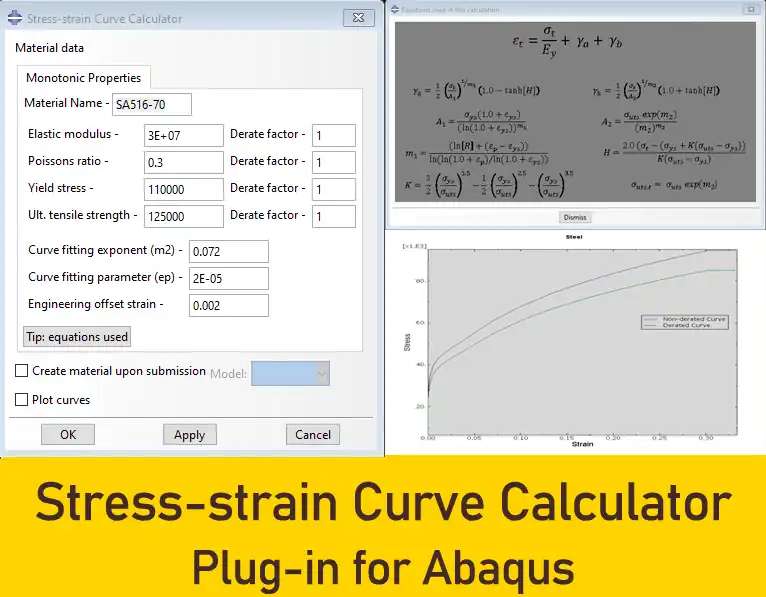
This Abaqus/CAE plugin enables users to generate stress-strain hardening curves for design and fitness-for-service (FFS, Level 3) assessments of pressure vessels and piping equipment. Since elastic, perfectly plastic, and bi-linear models are not adequate for all applications, this tool is especially useful for Design-by-Analysis methods (ASME Section VIII Div. 2) and flaw assessments (ASME/API 579).
5. Micromechanics Plug-in
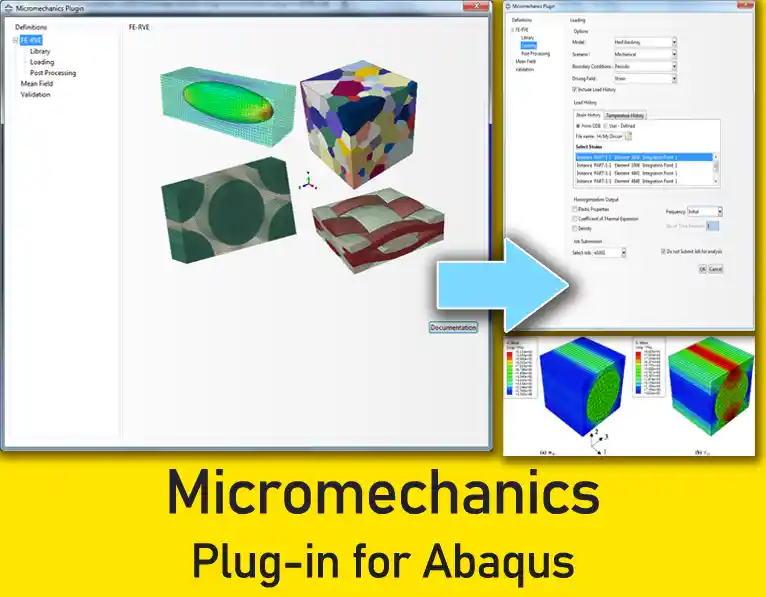
Developed for Abaqus/CAE, the Micromechanics plugin facilitates the setup, analysis, and post-processing of finite element representative volume element (FE-RVE) models. These models allow for detailed studies of small-scale material microstructures under far-field loading.
Capabilities:
- Metal grain models
- Chopped-fiber
- Lattice Structures
- Validate Mean-Field Homogenization
- Constituent Property Prediction
- RVE Libraries
- RVE Boundary Conditions
- Periodic Boundary Conditions
- Homogenization – Calculating Elastic Response
- Solid-To-Shell Homogenization
- Homogenization – Stiffness Matrix
6. Wound Composite Modeler Plug-in for Abaqus
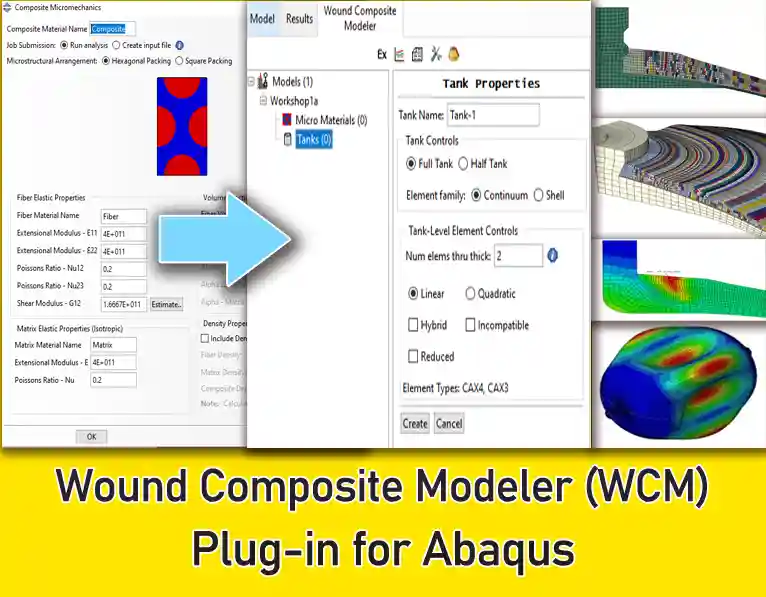
The Wound Composite Modeler (WCM) plug-in allows the user to define all necessary information to create, analyze, and post-process a finite element model of a wound-composite pressure vessel. The WCM plug-in applies a symmetry boundary condition at the mid-length point of the cylinder so that a half-symmetric model of the complete pressure vessel is created. If a given tank design has different end dome geometries, it can be analyzed by creating two separate models, one for each end of the vessel.
Analysis Approach
- Dome and Cylinder Geometry Definition
- Winding Layout Specification
- Mesh and Section Creation
- Loading
- Output
- Results
Including 5 workshops:
- Workshop 1: Generating Axisymmetric COPV Models
- Workshop 2: Generating 3D COPV Models
- Workshop 3: Autofrettage Analysis
- Workshop 4: Design
- Workshop 5: Buckling and Debonding
7. Johnson-Cook Constants Plug-in
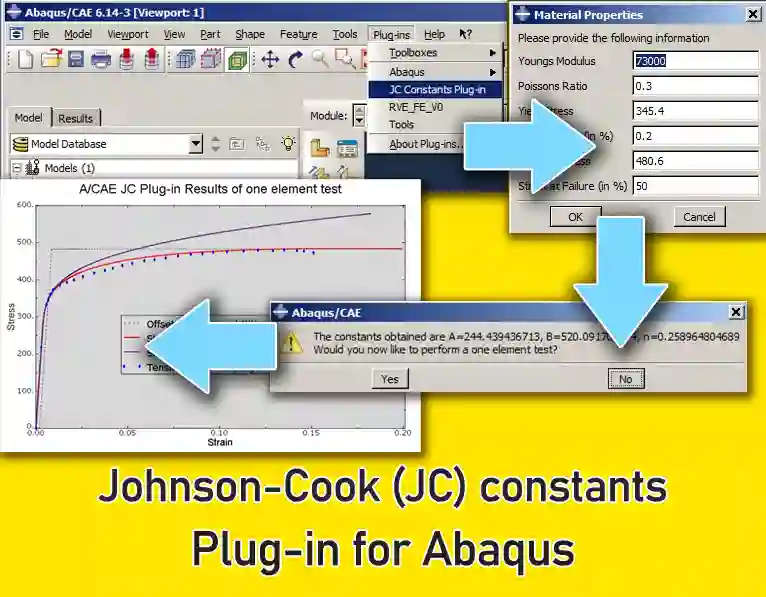
In Abaqus, there is a material model named Johnson-Cook. Johnson-Cook constants plugin has been developed to evaluate its parameters. In this way, the parameters related to this material model can be easily found without referring to handbooks and papers.
8. Autodesk Helius PFA
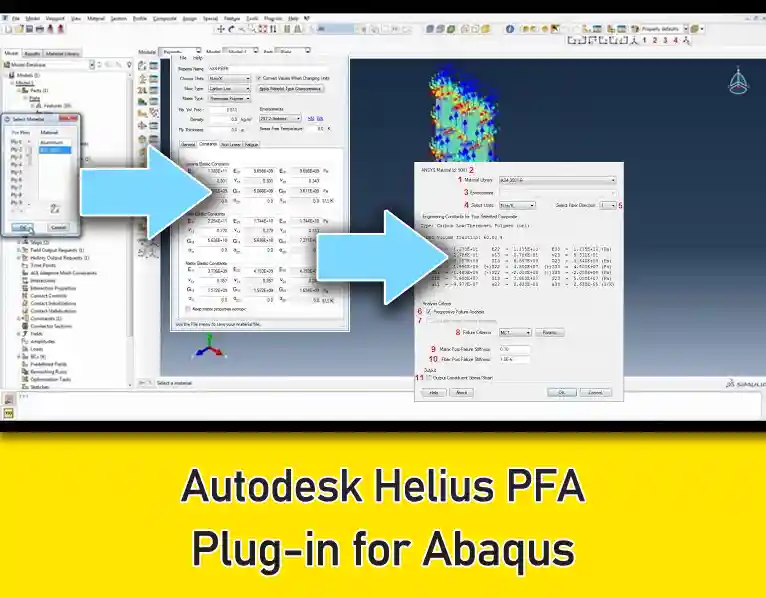
Helius PFA is an exceptional plugin for simulating damage in composite materials. It accurately predicts the dynamic failure and fatigue of composites—a highly advanced feature that perfectly complements the native capabilities of both Abaqus and Ansys.
9. Bolt Studio Plug-in for Abaqus
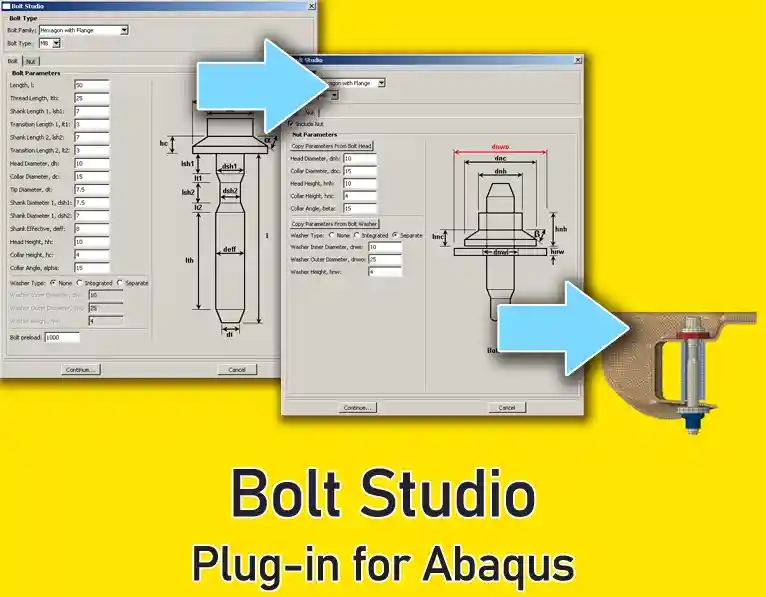
The Bolt Studio plug-in provides the user with a streamlined method for defining bolts, nuts, and washers and placing them into an existing Abaqus/CAE model. Users can control the default set of bolts that are displayed in the interface via a simple Python-based configuration file.
The bolts, nuts, and washers, where applicable, are generated parametrically within Abaqus/CAE and meshed automatically using a hexahedral mesh.
The mesh size is determined automatically based on the dimensions of the bolt (the user can re-mesh if required, the parts using the native meshing tools within Abaqus/CAE). The bolt is automatically partitioned, and the user-specified pre-loading is applied.
10. Focused Mesh Contour Integral Crack Builder Plug-in
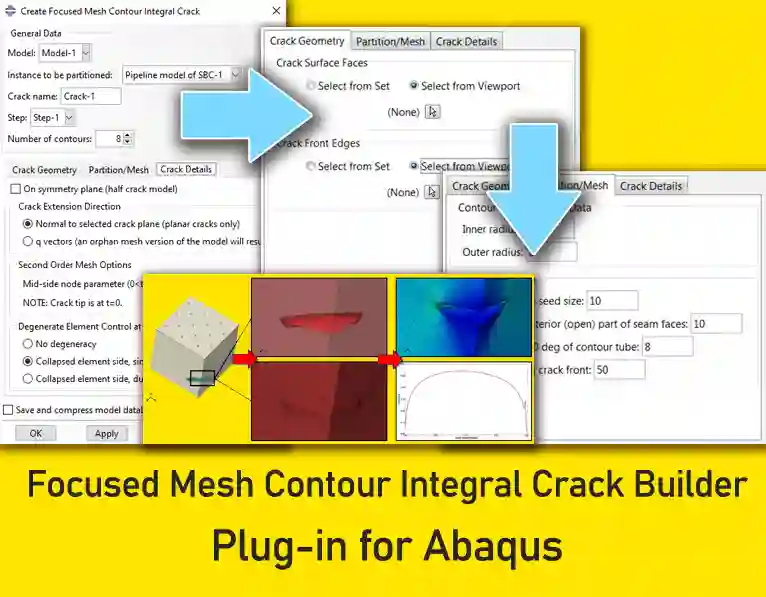
For many years Abaqus/Standard has included the ability to assess quasi-static, stationary crack fracture mechanics problems using contour integrals. While an XFEM-based contour integral method has been added in recent years, the conventional approach involves constructing a specific “focused” mesh configuration at the tip of the presumed crack. The Focused Mesh Contour Integral (FMCI) Crack Builder is an Abaqus/CAE plug-in to automatically create focused mesh partitions, meshes, and contour integrals (including q-vectors) for conventional focused mesh contour integral fracture analysis
11. ROMAC Bearing Plug-in
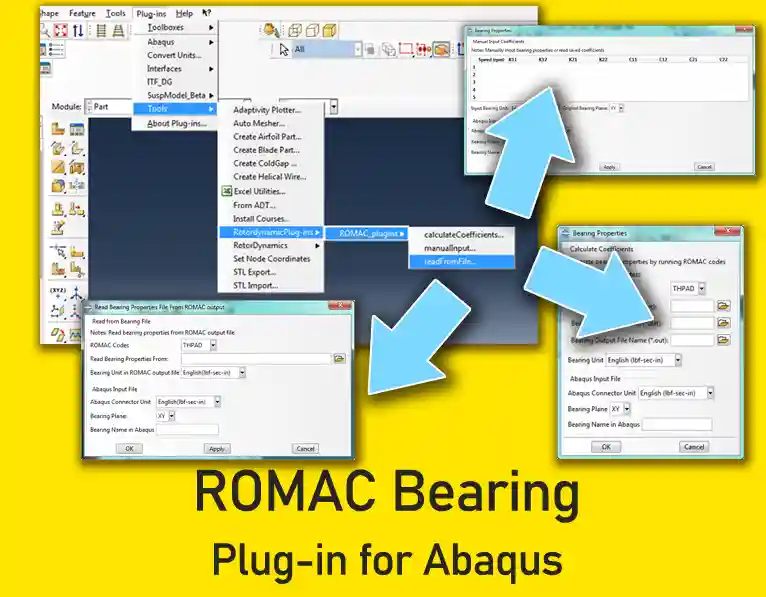
ROMAC bearing code is one of the popular bearing codes used in the Rotordynamics field. It is developed by ROMAC Laboratory at the University of Virginia. With the ROMAC bearing plug-in, you can perform rotor dynamics analyses easily with the bearing property information given by the ROMAC bearing code.
ROMAC bearing plug-in is useful to import the bearing properties from the ROMAC bearing codes THPAD, THBRG, and MAXBRG and write those in Abaqus input format. You can also fill out the bearing properties manually and write them in Abaqus input format using this plug-in.
The Abaqus input file .inp (which contains the properties of the connector element of the bearing with a given bearing name) is created using the plug-in. You can use the created properties in the proper connector element in your own model.
Three separate plug-ins allow for three different approaches to entering the bearing properties:
- Calculate Coefficients
- Manual Input
- Read from File
The Calculate Coefficients plug-in directly runs the ROMAC bearing software (THPAD or THBRG) and writes the bearing properties in an Abaqus input file. The output file name is set as *.inp using the bearing name, which is assigned in the plug-in by default, after importing the bearing results. You must have the ROMAC bearing software (THPAD or THBRG).
The Manual Input plug-in allows you to enter the bearing properties manually and write them to an Abaqus input file.
The Read from File plug-in reads the ROMAC bearing output file and writes the bearing properties in an Abaqus input file.
Notes:
- By default, ROMAC uses English units. The plug-in can convert it to SI units.
- For uncoupled properties, there is no version limitation. But for coupled properties, only Abaqus 6.12 and later are available.
12. Units Converter Plug-in
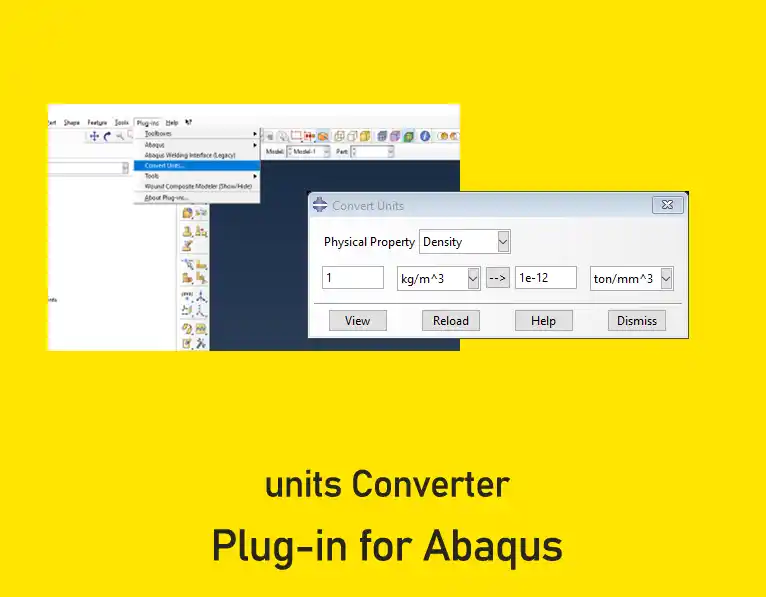
Developed in 2005, the Units Converter is a highly practical tool for seamless unit conversion within Abaqus/CAE. It allows you to convert between standard measurement systems or even define your own custom unit system.
13. Abaqus Welding Interface (AWI) plug-in
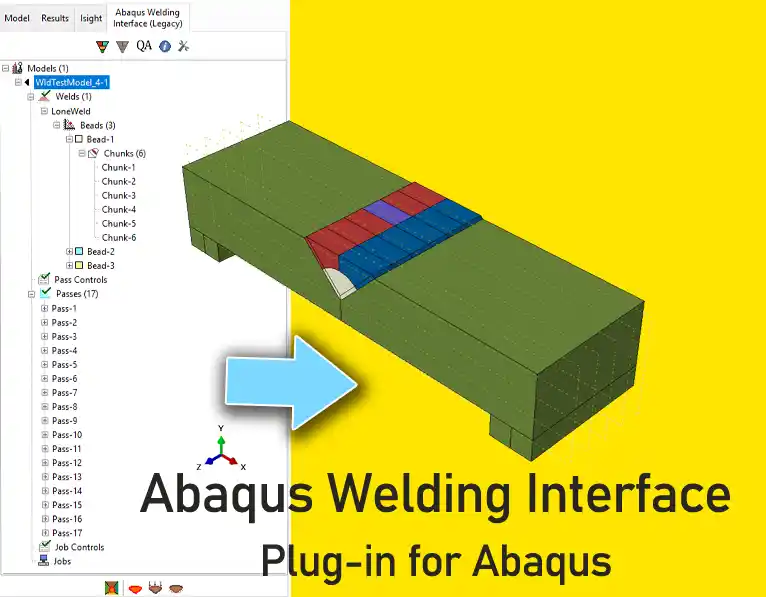
The Abaqus Welding Interface (AWI) plug-in streamlines the generation of two- and three-dimensional welding simulations from within Abaqus/CAE. This application provides a model-tree-based approach to defining all aspects of the weld model such as weld beads, weld passes, film loads, and radiation.
14. Honeycomb Modeler plug-in
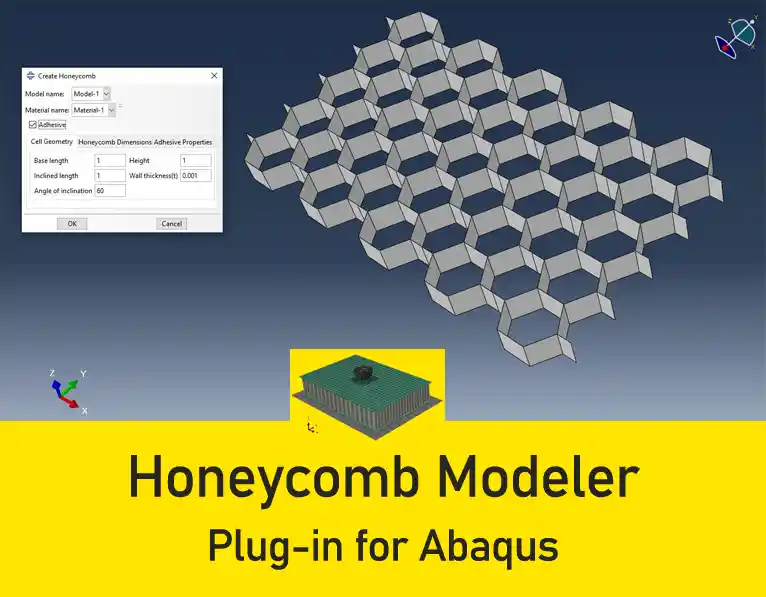
The Honeycomb Modeler plug-in can be used with any model included in an Abaqus/CAE database. It automatically creates honeycomb structure models. The honeycomb structure is described in the plug-in by its:
- material;
- unit cell geometry; and
- dimensions.
Any material that has been created in the model can be accessed from within the plug-in. In addition, new material can be conveniently created from within the plug-in by calling the material editor.
Working with the plugin is very simple and enjoyable. A lot of time spent on the geometric modeling of a honeycomb is minimized with this plugin. I recommend that any Abaqus user have the Honeycomb Modeler plug-in for simulation.
Accelerate Your Engineering Projects with BanuMusa R&D
Struggling with complex simulations, material calibration, or convergence issues? We provide professional solutions to guarantee your R&D success:
- 🚀 FEA & CFD Consultancy: Outsource your toughest structural, thermal, and fluid dynamics challenges to our industry experts.
- 🎓 Technical Abaqus Mentoring: Get 1-on-1 professional guidance to overcome specific modeling bottlenecks and save weeks of trial and error.
- 📚 Abaqus Material Library (MatLib): Skip manual mathematical calibration. Download hundreds of scientifically validated material models instantly.