Facebook Twitter Email Instagram YouTube linkedin WhatsApp WhatsApp VK Telegram
info@BanuMusaGr.com
Login / Register
0 Wishlist
0 Compare
0 items / € 0.00
Facebook Twitter Email Instagram YouTube linkedin WhatsApp WhatsApp VK Telegram
FEA & CFD Consultancy | BanuMusa R&D FEA & CFD Consultancy | BanuMusa R&D
  • Consulting Services
  • Products
  • Resources
    • Blog
    • Projects
  • About Us
    • Contact Us
    • Our Team
    • Our Partners
    • Careers
Free Mentoring
Menu
FEA & CFD Consultancy | BanuMusa R&D
0 items / € 0.00
HomeShopAbaqusAbaqus Plug-ins Bending Pipe Plugin for Abaqus
Previous product
Fortran for Abaqus Subroutine - writing user subroutines udhard umat film uload
Fortran for Abaqus Subroutine € 255.00
Back to products
Next product
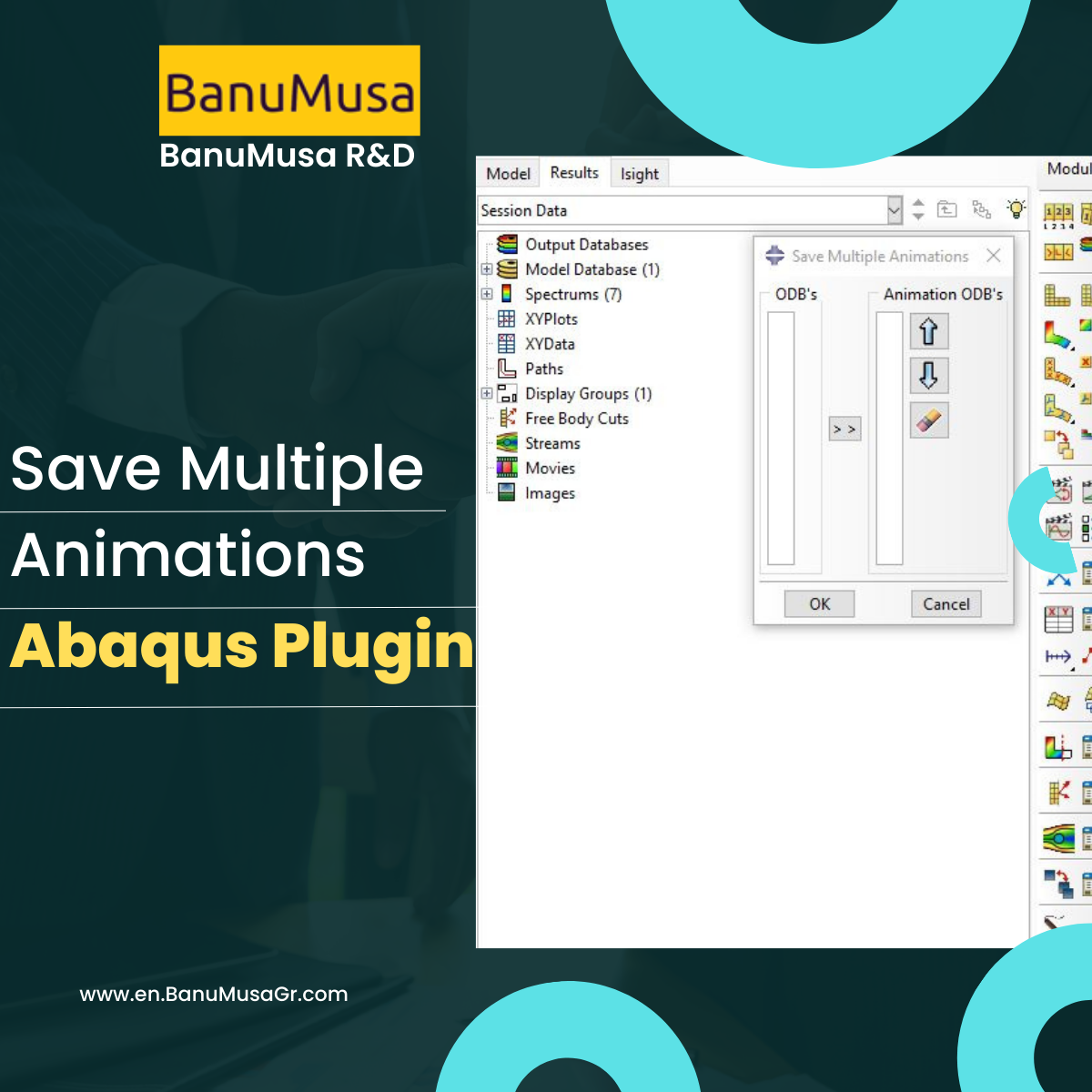
Save Multiple Animations Plugin for Abaqus
Save Multiple Animations Plugin for Abaqus € 0.00
-50%
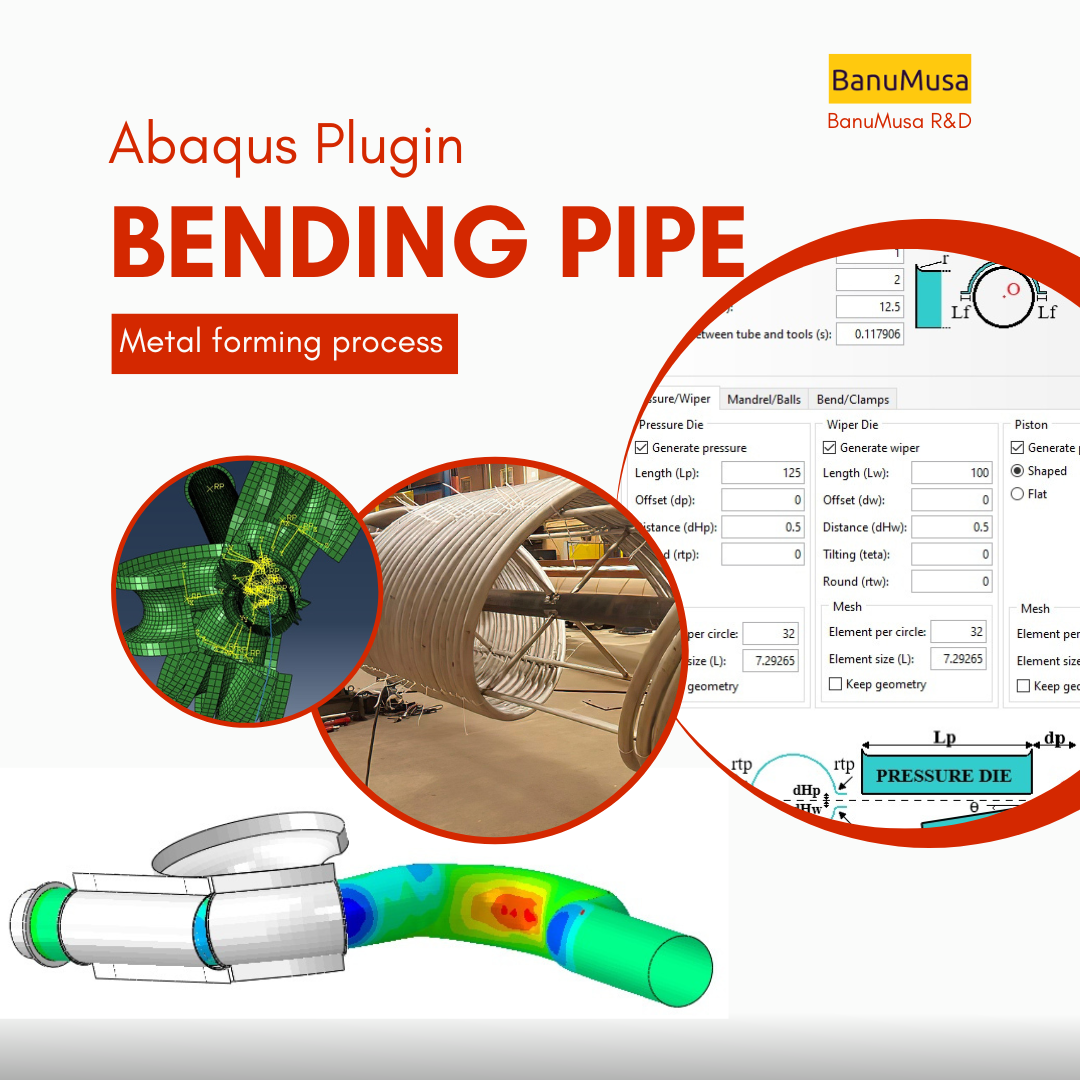
Bending Pipe plugin interface acting as an advanced pipeline modeling software in Abaqus
Watch video
Click to enlarge

Bending Pipe Plugin for Abaqus

€ 1,365.79 Original price was: € 1,365.79.€ 685.00Current price is: € 685.00.

The Bending Pipe Plugin allows an Abaqus/CAE user to create and execute bending pipe analysis with little effort. Using a simple wizard approach, the plugin guides the user to define different bending methods. The methods included in the Abaqus plugin are: 1- Classical Bending, 2- Compression Bending, 3- Roll Bending, 4- Press Bending, 5- Stretch Bending, & 6- One Step (currently this option only creates both meshes undeformed and deformed)

Documentation (PDF + HTML)
Abaqus plugin files (*.RAR)
15-day money-back guarantee
  Free 24/7 online mentoring

If you want to pay in a way other than Tether/Tron, contact us.
somdn_product_page
Compare
Add to wishlist
SKU: 1000 Categories: Abaqus, Abaqus Plug-ins
Share
Facebook Twitter Email Pinterest linkedin Odnoklassniki WhatsApp WhatsApp VK Telegram
close
You may also like…
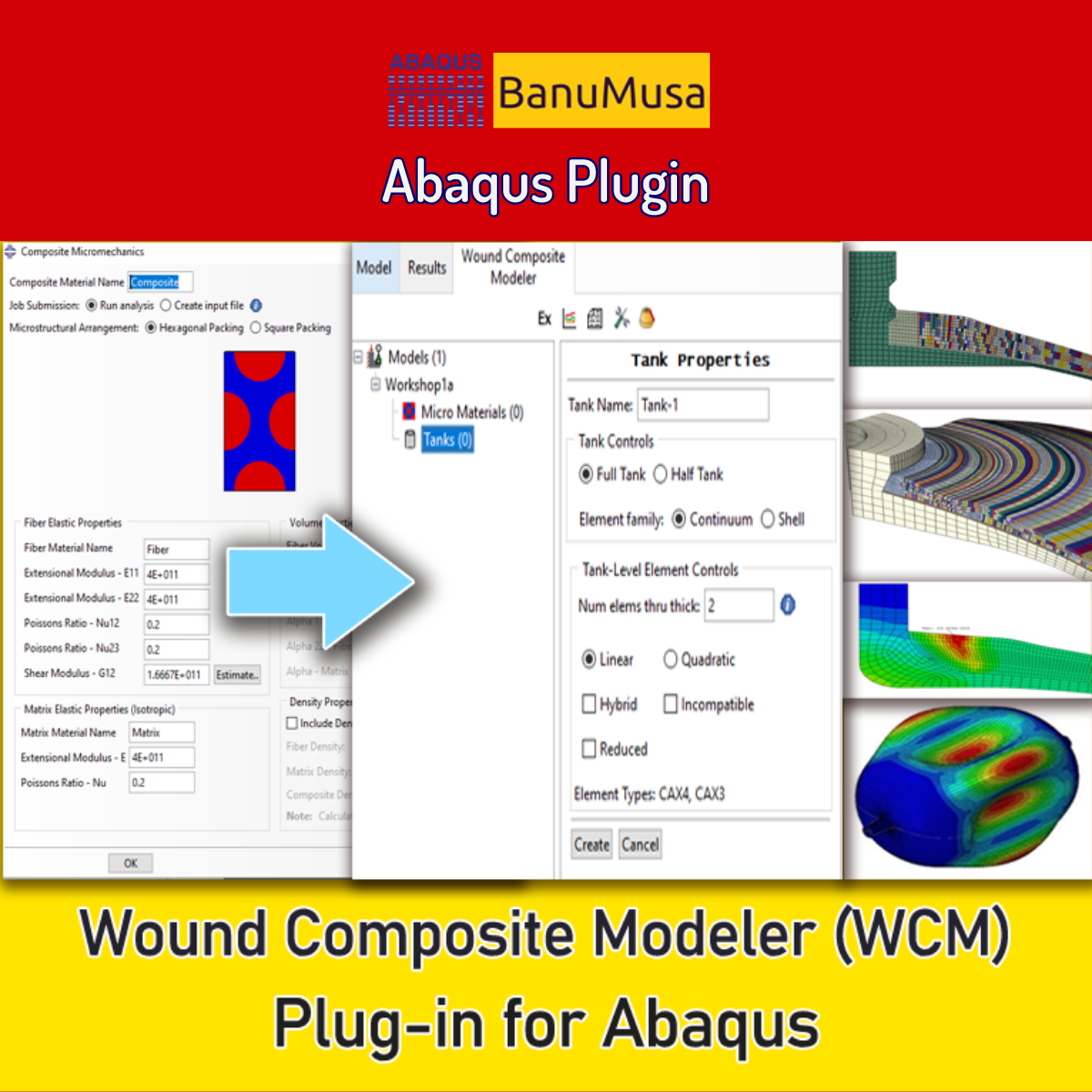
  • Wound Composite Modeler Plugin for Abaqus
    Wound Composite Modeler Plugin for Abaqus € 210.00
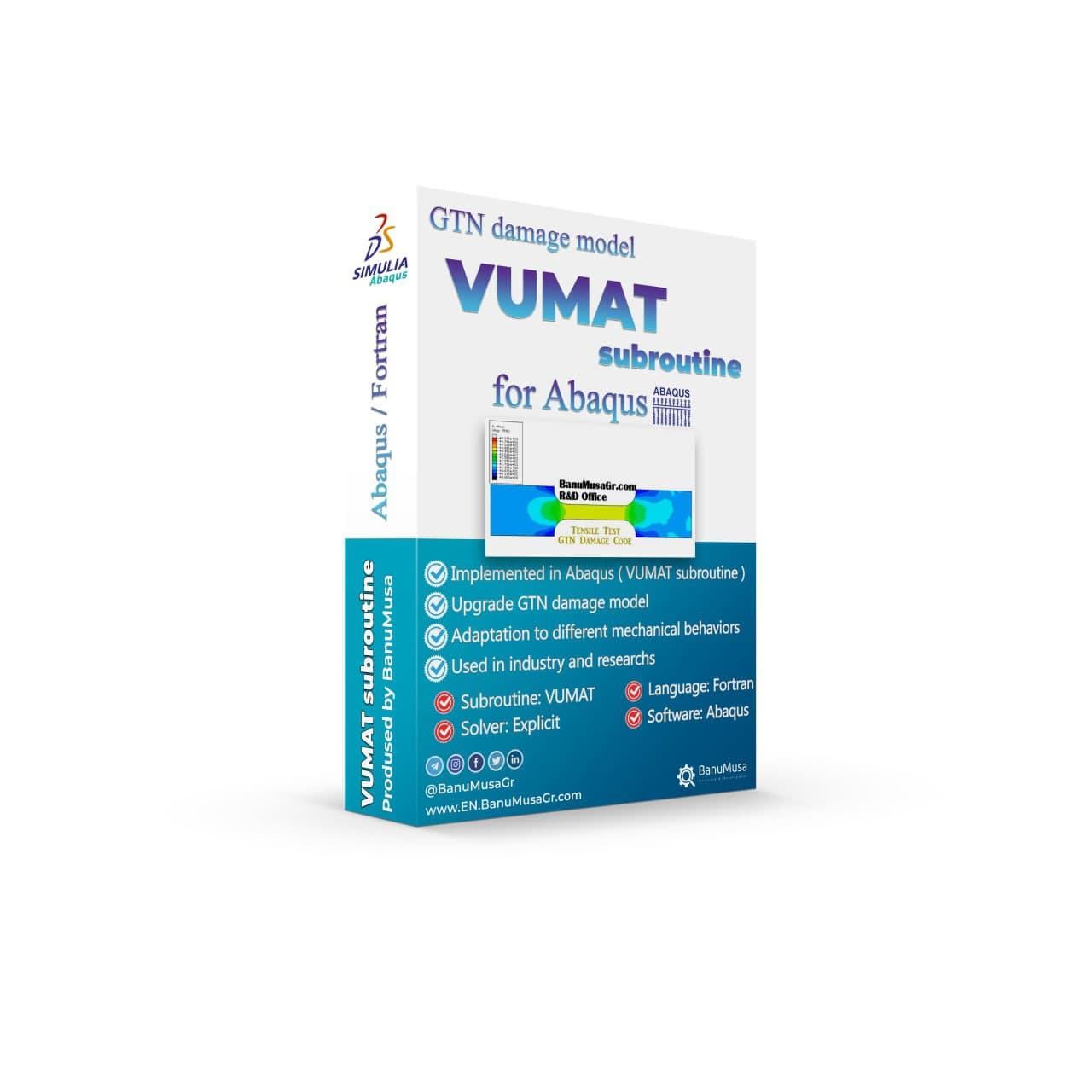
  • umat-vumat-subroutine-gtn-damage-model-abaqus GTN damage model Abaqus Shear-Modified GTN VUMAT Gurson-Tvergaard-Needleman plasticity ductile failure simulation void coalescence Abaqus
    VUMAT Subroutine: Shear Anisotropic Modified GTN Damage Model € 535.00 Original price was: € 535.00.€ 490.00Current price is: € 490.00.
  • rolling contact fatigue rail
    Rolling Contact Fatigue Analysis of UIC60 Rail Wheels € 99.00
  • abaqus material library
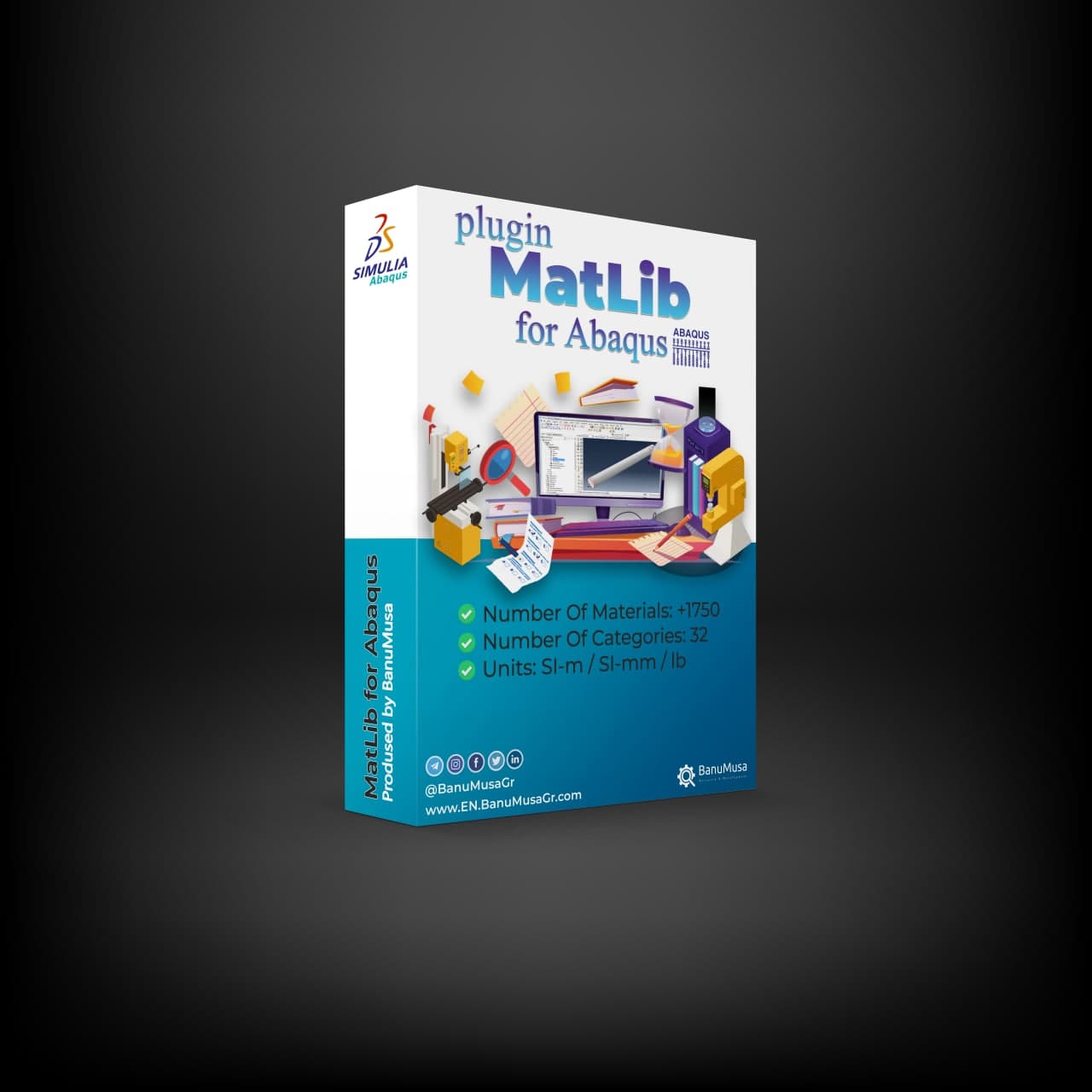
    MatLib: The Ultimate Abaqus Material Library Plugin € 315.00
Products
  • metal forming with abaqus cae fea workshop course nafems Metal Forming with Abaqus € 380.00
  • Numerical Simulation of Nonlinear Engineering Problems Using LS-DYNA book by Hamid Rokhi Banumusa LS-DYNA Book: Numerical Simulation of Nonlinear Engineering Problems Using LS-DYNA € 410.00
  • Description
  • Additional information
  • Payment & Delivery
  • Content
Description
Metal forming simulation is now easier...

Bending Pipe Plugin for Abaqus

+ HTML & PDF documentation

Wherever you are, if you are working on the pipe bending process, the Bending Pipe Plugin allows you to speed up the modeling process, and easily analyze and improve it with parametric facilities.

What is the pipe bending process?

Pipe bending is a process of deforming a pipe into a specific shape or angle using specialized equipment and techniques. It is commonly used in industries such as construction, plumbing, and manufacturing. There are several different types of pipe bending processes, including:

  • Mandrel bending: This process involves inserting a mandrel (a solid rod) inside the pipe while it is being bent. The mandrel helps maintain the shape and prevents the pipe from collapsing or wrinkling during the bending process.


  • Rotary draw bending: In this method, the pipe is clamped at both ends and rotated while a die (a curved tool) is used to bend it. This process allows for precise and accurate bending.


  • Roll bending: In roll bending, the pipe is passed between three rolls – two bottom rolls and one top roll. The top roll applies pressure to bend the pipe as it passes through the bottom rolls. This process is commonly used for large-diameter pipes.


  • Heat induction bending: This process involves heating the pipe to a specific temperature using induction coils. Once heated, the pipe is bent using hydraulic or mechanical force. Heat induction bending is often used for pipes made of materials that are difficult to bend, such as stainless steel.


  • Ram bending: Also known as press bending, this method involves using a hydraulic ram to press the pipe against a die to achieve the desired bend. Ram bending is commonly used for large pipes or when a small number of bends are required.


The materials that can be used for pipe bending depend on the type of bending process and the desired outcome. Some of the commonly used materials for pipe bending include stainless steel, aluminum, copper, brass, carbon steel, and titanium. The selection of the material also depends on the application and the environment in which it will be used. For example, stainless steel is often used in applications where corrosion resistance is required, while aluminum is preferred for its lightweight properties. It is important to consult with a professional to determine the best material for your specific pipe bending needs.
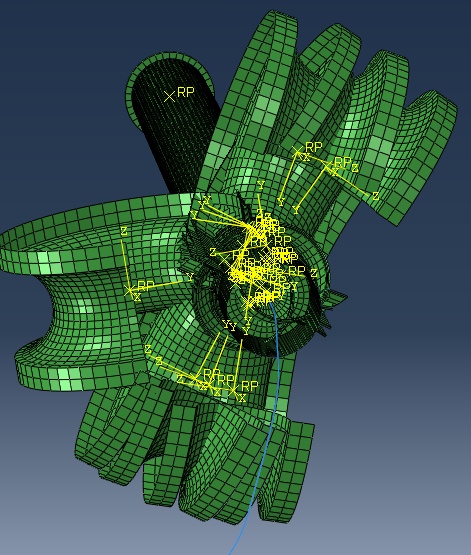
pipe bending plugin for abaqus Tube bending calculations abaqus plugin

Tube bending calculations

The factors to consider in tube bending calculations include the material properties of the tube, the radius of the bend, the wall thickness of the tube, and the degree of bend required.

The material of the tube can have a significant impact on tube bending calculations. The elasticity, strength, and ductility of the material can all affect the amount of force required to bend the tube and the degree of bending that can be achieved without causing cracking or deformation.

For example, a more ductile material such as aluminum may require less force to bend than a less ductile material such as stainless steel. Additionally, the thickness of the tube walls and the diameter of the tube can also impact the bending calculations.

Therefore, it is important to take into consideration the specific material properties when performing tube bending calculations to ensure accurate and safe results.

Abaqus Bending Pipe Plugin

During the development of a product, it is important to know the feasibility of the product before the manufacturing stage. One of the activities covered by the metal forming process is the bending pipe process and it is critical, to save costs and time, a feasible design.

The bending pipe plugin for Abaqus is intended to cover this necessity, allowing the designer to assess the bending process easily and quickly.
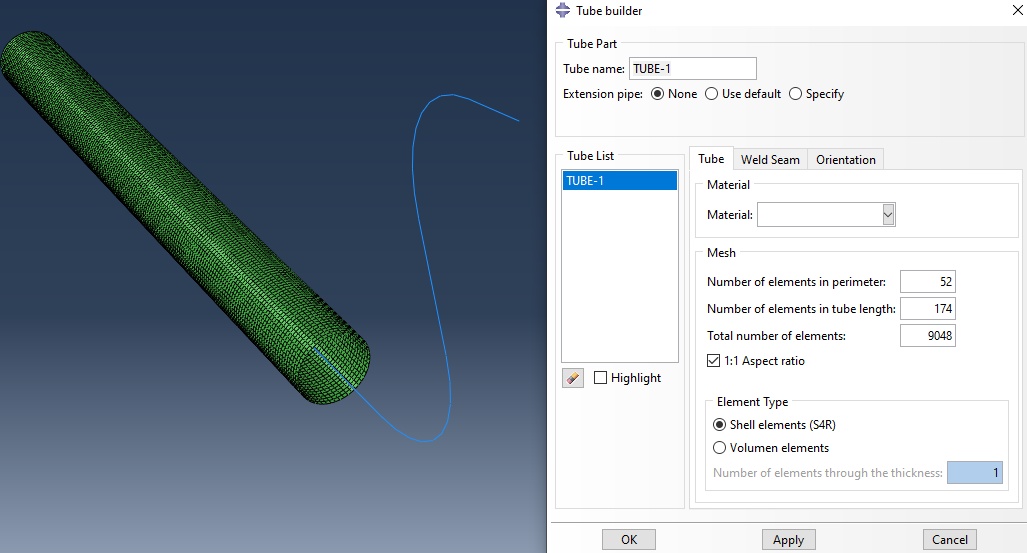
pipe bending plugin for abaqus Tube bending calculations

The bending pipe plugin is completely parametrized for the circular sections and does not need expert knowledge about the bending process. The user to confirm the material and dimensions of the tube and tools. The plugin is divided into different steps, which help the user through model performance. The bending pipe plugin also implemented different methods of bending such as:

Classical Bending

Also named Rotary Draw Bending. It is the most typical bending method when you need to keep the original section of the pipe and reach complex geometries.
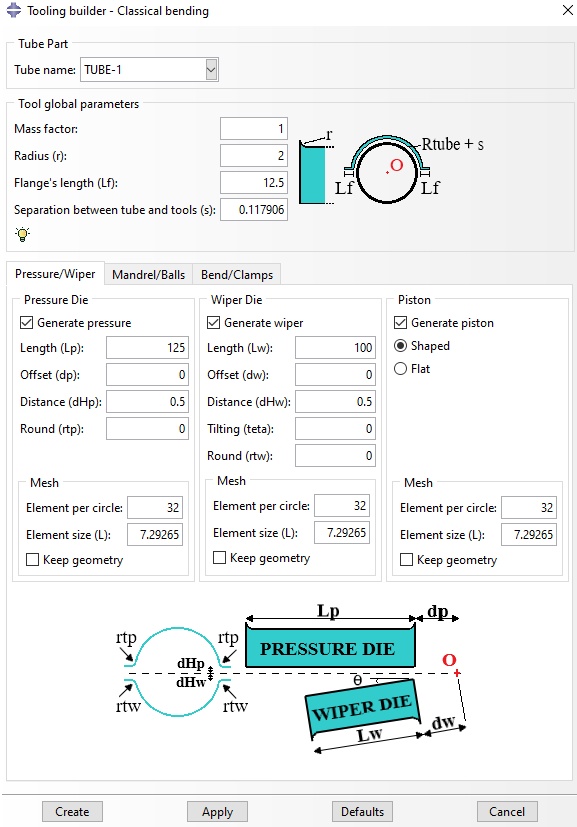
pipe bending plugin for abaqus Tube bending calculations

Compression Bending

It is similar to Classical Bending, but it is more simple and is not capable of making complex geometries.

Roll Bending

This method has roller components, which are continuously moving. It is suitable for long-bent radii.

Press Bending

The tooling in this method has the final shape of the pipe and is formed by press forces, like in the stamping process.

Stretch Bending

In this method, the pipe is subjected to tensile force, and the bent is done by rotating the pipe ends on a Die tool.

One Step

currently, this option only creates both meshes undeformed and deformed, which could be used with inverse analysis capability in Abaqus 2019 or higher.
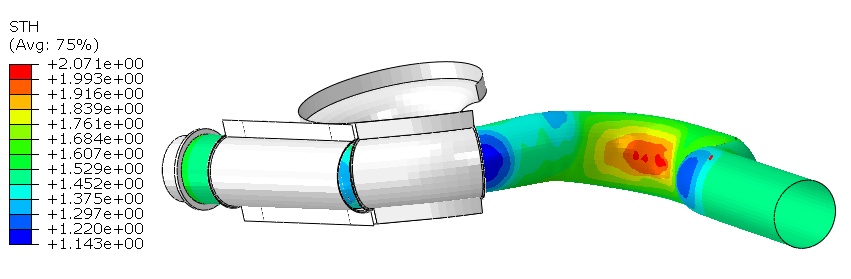

pipe bending plugin for abaqus Tube bending calculations

We are ready to help you do CFD & FEA simulations.

Need help? Get a consultation from our experts.

Email us: info@banumusagr.com
Telegram: +98-915-55-20-388
WhatsApp: +98-915-55-20-388

Find Us on WeChat

wechat banumusa company ویچت

Demo

Additional information
Software

Abaqus FEA

Type

Abaqus Plugin

Level

Elementary

Files

Abaqus files: *.rar

Documentation: HTML/PDF

Language

English

Category

Metal forming

Solver

Explicit, Standard

Material

Metals

Payment & Delivery
All products available on the website come with a guarantee of customer satisfaction. The products can be used immediately after purchase through the download link. There is also online consulting/mentoring for all customer reassurance products.
Before buying, you can also talk to our experts in BanuMusa R&D and buy from the Shop according to your needs.

Note:

Please pay attention to the following points when you pay.

1. Tether / Tron The easiest way to pay is through the Tether portal in the BanuMusa shop. You can easily pay with your wallet.

• How to pay for a product using USDT TRC-20 with ADVCash https://www.youtube.com/watch?v=DYyHsdcLxhk

• Tron TRC20 Wallet for USDT Tutorial (Send USDT for Lowest Fees!!) https://www.youtube.com/watch?v=lBQMkEBf7W4

For other wallets just search on YouTube!

The download link automatically will be sent to you.

2. Payoneer:

If you have Payoneer, you can pay simply through the following ID.

fro458nk@gmail.com

After your payment is processed, you will receive the download links.

Let me know if you need any further adjustments!

3. PAYEER

Send us a message/ email to help you how to pay for this method, please. (info@banumusagr.com)

4. WebMoney

We will send you the wallet if you request this method. Email us.

5. PayPal Payment Instructions:

Please email us to send your PayPal Account.

After your payment is processed, you will receive the download links.

Let me know if you need any further adjustments!

6. SWIFT/IBAN

Another way is to pay via SWIFT or IBAN, contact us to learn more.

We will do our best to make sure you have a good shopping experience.


If it is not possible for you to buy through the Tether gateway, send us the link to the product using email (info@banumusagr.com) or social networks (WhatsApp, WeChat, Telegram). After that, the PayPal account will be sent to you.

Another way is to pay via SWIFT, contact us to learn more.


Ways to Contact Us:

WhatsApp / Telegram / WeChat: +98-915-5520-388
E-mail: info[at]banumusagr.com
Phone: +98-51-35424520

Payment Methods:

You can buy the product through Tether, Tron, Payoneer, PAYEER, WebMoney, PayPal, and SWIFT.

Content
  • Documentation (PDF + HTML)
  • Abaqus plugin files (*.RAR)
  • 15-day money-back guarantee
  •   Free 24/7 online mentoring

Reviews

There are no reviews yet.

Be the first to review “Bending Pipe Plugin for Abaqus” Cancel reply

You must be logged in to post a review.

Related products

Autokeeler plugin generating Forming Limit Curves (FLC) and FLD in Abaqus
Compare
Close

Autokeeler Plugin for Abaqus: FLC & FLD Generator

€ 0.00

Easily generate Forming Limit Curves (FLC) and define Forming Limit Diagram (FLD) damage criteria in Abaqus. Includes comprehensive HTML & PDF documentation.

Add to wishlist
View
Quick view
Porous Elastomers Abaqus UHYPER Subroutine
Compare
Close

Porous Elastomers Abaqus UHYPER Subroutine

€ 55.00
The " Porous Elastomers Abaqus UHYPER Subroutine " product implements the hyperelastic energy density derived for the macroscopic elastic response of non-Gaussian elastomers weakened by an isotropic and non-percolative distribution of equiaxed pores. This result is valid for any choice of I1-based incompressible energy density characterizing the non-Gaussian isotropic elastic response of the underlying elastomer. Lecture notes (PDF)   5 Abaqus example files (cae, inp, jnl, odb) FORTRAN UHYPER subroutine run on Windows or Linux 15-day money-back guarantee Free 24/7 online mentoring
Add to wishlist
Add to cart
Quick view
Introduction to Abaqus course
Introduction to Abaqus Training Course - abaqus for students. abaqus for beginners
Compare
Close

Introduction to Abaqus Training Course

€ 410.00
The Introduction to Abaqus Training Course provides a thorough and cohesive overview of Abaqus' modeling and analysis capabilities. Participants will learn how to address linear and nonlinear problems, manage analysis tasks, and examine simulation outcomes within Abaqus' interactive interface. The course will encompass instruction on the following products: Abaqus/CAE, Abaqus Standard, and Abaqus Explicit. Abaqus tutorial video (*.mp4) Lecture notes (PDF) Abaqus workshop files (*.cae, *.inp, *.jnl, *.odb) 15-day money-back guarantee   Free 24/7 online mentoring
Add to wishlist
Add to cart
Quick view
Shot Peening Induced Residual Stresses - Abaqus Validation
Compare
Close

Shot Peening Induced Residual Stresses Simulation & Validation in Abaqus FEA Software

Rated 5.00 out of 5
€ 85.00
This package describes Shot Peening Induced Residual Stresses Simulation & Validation in Abaqus FEA Software, a three-dimensional dynamic finite element (FE) study of single-shot impacting on a metallic component using Abaqus/CAE software. The Finie element results are validated by comparison with results from the published paper by Meguid et al. (1999). The shot peening finite element modeling using Abaqus/CAE allows engineers to optimize shot peening parameters for maximum benefits like increased fatigue life and yield strength. It also helps determine the effective extent of stress relief heat treatment. Abaqus validation files (cae, jnl, inp, odb) Tutorial video (Mp4) 15-day money-back guarantee Free 24/7 online mentoring
Add to wishlist
Add to cart
Quick view
Introduction to umat subroutine
Introduction to umat subroutie abaqus tutorial video writing umat subroutine
Compare
Close

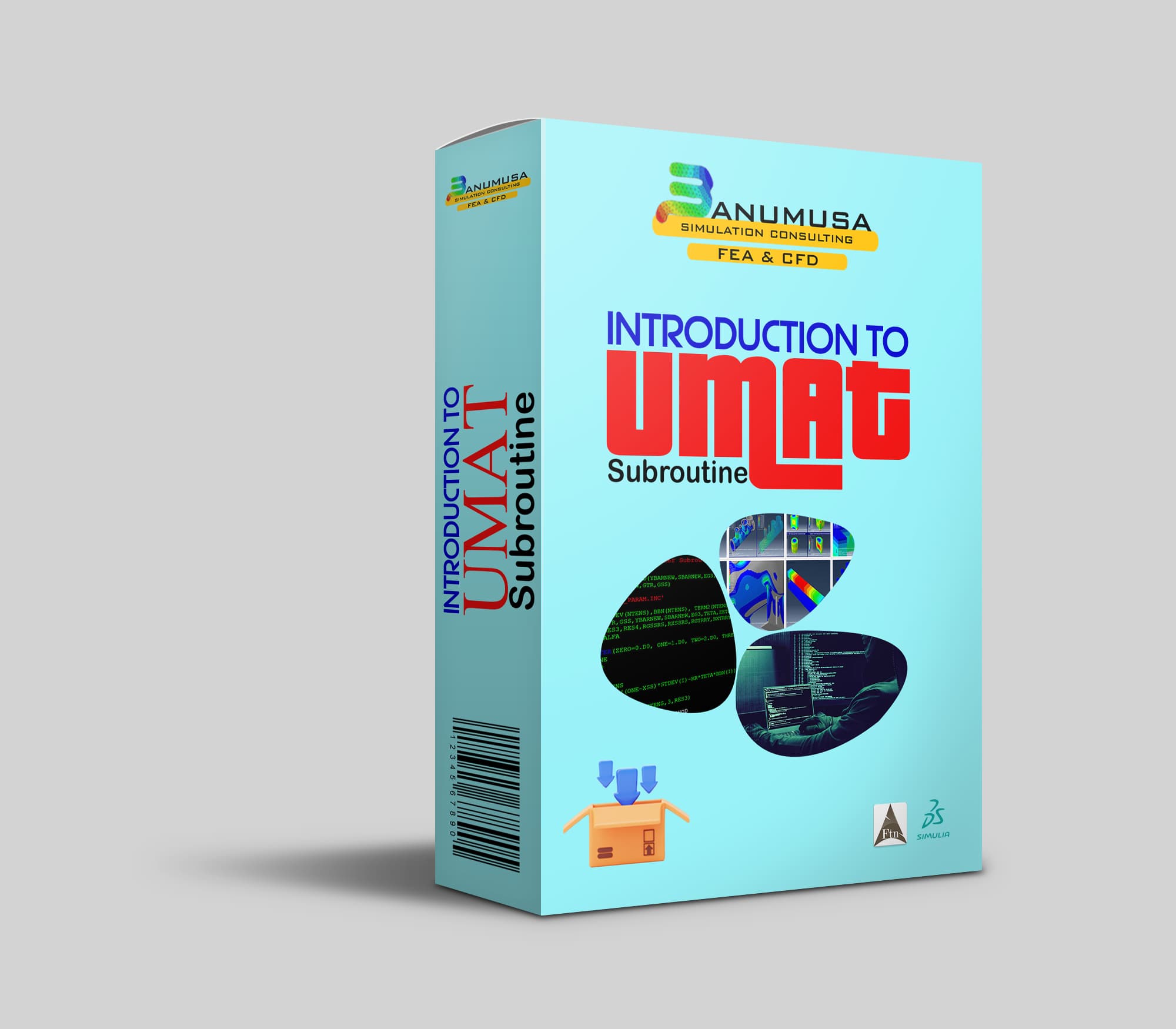
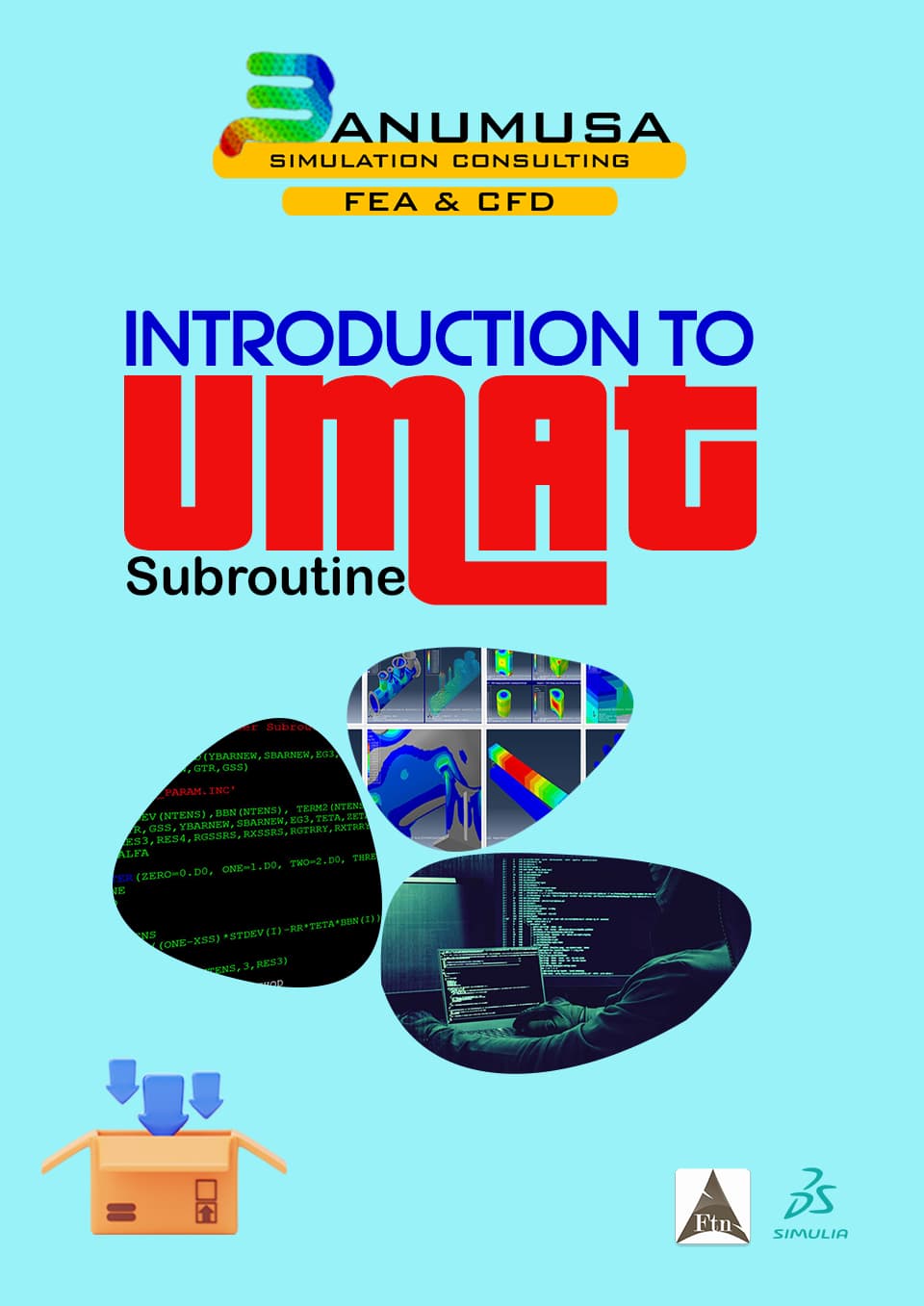
Introduction to UMAT Subroutine

€ 210.00
Introduction to UMAT Subroutine course helps you to learn the process of writing UMAT as quickly as possible with the help of practical examples. All the tips and details that you encounter to write the code are taught in this course and you can implement the material model in the subroutine. Because you may have questions while watching the course, an expert will answer your questions online. Abaqus tutorial video (*.mp4) Lecture notes (PDF) Abaqus workshop files (*.cae, *.inp, *.jnl, *.odb) Fortran subroutines 15-day money-back guarantee   Free 24/7 online mentoring
Add to wishlist
Add to cart
Quick view
Pelamis Fatigue Damage Calculator plugin for marine Abaqus simulations abaqus fatigue analysis offshore structure design fe safe fatigue failure analysis
Compare
Close

Pelamis Fatigue Damage Calculator Plugin for Abaqus

€ 0.00
The Pelamis fatigue damage calculator plugin with a user-friendly GUI that makes it easy to perform fatigue analysis of offshore steel structures. The plugin is developed by Dr. Richard Craven. After performing a load time history analysis for a set of nodes, the fatigue damage or life of that set can be calculated. For this purpose, the stress time history for the set using the ASTM rainflow cycle counting method is used, and then the S-N curves available in DNV-RP-C203 are used to calculate the damage.
Add to wishlist
View
Quick view
online Technical Abaqus Mentoring by Skype and anydesk - banumusa - fea consulting
Compare
Close

Technical Abaqus Mentoring by Skype

€ 75.00
Our Technical Abaqus Mentoring by Skype service offers you the opportunity to engage in personalized one-on-one mentoring sessions via Skype and AnyDesk with our team of certified Abaqus specialists. This unique platform allows you to delve into your engineering challenges, providing you with expert guidance and support to navigate through any obstacles you may encounter. Our specialists are dedicated to steering you in the right direction, ensuring that you receive the assistance needed to overcome your technical hurdles effectively and efficiently.
Add to wishlist
Add to cart
Quick view
Coupled thermal stress analysis
Hongqi-CA7220-AE_abaqus-Coupled Thermal Stress Analysis of Automotive Disc Brake Validation Tutorial
Compare
Close

Coupled Thermal Stress Analysis of Automotive Disc Brake: A Complete Validation Tutorial

€ 175.00
In Coupled Thermal Stress Analysis of Automotive Disc Brake: A Complete Validation Tutorial, a solid disk brake of a CA7220 car with initial rotational velocity will contact a disk pad. The effects of friction will be an increase in disk temperature due to heat generated by energy dissipation and the reduction of rotational velocity. The numerical results were validated by the Gao & Lin, (2002) paper. Abaqus tutorial video (*.mp4)  Abaqus files (*.cae, *.inp, *.jnl, *.odb) 15-day money-back guarantee   Free 24/7 online mentoring
Add to wishlist
Add to cart
Quick view

BanuMusa R&D Simulation Consultancy

Bridging the gap between theoretical engineering and manufacturing reality. We provide high-fidelity FEA, CFD, and specialized Abaqus plugins to eliminate trial-and-error in critical industrial sectors.

Capabilities

  • FEA Consultancy
  • CFD Simulation
  • API 579 FFS Assessment
  • ASME Design by Analysis
  • Composite & COPV

Flagship Utilities

  • MatLib Material Database
  • WCM Plugin (COPV)
  • 3D Hashin VUMAT
  • Autokeeler (Metal Forming)
  • Johnson-Cook Plugin

Support & Resources

  • 40% Academic Discount
  • 1-on-1 Abaqus Mentoring
  • Advanced CAE Courses
info@banumusagr.com
06-02 Park View condo, Changkat perak, off Lorong Perak, 50250, Kuala Lumpur, Selangor, Malaysia
Accepted Payments
© 2026 BanuMusa R&D. Engineering Simulation & Automation. All rights reserved.
Support & FAQ Payment Methods Privacy Policy Terms of Service

© 2026 FEA & CFD Consultancy | BanuMusa R&D. All rights reserved

Shopping cart

close

Powered by WhatsApp Chat

  • Menu
  • Categories
  • Consulting Services
  • Products
  • Resources
    • Blog
    • Projects
  • About Us
    • Contact Us
    • Our Team
    • Our Partners
    • Careers
  • Consulting Services
  • Products
  • Resources
    • Blog
    • Projects
  • About Us
    • Contact Us
    • Our Team
    • Our Partners
    • Careers

Sign in

close


Lost your password?
No account yet? Create an Account
Sidebar