
Facebook Twitter Email Instagram YouTube linkedin WhatsApp WhatsApp VK Telegram
info@BanuMusaGr.com
Login / Register
0 Wishlist
0 Compare
0 items / € 0.00
Facebook Twitter Email Instagram YouTube linkedin WhatsApp WhatsApp VK Telegram
FEA & CFD Consultancy | BanuMusa R&D FEA & CFD Consultancy | BanuMusa R&D
  • Consulting Services
  • Products
  • Resources
    • Blog
    • Projects
  • About Us
    • Contact Us
    • Our Team
    • Our Partners
    • Careers
    • Payment Methods
    • Support & FAQ
Free Mentoring
Menu
FEA & CFD Consultancy | BanuMusa R&D
0 items / € 0.00
HomeShopAbaqusAbaqus Plug-ins SlopeSR Plugin for Abaqus
Previous product
Johnson-Cook plugin for Abaqus
Abaqus Johnson Cook Plugin: Free Material Calibration Tool € 0.00
Back to products
Next product
Advanced Failure Analysis of Composite Materials Abaqus -helius
Advanced Failure Analysis of Composite Materials with Abaqus and Autodesk Helius PFA: A Comprehensive Guide € 550.00 Original price was: € 550.00.€ 499.00Current price is: € 499.00.
SlopeSR plugin for geotechnical Shear Strength Reduction and slope stability in Abaqus
Click to enlarge

SlopeSR Plugin for Abaqus

€ 55.00

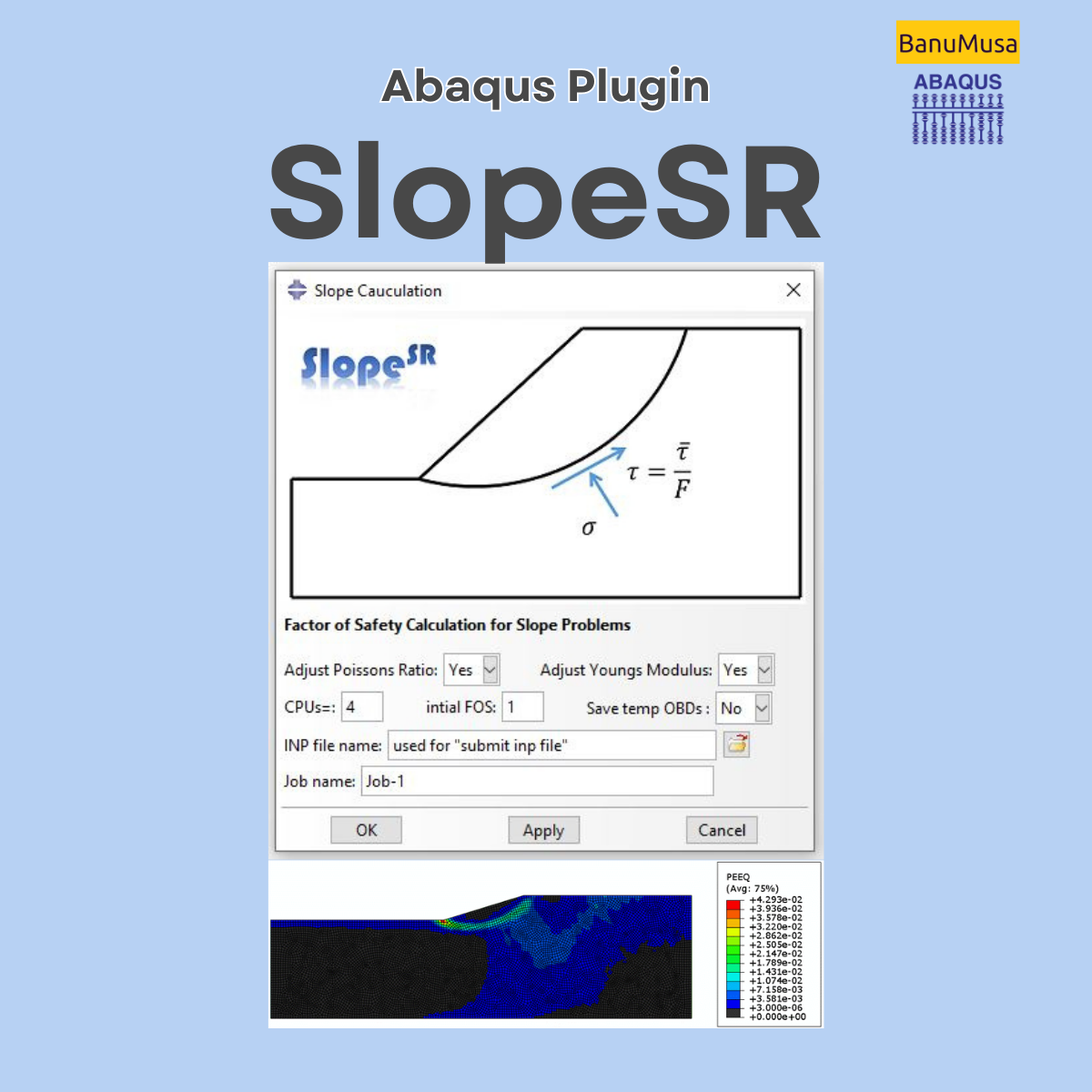
The SlopeSR Plugin for Abaqus is a GUI plug-in that uses the strength reduction method (SRM) to calculate the factor of safety (FoS) and critical slip surfaces for 2D and 3D slopes. It is designed for slope stability analysis in geomechanics and geotechnical engineering. The plugin allows users to solve a series of elastic-perfectly plastic problems with the strength parameters and the Mohr-Coulomb criterion in ABAQUS/CAE.

Documentation (PDF )
Abaqus plugin files (*.RAR)
Abaqus workshop files
15-day money-back guarantee
  Free 24/7 online mentoring

If you want to pay in a way other than Tether/Tron, contact us.
somdn_product_page
Compare
Add to wishlist
SKU: 2004 Categories: Abaqus, Abaqus Plug-ins
Share
Facebook Twitter Email Pinterest linkedin Odnoklassniki WhatsApp WhatsApp VK Telegram
close
You may also like…
  • concrete modeling in abaqus tutorial video
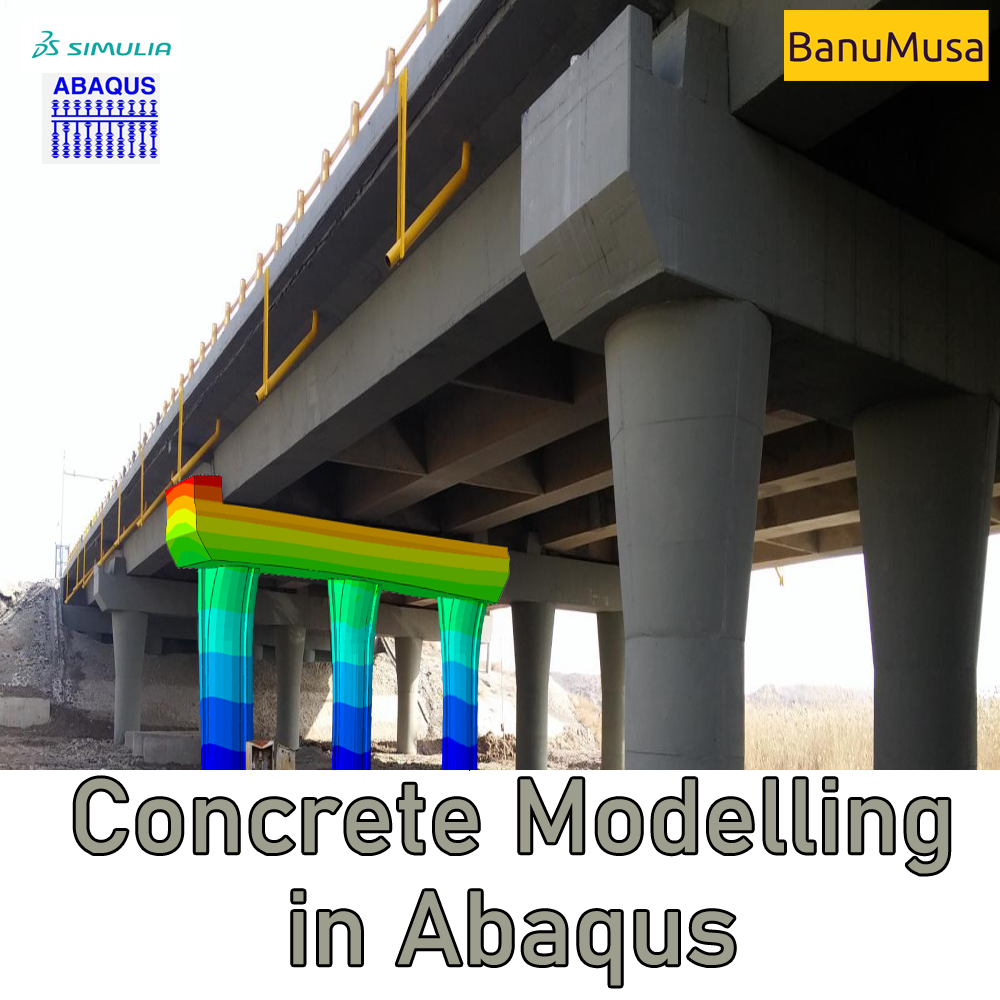
    Mastering Concrete Modeling in Abaqus: A Comprehensive Course € 425.00
  • abaqus material library
    MatLib: The Ultimate Abaqus Material Library Plugin € 315.00
  • Micromechanics Plugin for Abaqus
    Micromechanics Plugin for Abaqus € 0.00
  • Pelamis Fatigue Damage Calculator plugin for marine Abaqus simulations abaqus fatigue analysis offshore structure design fe safe fatigue failure analysis
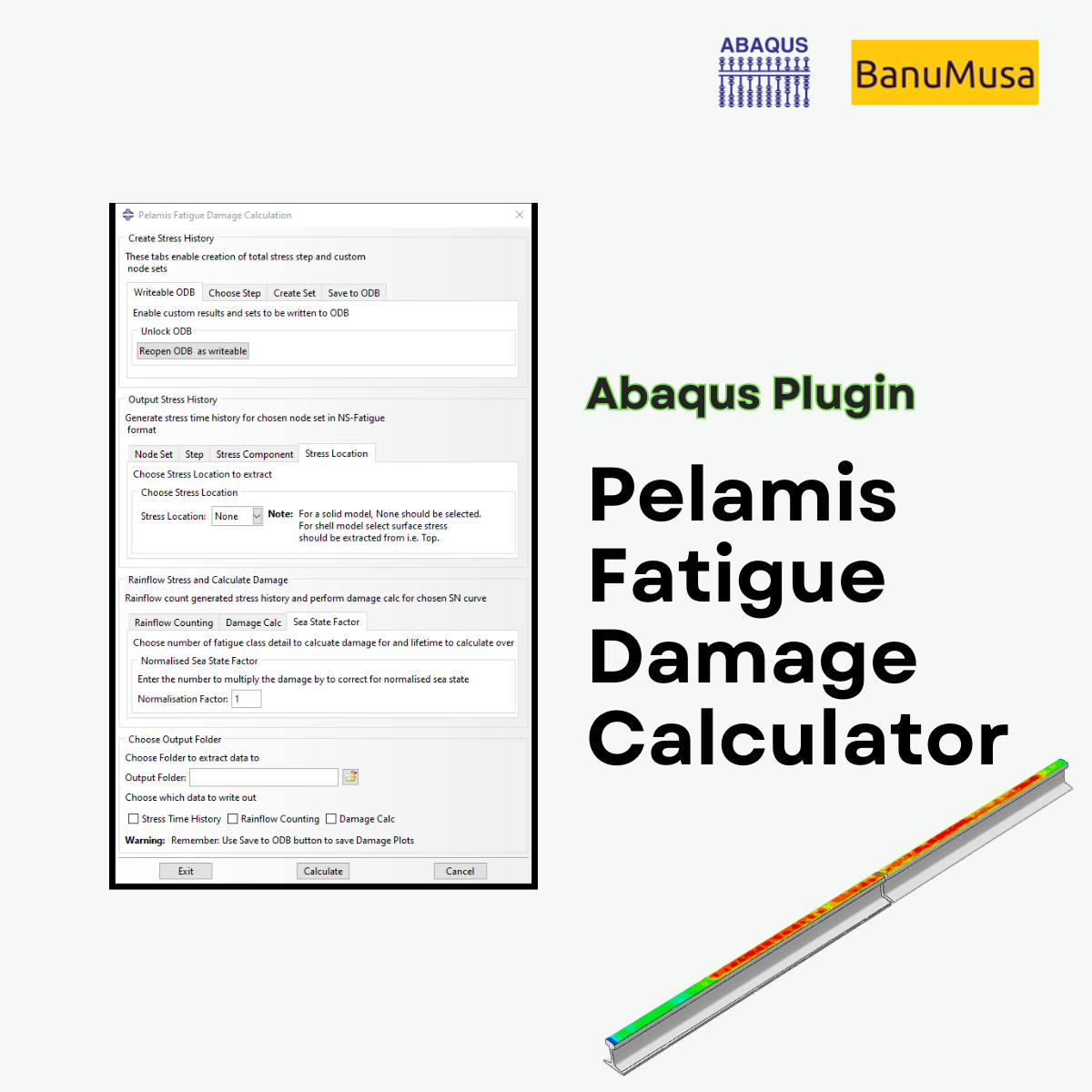
    Pelamis Fatigue Damage Calculator Plugin for Abaqus € 0.00
Products
  • Additive Manufacturing Simulation with Abaqus Additive Manufacturing Simulation with Abaqus € 410.00
  • online Technical Abaqus Mentoring by Skype and anydesk - banumusa - fea consulting Technical Abaqus Mentoring by Skype € 75.00
  • Description
  • Additional information
  • Payment & Delivery
  • Content
Description

SlopeSR Plugin for Abaqus

The SlopeSR Plugin used the strength reduction method (SRM) to find the factor of safety (FoS) of a slope using the finite element method (FEM). The FoS of a slope can be defined as the factor by which the original shear strength parameters must be discounted to bring the slope to the critical equilibrium state, i.e., the verge of failure. When the strength reduction technique is used to calculate the FOS, it is usually necessary to solve a series of elastic-perfectly plastic problems with the strength parameters and in the Mohr-Coulomb criterion. The plugin is used to solve it in ABAQUS/CAE.

Features/Technology

  • Obtain safety factors and critical slip surfaces for 2D & 3D slopes.
  • Slope stability analysis in geomechanics and geotechnical engineering.

Workshops/Examples

  • Example 1: a 2D geometrical model of homogeneous slope
  • Example 2: a 3D geometrical model of homogeneous slope

Installing the Plugin

Extract the contents of the zip folder into a subdirectory of the abaqus_plugins folder, which can either be located in the

  • abaqus_dir\code\python\lib\abaqus_plugins where abaqus_dir is the Abaqus parent directory or,
  • home directory (in which case the plugin will be available whenever Abaqus is run) or,
  • within the current working directory of your Abaqus/CAE session.

Compatibility

The Plugin is designed to be compatible with Abaqus/CAE 6.14 and later.

Updates

Version 2019

Who this plugin is for:

  • Geomechanics and geotechnical engineers who need to perform slope stability analysis
  • Advanced students, Ph.D. students, or researchers for their Abaqus FEA projects
  • Any Abaqus Application Engineer who is involved with various simulation projects daily

What you’ll gain

  • You will be able to perform slope stability analysis by the strength reduction method in Abaqus
Verification Free Download

Demo

Find Us on WeChat

wechat banumusa company ویچت

Money-Back Guarantee

15-Day

Money back gold guarantee - BanuMusaWe’re fully confident in the value and reliability of the product. If for any reason you are not completely satisfied, email us at info@BanuMusaGr.com within 48 hours of your purchase for a full refund.

We are ready to help you do CFD & FEA simulations.

Need help? Get a consultation from our experts.

Abaqus E-learning technical FEA & CFD consulting by banumusa FEA & CFD Consultancy Services Abaqus Ansys LS-Dyna user subroutine plugin FEA and CFD consultancy Abaqus consultancy services Technical Abaqus mentoring fluent cfd services ls-dyna consultancy services ansys consultancy services comsol consultancy services
Email us: info@banumusagr.com
Telegram: +98-915-55-20-388
WhatsApp: +98-915-55-20-388
Additional information
Software

Abaqus FEA

Type

Abaqus Plugin

Level

Advanced

Files

Abaqus files: *.rar
Workshops: PDF

Language

English

Category

Slope stability analysis

Solver

Explicit, Standard

Material

Rock and rock-like materials obeying Mohr–Coulomb’s yield criterion

Payment & Delivery
All products available on the website come with a guarantee of customer satisfaction. The products can be used immediately after purchase through the download link. There is also online consulting/mentoring for all customer reassurance products.
Before buying, you can also talk to our experts in BanuMusa R&D and buy from the Shop according to your needs.

Note:

Please pay attention to the following points when you pay.

1. Tether / Tron The easiest way to pay is through the Tether portal in the BanuMusa shop. You can easily pay with your wallet.

• How to pay for a product using USDT TRC-20 with ADVCash https://www.youtube.com/watch?v=DYyHsdcLxhk

• Tron TRC20 Wallet for USDT Tutorial (Send USDT for Lowest Fees!!) https://www.youtube.com/watch?v=lBQMkEBf7W4

For other wallets just search on YouTube!

The download link automatically will be sent to you.

2. Payoneer:

If you have Payoneer, you can pay simply through the following ID.

fro458nk@gmail.com

After your payment is processed, you will receive the download links.

Let me know if you need any further adjustments!

3. PAYEER

Send us a message/ email to help you how to pay for this method, please. (info@banumusagr.com)

4. WebMoney

We will send you the wallet if you request this method. Email us.

5. PayPal Payment Instructions:

Please email us to send your PayPal Account.

After your payment is processed, you will receive the download links.

Let me know if you need any further adjustments!

6. SWIFT/IBAN

Another way is to pay via SWIFT or IBAN, contact us to learn more.

We will do our best to make sure you have a good shopping experience.


If it is not possible for you to buy through the Tether gateway, send us the link to the product using email (info@banumusagr.com) or social networks (WhatsApp, WeChat, Telegram). After that, the PayPal account will be sent to you.

Another way is to pay via SWIFT, contact us to learn more.


Ways to Contact Us:

WhatsApp / Telegram / WeChat: +98-915-5520-388
E-mail: info[at]banumusagr.com
Phone: +98-51-35424520

Payment Methods:

You can buy the product through Tether, Tron, Payoneer, PAYEER, WebMoney, PayPal, and SWIFT.

Content
  • Documentation (PDF + HTML)
  • Abaqus plugin files (*.RAR)
  • Abaqus workshop files
  • 15-day money-back guarantee
  •   Free 24/7 online mentoring

Reviews

There are no reviews yet.

Be the first to review “SlopeSR Plugin for Abaqus” Cancel reply

You must be logged in to post a review.

Related products

rolling contact fatigue rail
Compare
Close

Rolling Contact Fatigue Analysis of UIC60 Rail Wheels

Rated 5.00 out of 5
€ 99.00
Advanced finite element analysis with proper contact modeling and considering parameters like residual stresses can provide detailed insights into the stress state and rolling contact fatigue failure mechanism. This Abaqus tutorial discusses the effect of axial force, velocity, and rail joint gap angle parameters on the distribution of contact and impact stresses. Modeling the rolling contact fatigue of a train wheel rail has tips trained in this tutorial video. In addition to the tutorial video, the Abaqus files and their results will be provided to you so that nothing will remain unclear. Also, all training includes free online 24/7 online tutoring after purchase. Abaqus tutorial video (*.mp4)  Abaqus files (*.cae, *.inp, *.jnl, *.odb) 15-day money-back guarantee   Free 24/7 online mentoring
Add to wishlist
Add to cart
Quick view
Introduction to umat subroutine
Introduction to umat subroutie abaqus tutorial video writing umat subroutine
Compare
Close

Introduction to UMAT Subroutine

€ 210.00
Introduction to UMAT Subroutine course helps you to learn the process of writing UMAT as quickly as possible with the help of practical examples. All the tips and details that you encounter to write the code are taught in this course and you can implement the material model in the subroutine. Because you may have questions while watching the course, an expert will answer your questions online. Abaqus tutorial video (*.mp4) Lecture notes (PDF) Abaqus workshop files (*.cae, *.inp, *.jnl, *.odb) Fortran subroutines 15-day money-back guarantee   Free 24/7 online mentoring
Add to wishlist
Add to cart
Quick view
Plastic Curve Generator plugin converting stress-strain data in Abaqus
Compare
Close

Plastic Curve Generator Plugin for Abaqus

€ 163.05
The Plastic Curve Generator plugin helps the Abaqus user to create stress-strain curves easily. The input data can be either: engineering stress-strain curves, true total stress-strain curves, or true plastic strain-stress curves. It makes automatically all the conversions needed from the input data, giving the user the total true curve, plastic curve, and output curve, which is obtained according to the plastic flow laws. Documentation (PDF + HTML) Abaqus plugin files (*.RAR) 15-day money-back guarantee   Free 24/7 online mentoring
Add to wishlist
Add to cart
Quick view
Introduction to Abaqus course
Introduction to Abaqus Training Course - abaqus for students. abaqus for beginners
Compare
Close

Introduction to Abaqus Training Course

€ 410.00
The Introduction to Abaqus Training Course provides a thorough and cohesive overview of Abaqus' modeling and analysis capabilities. Participants will learn how to address linear and nonlinear problems, manage analysis tasks, and examine simulation outcomes within Abaqus' interactive interface. The course will encompass instruction on the following products: Abaqus/CAE, Abaqus Standard, and Abaqus Explicit. Abaqus tutorial video (*.mp4) Lecture notes (PDF) Abaqus workshop files (*.cae, *.inp, *.jnl, *.odb) 15-day money-back guarantee   Free 24/7 online mentoring
Add to wishlist
Add to cart
Quick view
Fitness-for-Service Analysis with Abaqus Course - ffs abaqus - ffs analysis
Level 3 assessment abaqus ffs analysis banumusa
Compare
Close

Fitness-for-Service Analysis with Abaqus Course

€ 550.00
In the Fitness-for-Service Analysis with Abaqus Course, participants will gain an in-depth understanding of assessing pressure vessels and piping equipment in accordance with industry standards such as ASME/API-579 Fitness-for-Service (FFS). The course focuses on utilizing Finite Element Analysis (FEA), specifically Level-3 stress analysis assessments, to evaluate equipment with complex geometries and varying loading conditions. Participants will learn techniques for modeling common pressure vessels like distillation towers and storage vessels using Abaqus/CAE. Additionally, the course covers the application and validation of loads such as the weight of contents, internal pressure, and more using Abaqus/Standard, which is essential for Level-3 FFS evaluations. Furthermore, procedures for analyzing metal loss through the finite element method, including mapping thickness readings from scans, will be discussed. This course is designed to enhance participants' expertise in utilizing Abaqus FEA simulation technology for making fitness-for-service (FFS) decisions on assets in the Petrochemical, Refinery, Oil & Gas industries, including pipelines, pressure vessels, heat exchangers, and more. Abaqus tutorial video (*.mp4) Lecture notes (PDF) Abaqus workshop files (*.cae, *.inp, *.jnl, *.odb) FFS Abaqus Plugins API 579 / ASME FFS-1 Standard 15-day money-back guarantee   Free 24/7 online mentoring
Add to wishlist
Add to cart
Quick view
-4%
USDFLD Subroutine 3D Hashin
Compare
Close

3D Hashin USDFLD Subroutine Failure Criteria for Abaqus

€ 124.00 Original price was: € 124.00.€ 119.00Current price is: € 119.00.
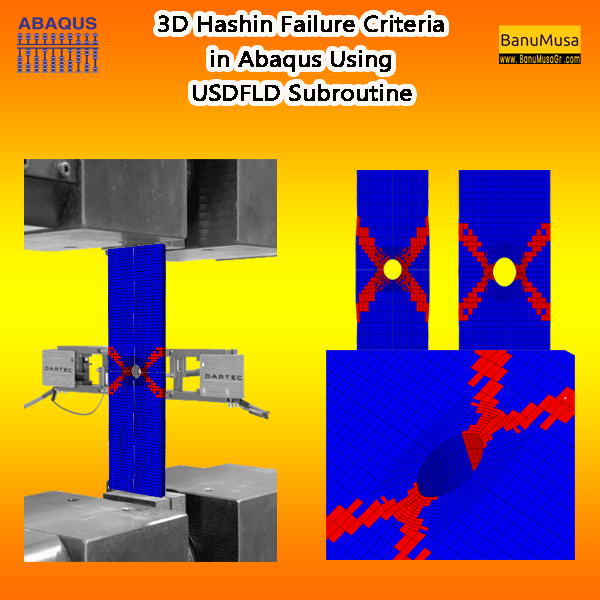
The 3D Hashin USDFLD subroutine is used in Abaqus to define failure criteria for composite materials based on the Hashin failure criteria and field variables (FV) for softening behavior. It allows you to specify the failure criteria for each ply of composite material in three dimensions (3D). This subroutine is particularly useful for analyzing the failure behavior of composite structures under various loading conditions in Abaqus simulations. It is a functionally validated USDFLD subroutine that compares results with the Chang & Lessard failure criterion available in Abaqus documentation. This code identifies four damage modes including matrix tension, matrix compression, fiber tension, and fiber compression using the elastic constants. Abaqus tutorial video (*.mp4) Lecture notes (PDF) Abaqus workshop files (*.cae, *.inp, *.jnl, *.odb) Fortran Abaqus subroutines run on Windows or Linux 15-day money-back guarantee   Free 24/7 online mentoring
Add to wishlist
Add to cart
Quick view
Additive Manufacturing Simulation with Abaqus
Compare
Close

Additive Manufacturing Simulation with Abaqus

€ 410.00
Throughout Additive Manufacturing Simulation with Abaqus course, you will gain a deep understanding of the principles and techniques involved in additive manufacturing simulation using Abaqus software. You will learn how to simulate the complex processes involved in additive manufacturing, such as material deposition, thermal management, and residual stress analysis. By the end of the course, you will be equipped with the knowledge and skills to effectively utilize Abaqus for additive manufacturing simulation, making you a valuable asset in the field of advanced manufacturing. Abaqus tutorial video (*.mp4) Lecture notes (PDF) Abaqus workshop files (*.cae, *.inp, *.jnl, *.odb) 15-day money-back guarantee   Free 24/7 online mentoring
Add to wishlist
Add to cart
Quick view
Introduction to VUMAT Subroutine Abaqus Mentoring Abaqus tutorial video
Introduction to VUMAT Subroutine Abaqus Mentoring- tutorial
Compare
Close

Introduction to VUMAT Subroutine

€ 210.00
Introduction to VUMAT Subroutine course helps you to learn the process of writing VUMAT as quickly as possible with the help of practical examples. All the tips and details that you encounter to write the code are taught in this course and you can implement the material model in the subroutine. Because you may have questions while watching the course, an expert will answer your questions online. Abaqus tutorial video (*.mp4) Lecture notes (PDF) Abaqus workshop files (*.cae, *.inp, *.jnl, *.odb) Fortran subroutines 15-day money-back guarantee   Free 24/7 online mentoring
Add to wishlist
Add to cart
Quick view

Tag your photos with #SlopeSRPlugin on Instagram.

University of Warwick
NBJX
MultiFat
kitech
kims
EnginSoft
Techinco
NIGC
Mobarakeh Steel Co.
Lincoln University
ISOICO Shipbuilding Company
IRISL Company
Ferdows Marine Tech
AQR Company

Founded in 2016, BanuMusa R&D is an established engineering consultancy specializing in advanced Finite Element Analysis (FEA), Computational Fluid Dynamics (CFD), and simulation-driven product development.

Facebook Youtube Linkedin Instagram

Products

  • 3D Hashin VUMAT Subroutine for Abaqus with Exponential Damage Evolution
  • VUMAT Subroutine: Shear Anisotropic Modified GTN Damage Model
  • MatLib Abaqus Material Library

Company

  • Contact us
  • Our team
  • Our partners
  • Careers
Start Project

Our WeChat 

abaqus ansys lsdyna banumusa wechat

Copyright BanuMusa 2026
payments

Shopping cart

close

Powered by WhatsApp Chat

  • Menu
  • Categories
  • Consulting Services
  • Products
  • Resources
    • Blog
    • Projects
  • About Us
    • Contact Us
    • Our Team
    • Our Partners
    • Careers
    • Payment Methods
    • Support & FAQ
  • Consulting Services
  • Products
  • Resources
    • Blog
    • Projects
  • About Us
    • Contact Us
    • Our Team
    • Our Partners
    • Careers
    • Payment Methods
    • Support & FAQ

Sign in

close


Lost your password?
No account yet? Create an Account
Sidebar