
Facebook Twitter Email Instagram YouTube linkedin WhatsApp WhatsApp VK Telegram
info@BanuMusaGr.com
Login / Register
0 Wishlist
0 Compare
0 items / € 0.00
Facebook Twitter Email Instagram YouTube linkedin WhatsApp WhatsApp VK Telegram
FEA & CFD Consultancy | BanuMusa R&D FEA & CFD Consultancy | BanuMusa R&D
  • Consulting Services
  • Products
  • Resources
    • Blog
    • Projects
  • About Us
    • Contact Us
    • Our Team
    • Our Partners
    • Careers
Free Mentoring
Menu
FEA & CFD Consultancy | BanuMusa R&D
0 items / € 0.00
HomeShopAbaqusAbaqus Plug-ins Anisotropy Calculator Abaqus Plugin
Previous product
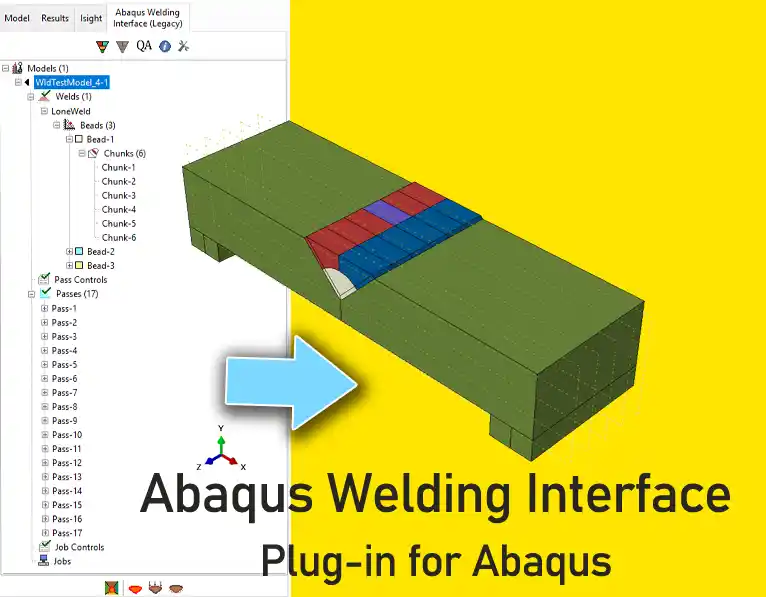
awi plugin - abaqus welding interface plugin - welding fea simulation - cae - simulia -qustomapps
Abaqus Welding Interface Plugin € 55.00
Back to products
Next product
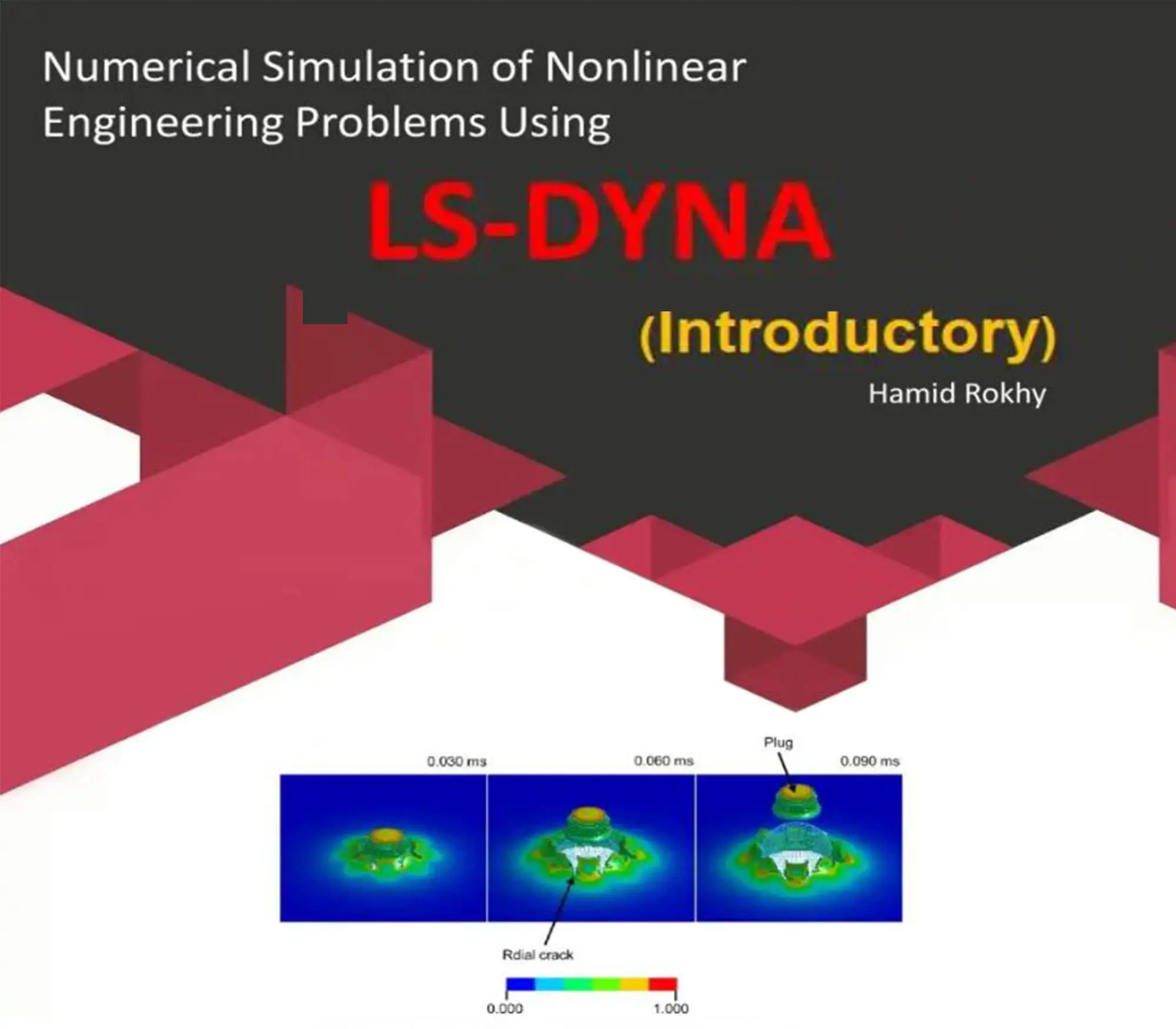
Numerical Simulation of Nonlinear Engineering Problems Using LS-DYNA book by Hamid Rokhi Banumusa
LS-DYNA Book: Numerical Simulation of Nonlinear Engineering Problems Using LS-DYNA € 410.00
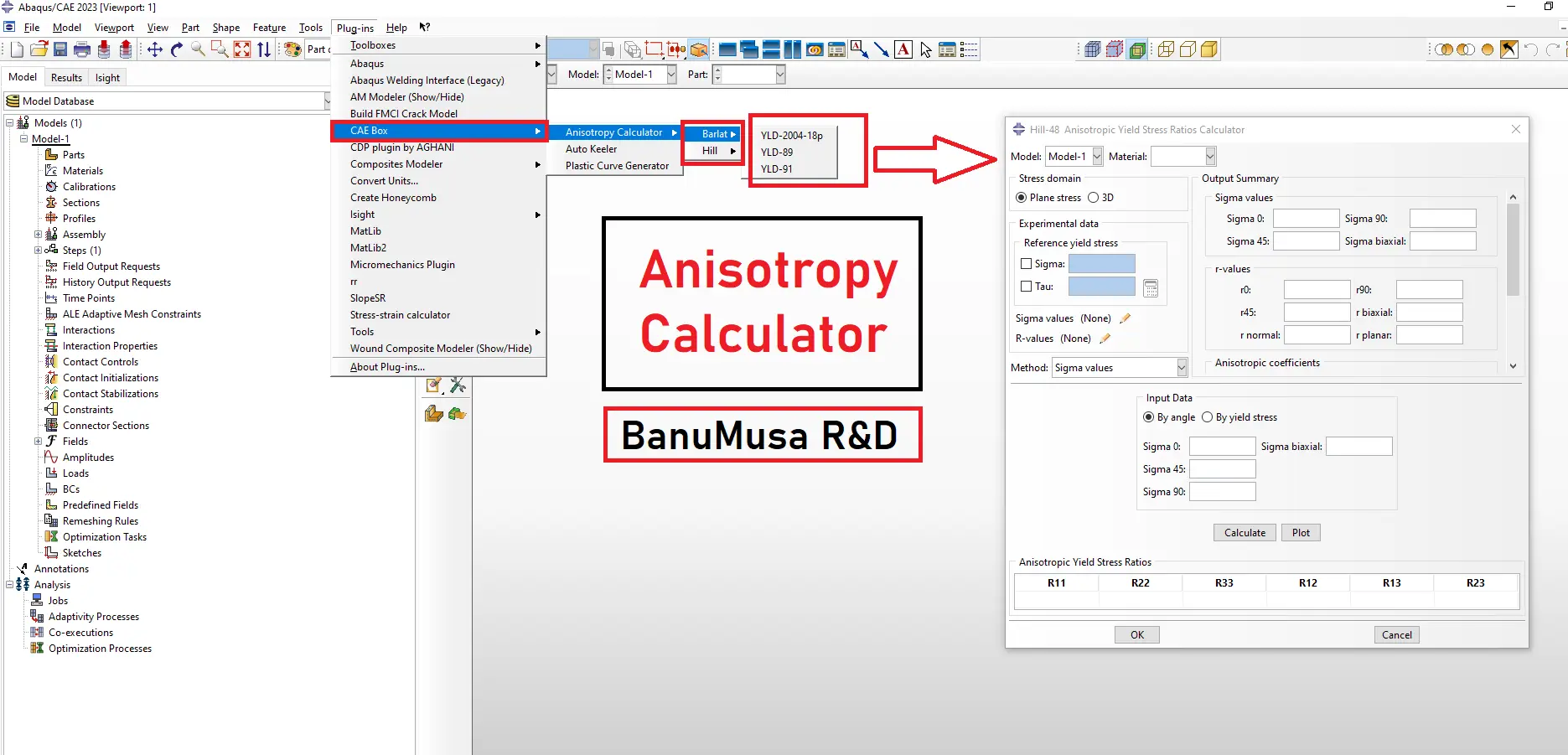
Anisotropy Calculator Abaqus plugin for sheet metal forming material models
Click to enlarge

Anisotropy Calculator Abaqus Plugin

€ 190.00

The Anisotropy Calculator Abaqus Plugin is a specialized tool designed to simplify the calculation of anisotropic parameters for materials used in Abaqus simulations, especially in sheet metal forming. This plugin assists users in defining accurate anisotropy parameters, enhancing simulation precision by accounting for material behaviors that vary with direction.

Documentation (PDF/HTML)
Abaqus plugin files (*.RAR)
Abaqus workshop files

If you want to pay in a way other than Tether/Tron, contact us.
somdn_product_page
Compare
Add to wishlist
SKU: 2024-19 Categories: Abaqus, Abaqus Plug-ins
Share
Facebook Twitter Email Pinterest linkedin Odnoklassniki WhatsApp WhatsApp VK Telegram
close
You may also like…
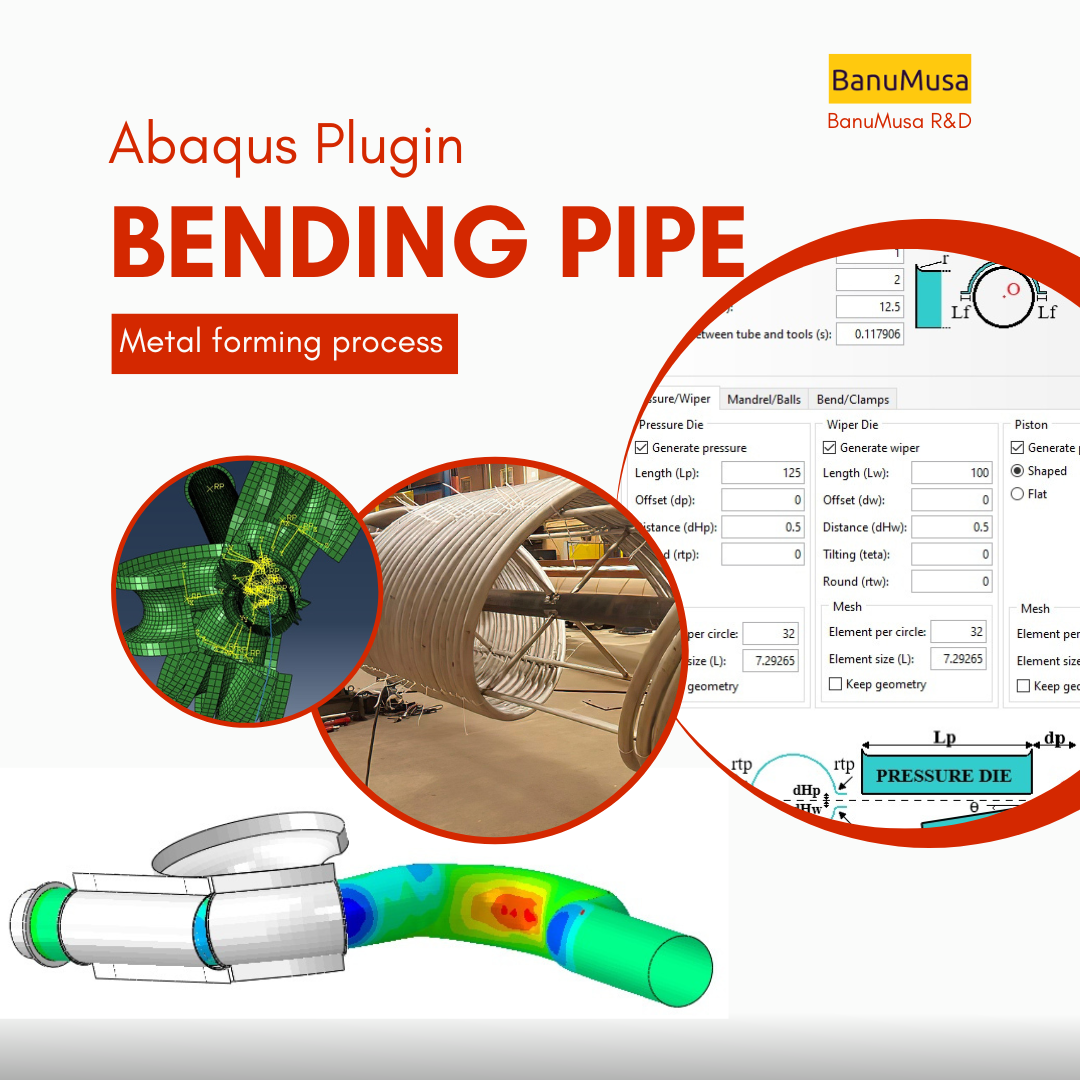
  • Bending Pipe plugin interface acting as an advanced pipeline modeling software in Abaqus
    Bending Pipe Plugin for Abaqus € 1,365.79 Original price was: € 1,365.79.€ 685.00Current price is: € 685.00.
  • larc05-abaqus-failure-criteria-composite-analysis
    Abaqus Tutorial: LaRC05 Failure Criterion For Fiber-Reinforced Composites € 110.00 Original price was: € 110.00.€ 99.00Current price is: € 99.00.
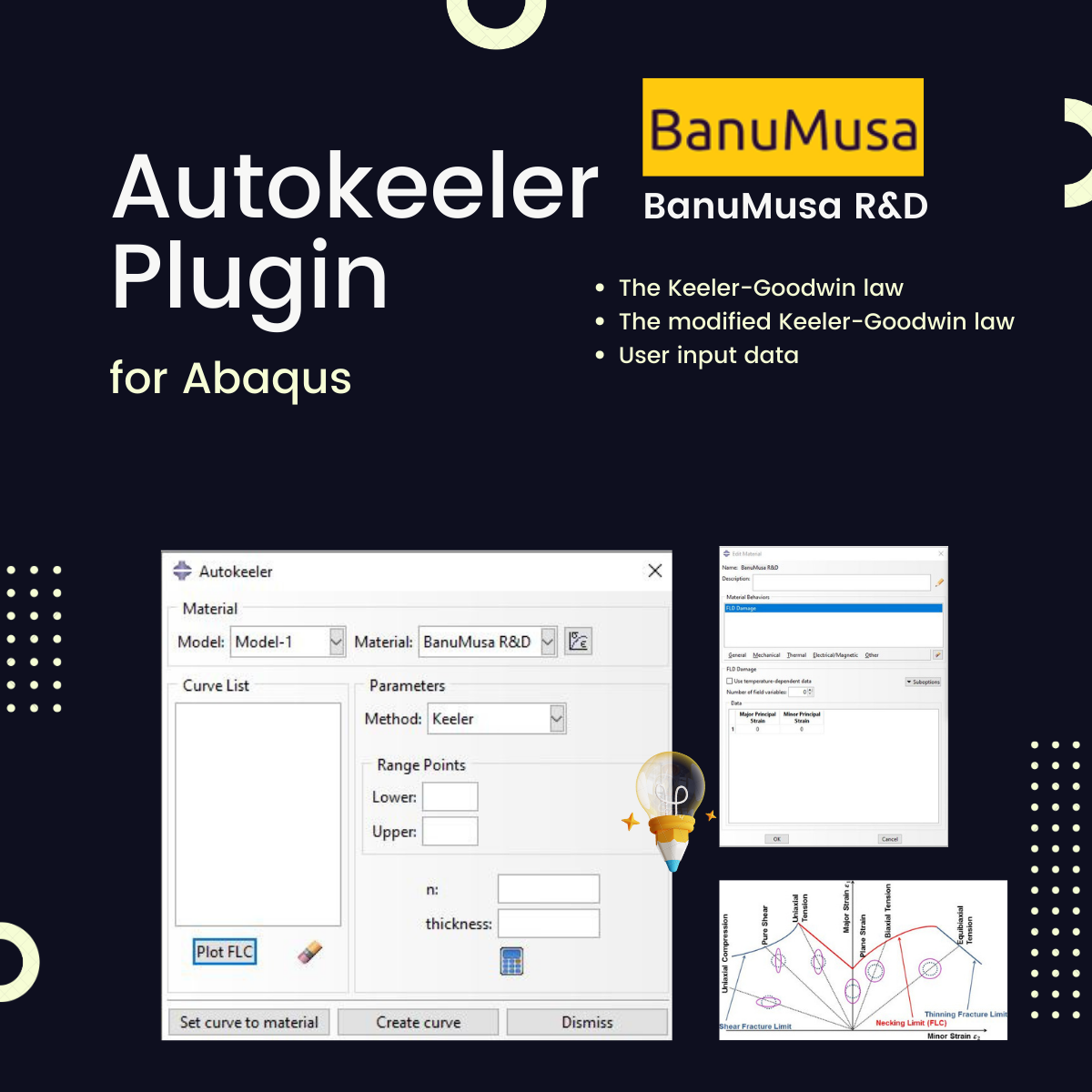
  • Autokeeler plugin generating Forming Limit Curves (FLC) and FLD in Abaqus
    Autokeeler Plugin for Abaqus: FLC & FLD Generator € 0.00
  • Micromechanics Plugin for Abaqus
    Micromechanics Plugin for Abaqus € 0.00
technical support by banumusa
We are ready to help you do CFD & FEA simulations.
Need help?
Get a consultation from our experts.

Email: info@banumusagr.com
Telegram: +98-915-55-20-388
WeChat: +98-915-55-20-388
WhatsApp: +98-915-55-20-388
Categories
  • Description
  • Additional information
  • Payment & Support
  • Content
Description

Anisotropy Calculator Abaqus Plugin

Using the Anisotropy Calculator Abaqus Plugin helps optimize simulation outcomes in Abaqus, ensuring that material behaviors in various directions are accurately represented. This leads to improved predictions in processes where anisotropy plays a crucial role, offering more reliable insights and contributing to better-informed engineering decisions.

This plugin is a valuable tool for engineers and researchers seeking to improve accuracy in metal forming simulations, bringing both efficiency and precision to their Abaqus workflows.

Anisotropy Calculator – Overview

Anisotropy in metals often arises during cold working due to the reorientation of their microstructure. Accurately defining this characteristic is crucial for improving the precision of results, particularly in simulations of sheet metal forming. For this purpose, obtaining reliable anisotropic parameters is essential. Various researchers, including Hill, Barlat, and Banabic, have developed mathematical models to describe anisotropic behavior. Some models are better suited for normal anisotropy, while others are optimal for planar anisotropy, with the chosen model significantly influencing the final simulation outcomes.

The Anisotropy Calculator plug-in (see Abaqus plugin database) simplifies calculating these parameters. It supports multiple established anisotropy laws, allowing users to calculate parameters using standard experimental data. The plug-in includes:

1. Banabic-2005

The Banabic-2005 criterion is a yield function that extends previous anisotropy models to provide a better fit for materials with complex anisotropic behavior, particularly for aluminum alloys. Developed by Dorel Banabic, this model is especially effective in describing anisotropy in automotive sheet metals, offering high accuracy in cases where other models might fall short.

2. Barlat-2005 (YLD-2004-18P)

Known as YLD2004-18p, this model by Barlat and co-authors is a sophisticated anisotropic yield criterion designed for aluminum alloy sheets. It offers a good balance between computational efficiency and accuracy in capturing complex anisotropy. The “18P” in the name refers to the 18 parameters that the model requires, making it flexible but complex. It is widely used in the automotive industry for materials that show strong directional dependency in their properties.

3. Barlat-89

The Barlat-1989 model, often called Barlat89, is one of the earlier anisotropic yield criteria and uses six parameters to represent anisotropy in metal sheets. This model is particularly well-suited for metals with a lower degree of anisotropy and was one of the first to improve upon earlier isotropic models, offering a more realistic representation of material behavior in sheet metal forming.

4. Barlat-91

  • The Barlat-1991 criterion is an evolution of the Barlat-89 model and includes eight parameters to capture anisotropy in materials. It was created to better handle complex anisotropic behavior, especially in aluminum and steel sheets used in automotive applications. This model provides more accuracy than Barlat-89 in cases where additional detail is required.

5. Hill-48

  • The Hill-1948 yield criterion, also known as Hill48, was one of the first widely accepted anisotropic models and has been commonly used for metals with a moderate degree of anisotropy. It uses a quadratic yield function that depends on a few parameters, making it easy to implement but less accurate for materials with high anisotropy. It is still used today for its simplicity and relatively low computational cost.

6. Hill-90

  • The Hill-1990 criterion is an improvement over the Hill-48 model, incorporating additional parameters to capture anisotropic behaviors more accurately. This model is also quadratic and is used for materials with directional properties, like rolled sheets. It provides more flexibility than Hill-48 in capturing anisotropy in materials that have been processed to alter their grain structure.

7. Hill-93

The Hill-1993 criterion further refines Hill-90 by adding more parameters, allowing it to capture even more complex forms of anisotropy. Hill93 is especially useful for materials with very distinct directional dependencies and can be more computationally intensive than Hill-48 and Hill-90 due to its added complexity. It is suitable for advanced simulations in applications like automotive and aerospace, where material anisotropy plays a crucial role.

The Anisotropy Calculator makes selecting the most accurate model for each scenario easier, enabling more dependable simulation results for industrial applications.

  • Easy Parameter Calculation: Users can input typical experimental data, and the plugin automatically calculates the corresponding anisotropic parameters, eliminating manual calculation and reducing error risk.
  • Improved Simulation Accuracy: By leveraging accurate anisotropic parameters, this plugin enhances the precision of simulation results, which is especially critical in applications like sheet metal forming where directional properties impact material deformation.
Model Developer Primary Use Cases Complexity (Parameters) Key Application
Banabic-2005 Banabic Complex anisotropy (aluminum alloys) Moderate Automotive
Barlat-2005 (YLD-2004-18P) Barlat et al. High anisotropy, especially aluminum High (18 parameters) Automotive
Barlat-89 Barlat Low to moderate anisotropy Low (6 parameters) General metals
Barlat-91 Barlat Complex anisotropy Moderate (8 parameters) Automotive
Hill-48 Hill Moderate anisotropy Low General metals
Hill-90 Hill Complex anisotropy Moderate Sheet forming
Hill-93 Hill High anisotropy High Aerospace, automotive

Anisotropic yield criteria

Anisotropic yield criteria are mathematical formulations that describe how materials yield (or start to deform plastically) when subjected to stresses in different directions. Each model was developed to address different types of anisotropic behaviors, commonly observed in metals due to cold working or rolling, which aligns their grain structure in specific directions.

Abaqus Workshops/ Examples

The plugin has 4 examples.

  • Example: Banabic-2005
  • Example: Barlat-2005 (YLD-2004-18P)
  • Example: Barlat-91
  • Example: Hill-48

anisotropy calculator abaqus pluginInstalling The Plugin

Extract the contents of the zip folder into a subdirectory of the abaqus_plugins folder, which can either be located in the

  • abaqus_dircodepythonlibabaqus_plugins where abaqus_dir is the Abaqus parent directory or,
  • home directory (in which case the plugin will be available whenever Abaqus is run) or,
  • within the current working directory of your Abaqus/CAE session.

Compatibility

The Abaqus plugin is designed to be compatible with all Abaqus/CAE versions including Abaqus 24 and Python 3.

Updates

Version 2024

Who this plugin is for:

  • Engineering or science students and professionals who work in the metal sheet forming
  • Advanced students, Ph.D. students, or researchers for their Abaqus FEA projects
  • Any Abaqus Application Engineer who is involved with various daily simulation projects

What you’ll gain

  • You will be able to simulate and calibrate anisotropy metal material models in Abaqus in much less time.
We are ready to help you do CFD & FEA simulations.

Need help? Get a consultation from our experts.

Abaqus E-learning technical FEA & CFD consulting by banumusa FEA & CFD Consultancy Services Abaqus Ansys LS-Dyna user subroutine plugin FEA and CFD consultancy Abaqus consultancy services Technical Abaqus mentoring fluent cfd services ls-dyna consultancy services ansys consultancy services comsol consultancy services
Email us: info@banumusagr.com
Telegram: +98-915-55-20-388
WhatsApp: +98-915-55-20-388

Find Us on WeChat

wechat banumusa company ویچت
Additional information
Software

Abaqus FEA

Type

Abaqus Plugin

Level

Advanced

Files

Abaqus files: *.rar
Documentation: PDF/HTML
Workshops: PDF

Language

English

Category

Metal forming

Solver

Explicit, Standard

Material

Metals

Payment & Support

Satisfaction Guarantee & Instant Access

All products available on the BanuMusa R&D website come with a guarantee of customer satisfaction. You will receive an automated download link immediately after your purchase is processed. We also provide online consulting and mentoring to ensure you get the absolute most out of our engineering products.

Before buying, you can consult with our technical experts to ensure the product perfectly aligns with your project requirements.

Secure Payment Methods

Cryptocurrency (Fastest)

The easiest way to pay is through the Tether portal in our shop using your wallet. The download link will be generated automatically.

  • Tether (USDT) - TRC20
  • Tron (TRX)
Video Tutorials:
  • How to pay using USDT TRC-20
  • Tron TRC20 Wallet Tutorial

International e-Wallets

We support major digital wallets. Once your manual payment is verified, we will email you the download links.

  • Payoneer: Contact us to receive the payment address.
  • PayPal: Contact us for our official account.
  • PAYEER: Contact us for instructions.
  • WebMoney: Contact us for our WMZ wallet address.

Bank Transfer (SWIFT)

For corporate clients or large engineering software orders, we accept direct wire transfers.

Please contact our support team to receive our official SWIFT/IBAN banking details and a Proforma Invoice.

Need Help with Payment? Contact Us

If you cannot use the direct Tether gateway or need our payment details (PayPal, Payoneer, SWIFT, etc.), simply send us the product link via email or our social networks.

  • +98-915-5520-388 (WhatsApp, Telegram, WeChat)
  • info@banumusagr.com
  • +98-51-35424520
Content

Contents

  • Abaqus plugin files: *.rar
  • Abaqus workshop files: -
  • Documentation: PDF/HTML
  • Workshops: *.txt

Reviews

There are no reviews yet.

Be the first to review “Anisotropy Calculator Abaqus Plugin” Cancel reply

You must be logged in to post a review.

Related products

Fortran for Abaqus Subroutine - writing user subroutines udhard umat film uload
Compare
Close

Fortran for Abaqus Subroutine

€ 255.00
If you are familiar with user subroutines in Abaqus, you must know that Fortran, C, and C# are languages that can be used to write subroutines in Abaqus. What is common among Abaqus users now is using Fortran in writing user subroutines. In the "Fortran for Abaqus Subroutine" training package, zero-to-one writing user subroutine tips are taught using Fortran in Abaqus. Abaqus tutorial video (*.mp4) Lecture notes (PDF) Abaqus workshop files (*.cae, *.inp, *.jnl, *.odb) Fortran Abaqus subroutines run on Windows or Linux 15-day money-back guarantee   Free 24/7 online mentoring
Add to wishlist
Add to cart
Quick view
Additive Manufacturing Simulation with Abaqus
Compare
Close

Additive Manufacturing Simulation with Abaqus

€ 410.00
Throughout Additive Manufacturing Simulation with Abaqus course, you will gain a deep understanding of the principles and techniques involved in additive manufacturing simulation using Abaqus software. You will learn how to simulate the complex processes involved in additive manufacturing, such as material deposition, thermal management, and residual stress analysis. By the end of the course, you will be equipped with the knowledge and skills to effectively utilize Abaqus for additive manufacturing simulation, making you a valuable asset in the field of advanced manufacturing. Abaqus tutorial video (*.mp4) Lecture notes (PDF) Abaqus workshop files (*.cae, *.inp, *.jnl, *.odb) 15-day money-back guarantee   Free 24/7 online mentoring
Add to wishlist
Add to cart
Quick view
Pelamis Fatigue Damage Calculator plugin for marine Abaqus simulations abaqus fatigue analysis offshore structure design fe safe fatigue failure analysis
Compare
Close

Pelamis Fatigue Damage Calculator Plugin for Abaqus

€ 0.00
The Pelamis fatigue damage calculator plugin with a user-friendly GUI that makes it easy to perform fatigue analysis of offshore steel structures. The plugin is developed by Dr. Richard Craven. After performing a load time history analysis for a set of nodes, the fatigue damage or life of that set can be calculated. For this purpose, the stress time history for the set using the ASTM rainflow cycle counting method is used, and then the S-N curves available in DNV-RP-C203 are used to calculate the damage.
Add to wishlist
View
Quick view
Introduction to VUMAT Subroutine Abaqus Mentoring Abaqus tutorial video
Introduction to VUMAT Subroutine Abaqus Mentoring- tutorial
Compare
Close

Introduction to VUMAT Subroutine

€ 210.00
Introduction to VUMAT Subroutine course helps you to learn the process of writing VUMAT as quickly as possible with the help of practical examples. All the tips and details that you encounter to write the code are taught in this course and you can implement the material model in the subroutine. Because you may have questions while watching the course, an expert will answer your questions online. Abaqus tutorial video (*.mp4) Lecture notes (PDF) Abaqus workshop files (*.cae, *.inp, *.jnl, *.odb) Fortran subroutines 15-day money-back guarantee   Free 24/7 online mentoring
Add to wishlist
Add to cart
Quick view
Hot
abaqus material library
Compare
Close

MatLib: The Ultimate Abaqus Material Library Plugin

Rated 4.75 out of 5
€ 315.00
Stop wasting hours on manual material calibration and unit conversions. MatLib is the ultimate Abaqus Material Library plugin, designed to accelerate your FEA simulations.

✅ 1,400+ Validated Materials (Metals, Polymers, Composites, etc.) ✅ 32 Engineering Categories ✅ 3 Consistent Unit Systems (SI-m, SI-mm, English/lb)

🎓 Student or Researcher? Apply for our 40% Academic Discount!

Add to wishlist
Add to cart
Quick view
Introduction to Abaqus course
Introduction to Abaqus Training Course - abaqus for students. abaqus for beginners
Compare
Close

Introduction to Abaqus Training Course

€ 410.00
The Introduction to Abaqus Training Course provides a thorough and cohesive overview of Abaqus' modeling and analysis capabilities. Participants will learn how to address linear and nonlinear problems, manage analysis tasks, and examine simulation outcomes within Abaqus' interactive interface. The course will encompass instruction on the following products: Abaqus/CAE, Abaqus Standard, and Abaqus Explicit. Abaqus tutorial video (*.mp4) Lecture notes (PDF) Abaqus workshop files (*.cae, *.inp, *.jnl, *.odb) 15-day money-back guarantee   Free 24/7 online mentoring
Add to wishlist
Add to cart
Quick view
online Technical Abaqus Mentoring by Skype and anydesk - banumusa - fea consulting
Compare
Close

Technical Abaqus Mentoring by Skype

€ 75.00
Our Technical Abaqus Mentoring by Skype service offers you the opportunity to engage in personalized one-on-one mentoring sessions via Skype and AnyDesk with our team of certified Abaqus specialists. This unique platform allows you to delve into your engineering challenges, providing you with expert guidance and support to navigate through any obstacles you may encounter. Our specialists are dedicated to steering you in the right direction, ensuring that you receive the assistance needed to overcome your technical hurdles effectively and efficiently.
Add to wishlist
Add to cart
Quick view
awi plugin - abaqus welding interface plugin - welding fea simulation - cae - simulia -qustomapps
Compare
Close

Abaqus Welding Interface Plugin

€ 55.00
The Abaqus Welding Interface (AWI) plugin enhances two- and three-dimensional welding simulations by automating labor-intensive tasks in weld model creation, allowing analysts to input basic information, select weld beads, and configure weld pass sequences easily. It generates necessary analysis steps, establishes energy transport boundary conditions, and constructs both thermal and mechanical models for thermal stress analysis. Despite the complexity of welding simulations, which require precise geometric representations and multiple parameters, the AWI streamlines the workflow. However, it is only compatible with Abaqus 2017, as the original plugin does not support Abaqus 2023; users can instead opt for the QustomWeld plugin available from QustomApps. Documentation (PDF) Abaqus plugin files (*.RAR) Abaqus workshop files
Add to wishlist
Add to cart
Quick view

Tag your photos with #anisotropy_calculator_plugin on Instagram.

BanuMusa R&D Simulation Consultancy

Bridging the gap between theoretical engineering and manufacturing reality. We provide high-fidelity FEA, CFD, and specialized Abaqus plugins to eliminate trial-and-error in critical industrial sectors.

Capabilities

  • FEA Consultancy
  • CFD Simulation
  • API 579 FFS Assessment
  • ASME Design by Analysis
  • Composite & COPV

Flagship Utilities

  • MatLib Material Database
  • WCM Plugin (COPV)
  • 3D Hashin VUMAT
  • Autokeeler (Metal Forming)
  • Johnson-Cook Plugin

Support & Resources

  • 40% Academic Discount
  • 1-on-1 Abaqus Mentoring
  • Advanced CAE Courses
info@banumusagr.com
06-02 Park View condo, Changkat perak, off Lorong Perak, 50250, Kuala Lumpur, Selangor, Malaysia
Accepted Payments
© 2026 BanuMusa R&D. Engineering Simulation & Automation. All rights reserved.
Support & FAQ Payment Methods Privacy Policy Terms of Service

© 2026 FEA & CFD Consultancy | BanuMusa R&D. All rights reserved

Shopping cart

close

Powered by WhatsApp Chat

  • Menu
  • Categories
  • Consulting Services
  • Products
  • Resources
    • Blog
    • Projects
  • About Us
    • Contact Us
    • Our Team
    • Our Partners
    • Careers
  • Consulting Services
  • Products
  • Resources
    • Blog
    • Projects
  • About Us
    • Contact Us
    • Our Team
    • Our Partners
    • Careers

Sign in

close


Lost your password?
No account yet? Create an Account
Sidebar